

Earnings & Commissions
The Earnings page is your authoritative commission record. Every commission appears here the moment it is generated, with status and Stripe payout reference so you can reconcile against your finance records.
Earnings is the running ledger — it updates the moment a commission happens. The monthly rollup you file against is a separate document: see Statements.
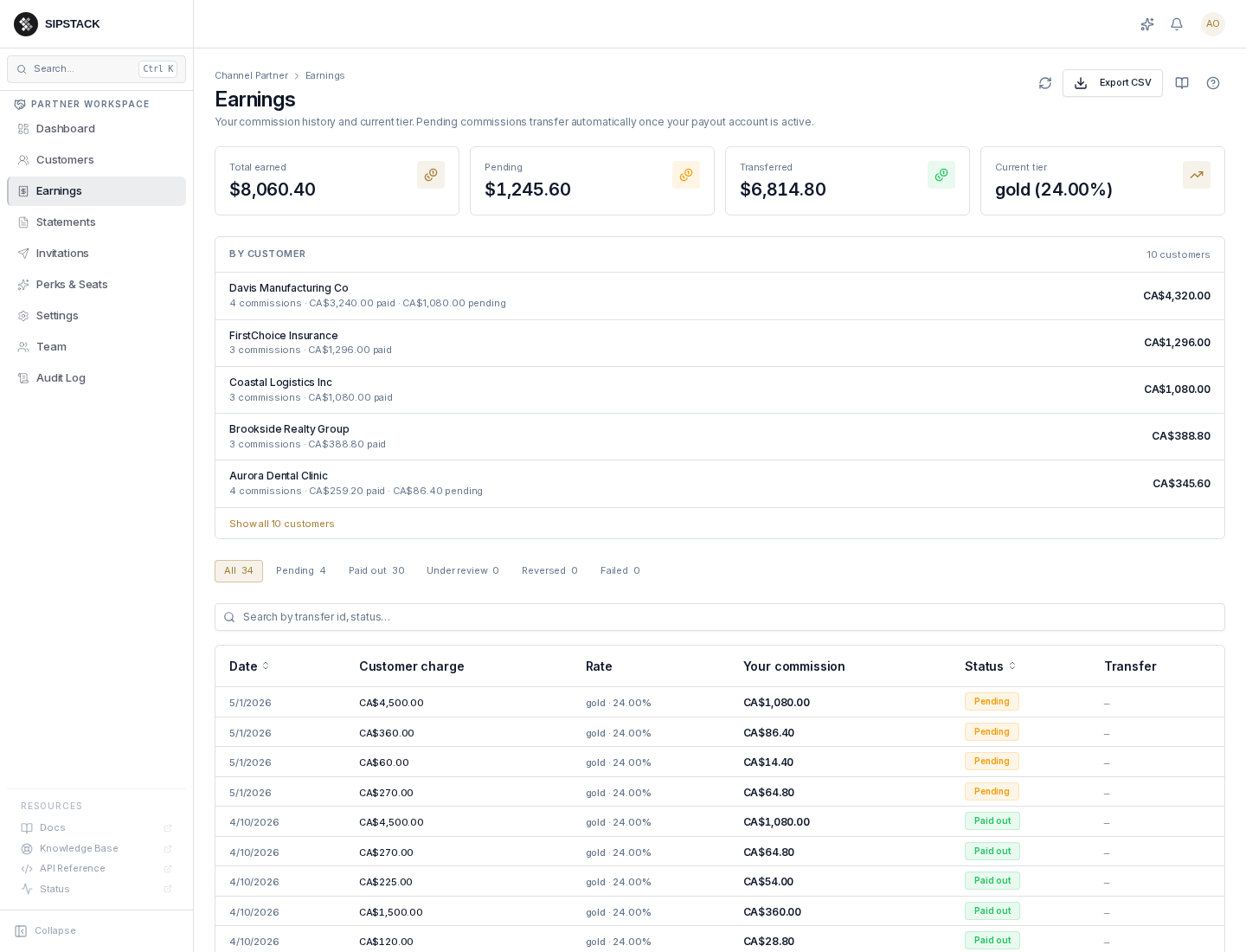
What’s on the page
Section titled “What’s on the page”- Totals — total earned, pending, transferred, and your current tier.
- By customer — a per-customer rollup of paid and pending commission.
- The ledger — one row per commission: date, the customer charge it was earned on, the tier and rate applied, your commission amount, status, and the Stripe transfer reference once paid.
- Filters & export — status filter chips (All / Pending / Paid out / Under review / Reversed / Failed), search by transfer ID, and an Export CSV button that respects the active filter.
Status semantics
Section titled “Status semantics”- Pending — commission earned, awaiting transfer to your Stripe Connect account. Most commissions sit here briefly before flipping to Paid out. If your payout account is not yet active, everything pools here until it is.
- Paid out — transferred to your Stripe Connect account; the row shows the Stripe transfer ID.
- Under review — frozen because the linked charge is disputed, refunded, or flagged by fraud. May move to Reversed or release back to Paid out depending on outcome.
- Reversed — commission cancelled (refund, chargeback, or fraud determination). Subtracted from your next payout.
- Failed — a transfer attempt errored on Stripe’s side; it will be retried or investigated.
Related: Statements, Dashboard.