

Call Queues
Call Queues
Section titled “Call Queues”A queue holds inbound callers in line — with hold music and optional position announcements — and dispatches them to your available members one at a time, according to a ring strategy. Use queues for higher-volume lines (support, billing) where ringing every phone at once doesn’t scale.
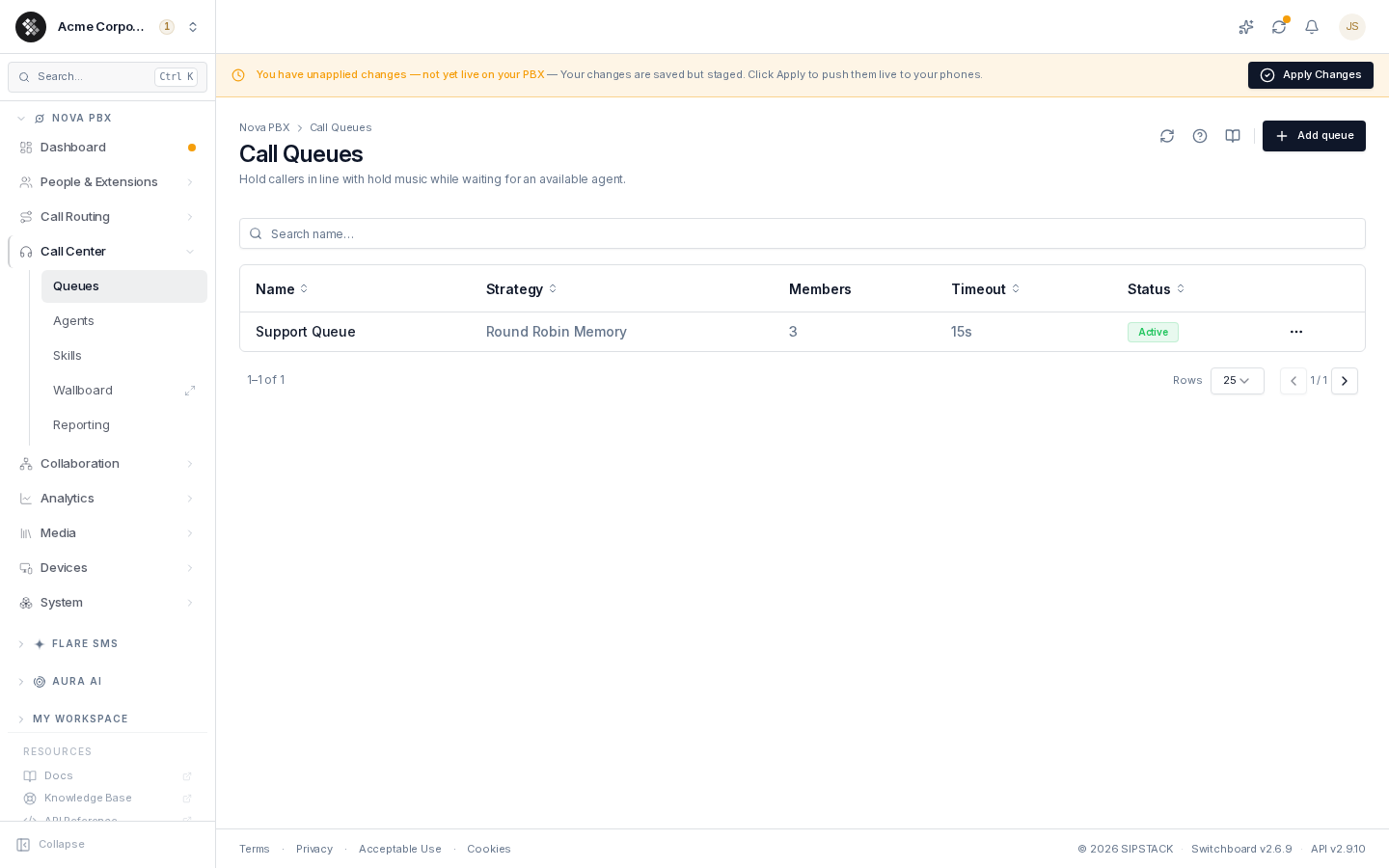
Nova PBX → Call Center → Queues lists every queue with its strategy, member count, ring timeout, and status. Search filters by name.
Queue vs. the Rest of the Call Center
Section titled “Queue vs. the Rest of the Call Center”Queues are one part of the Nova call center. The related pages each have their own docs:
| Page | Purpose |
|---|---|
| Agents | Manage the agent roster, availability, and skill assignments. |
| Skills | Define the organization-wide skill catalog for skills-based routing. |
| Wallboard | Fullscreen live queue status for a wall monitor. |
| Reporting | SLA, agent performance, and queue statistics. |
Creating a Queue
Section titled “Creating a Queue”- Click Add queue (top-right).
- On the General tab, give it at least a Name and pick a Ring strategy.
- Click Create queue — you land on the editor’s Members tab to add members.
The full field-by-field reference for the three-tab editor (General / Members / Announcements) is on Creating & Editing Queues.
Ring Strategies at a Glance
Section titled “Ring Strategies at a Glance”| Strategy | Behavior |
|---|---|
| Ring All | All available members ring; first to answer takes the call. |
| Round Robin Memory | Cycles through members in order, remembering position across calls. |
| Least Recent | Rings whoever has gone longest without taking a queue call. |
| Fewest Calls | Rings the member with the fewest completed calls. |
| Random | Random pick per call. |
| Linear | Strictly first-listed first; later members only when earlier ones are busy. |
| Weighted Random (Skills) | Random among members whose skills match the queue’s required skills, weighted by penalty. |
Most teams use Round Robin Memory or Fewest Calls for fair distribution.
Editing and Deleting
Section titled “Editing and Deleting”Click a row to open the three-tab editor. To delete, use ⋯ → Delete on the list — the confirmation dialog reminds you that the queue and its member assignments are removed permanently, and any inbound routes or IVR keys targeting the queue must be repointed.
Live Stats
Section titled “Live Stats”Waiting-caller counts, agent availability, and answered/abandoned figures are live values reported by your PBX node — they appear on the Wallboard and in Reporting, not on this list. On a freshly provisioned system (or before any calls have hit a queue) these read zero/empty; they populate as soon as the node starts handling queue traffic.