

Building & Editing Agents
Building & Editing Agents
Section titled “Building & Editing Agents”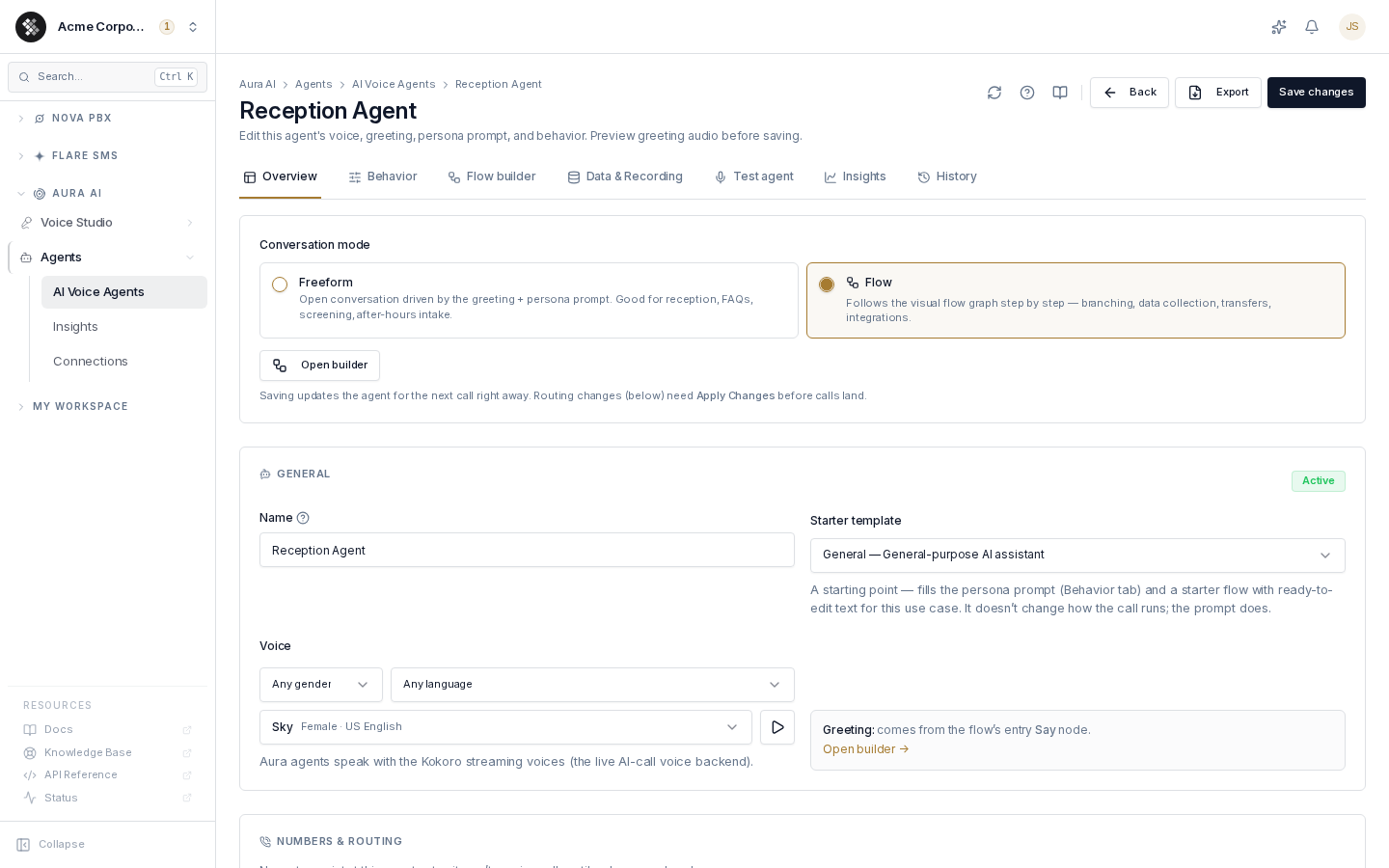
Open any agent from Aura AI → Agents → AI Voice Agents (or click New agent) to enter the builder. The builder is organized into tabs; one Save changes button in the header saves everything.
If a save is blocked by validation, a Fix before saving banner lists the offending tabs and jumps you to the first problem field.
Conversation Modes
Section titled “Conversation Modes”The first choice on the Overview tab is the conversation mode:
- Freeform — an open conversation driven by the greeting plus the persona prompt. Good for reception, FAQs, screening, and after-hours intake.
- Flow — the agent follows the visual flow graph step by step: branching, data collection, transfers, and integrations.
Switching modes is non-destructive: a freeform agent keeps its saved flow dormant (never deleted), and you can switch back to Flow mode to resume it at any time.
Not sure which to pick? Flow Builder Concepts has the full trade-off table — in one line: freeform is the fastest way to a natural-sounding agent, a flow gives you captured variables, guaranteed wording, and exact control over where the call can go.
Overview
Section titled “Overview”The agent’s identity at a glance:
- Conversation mode (above).
- Name — internal label shown in lists, breadcrumbs, and destination pickers. Never spoken to callers.
- Starter template (Type) — Overflow / Sales / General / Custom. Picking one fills the persona prompt (and starter flow) with ready-to-edit text for that use case. It won’t overwrite a prompt you’ve customized.
- Voice — pick from the Voice Studio catalog (agents speak with the Kokoro streaming voices, the live AI-call backend). Filter by language, gender, and tier.
- Greeting (freeform mode) — the first line the caller hears; everything after it is driven by the persona prompt. Supports
{{variables}}and has a Preview button that speaks it with the agent’s voice. In Flow mode the greeting comes from the flow’s entry Say node instead. - Routing card — which inbound routes / numbers currently point at this agent.
- Activity strip — 7-day call signal so you can see the agent is alive.
Behavior
Section titled “Behavior”What the agent says and how each call is bounded:
- Persona prompt (system prompt) — for a freeform agent, this is the agent: role, scope, guardrails, style, and how it ends calls (
[hangup]/[transfer]). In Flow mode it only shapes the flow’s AI say-nodes. A Use template button re-applies the type’s starter prompt (it confirms before overwriting custom text). - Scope & refusals — an optional always-applied boundary on top of the persona; the agent declines (or offers to transfer) anything outside it.
- Variables — your greeting and prompts can use
{{company_name}},{{caller_name}},{{caller_number}},{{dialed_number}},{{current_time}},{{current_date}}— filled automatically on each call. You can override{{company_name}}per agent to white-label it (a brand, division, or DBA distinct from the account name); leave blank to use your organization’s name. - Chime after input — plays a short tone after the caller stops speaking, signaling the agent heard them.
- Barge-in — real-time interruption: the caller can talk over the agent mid-sentence and it stops to listen. Off = polite turn-taking. Individual flow Say nodes can be marked non-interruptible regardless.
- Silence timeout — how long the agent waits after the caller stops before replying (1000–2000 ms is natural).
- Max call duration — hard cap before the agent ends the call.
- Fallback destination — where the caller lands if the agent can’t run the call: out of Aura credits, a processing error, or a
[transfer]. Defaults to hanging up — set a queue, ring group, or extension if a human should always be reachable. - Routing mode — Flexible lets the LLM adapt within the flow; Strict is deterministic-only (no LLM free-roam between nodes). Strict shows as a badge on the agents list.
- Response validator — an optional pre-TTS judge that blocks or regenerates off-script replies before they’re spoken (adds a few hundred ms per reply).
Flow Builder
Section titled “Flow Builder”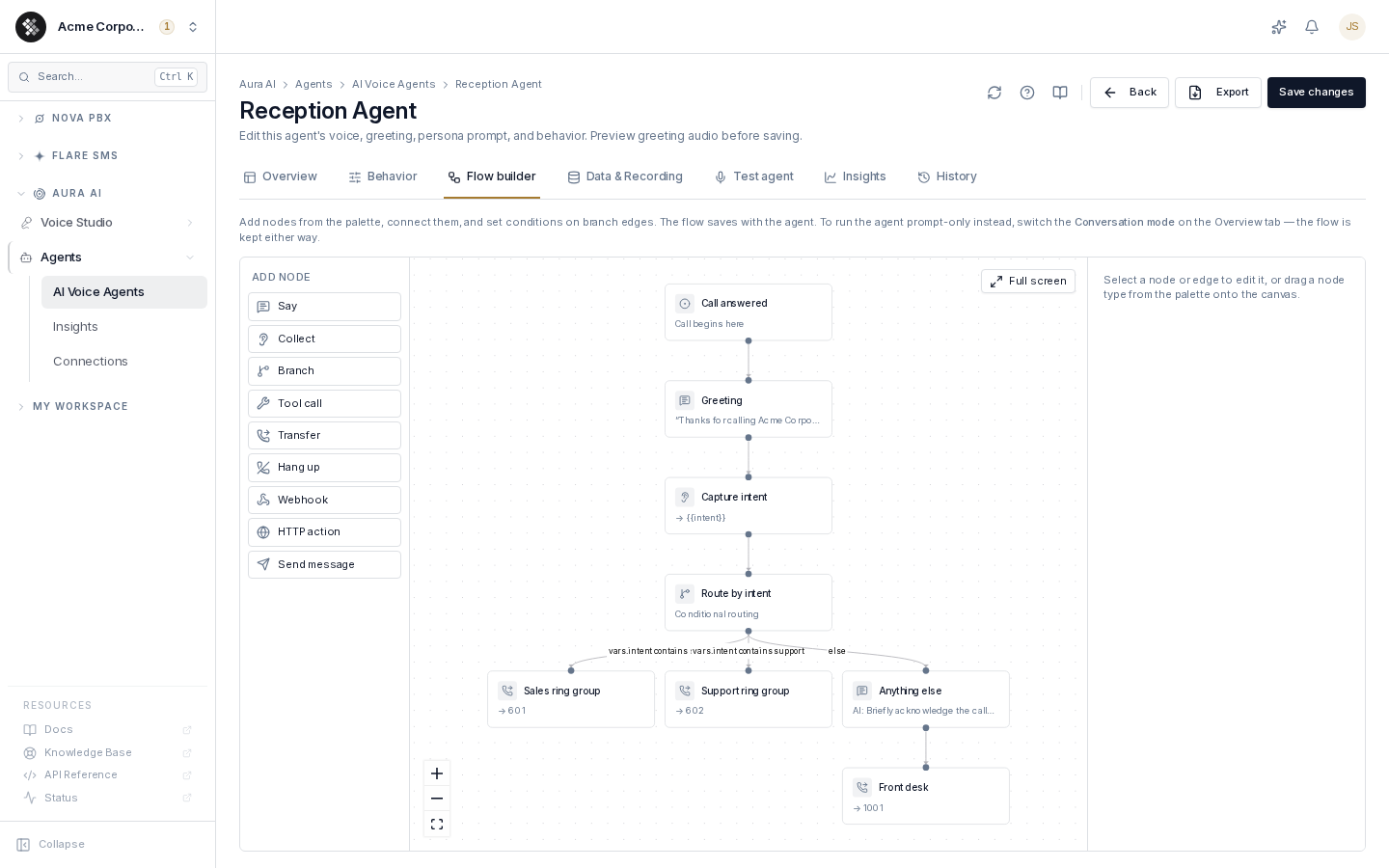
Visible only in Flow mode. The visual editor where you build the call graph: add nodes from the palette, connect them, and set conditions on branch edges. The flow saves with the agent.
| Node | What it does |
|---|---|
| Start | Where the call enters the flow (seeded automatically; exactly one). |
| Say | Speak a fixed line or an AI-generated reply. |
| Collect | Capture what the caller says into a variable (e.g. {{intent}}). |
| Branch | Route to different nodes based on conditions over collected variables. |
| Tool call | Call an external API and use the result (authenticated via a Connection). |
| Transfer | Hand the call to an extension / destination (terminal). |
| Hang up | End the call (terminal). |
| Webhook | Fire an event to your subscribed webhooks. |
| HTTP action | Call an external API endpoint (authenticated via a Connection). |
| Send message | Deliver a message mid-call (webhook / Slack / Teams / email), then branch on success. |
If the agent has no flow yet, the tab offers two starting points: Start from the <Type> template (a runnable example: collect → branch → transfer/webhook) or Create a flow from this agent (converts the current greeting + prompt into a starting graph).
For the concepts behind the nodes — Say vs Collect, how branch edges and conditions are evaluated (compare vs AI intent, all/any/not, the else edge), and a worked reception-flow example — see Flow Builder Concepts.
Flow validation runs on save; an invalid graph jumps you to the offending node or edge.
Data & Recording
Section titled “Data & Recording”Everything the agent captures or emits after a call:
- Extraction plan — post-call structured extraction: an LLM pulls your listed fields (text / number / boolean / enum) from the transcript after hangup. Summary and sentiment run regardless.
- Post-call actions — deliver the captured message and results to webhook, Slack, Teams, or email. By default the email channel is skipped when the call captured no caller input (the caller hung up during the greeting or never spoke — no caller transcript turn and no collected variable), so empty calls don’t send noise emails; webhook, Slack, and Teams still fire on every call. A per-action
skipWhenNoInputtoggle overrides this:trueskips that delivery on a no-input call (any channel),falsealways sends, and unset keeps the default (email-only skip). - Record calls — per-agent call recording with a consent block: a spoken announcement before capture or an in-greeting disclosure, plus a compliance attestation you must confirm before recording is enabled. Optionally opt recordings into transcription + diarization (Aura-credit metered).
Knowledge
Section titled “Knowledge”Which Knowledge Base tags this agent may retrieve from during calls. Tick the tags and press Save knowledge access — this tab saves on its own and is not part of the header’s Save changes. An agent with no tags selected answers from its prompt alone; the tab is only available once the agent has been saved at least once.
Test Agent
Section titled “Test Agent”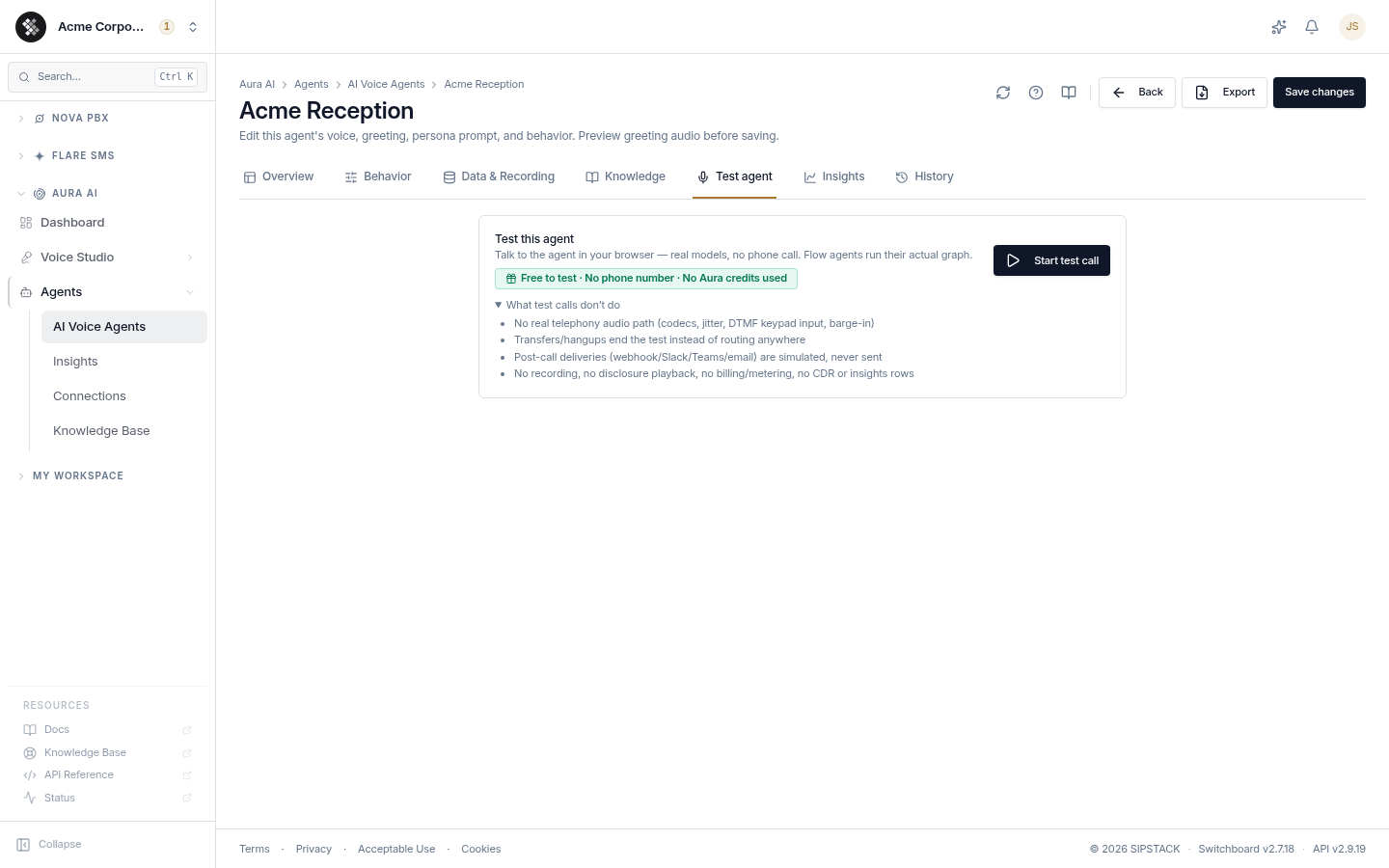
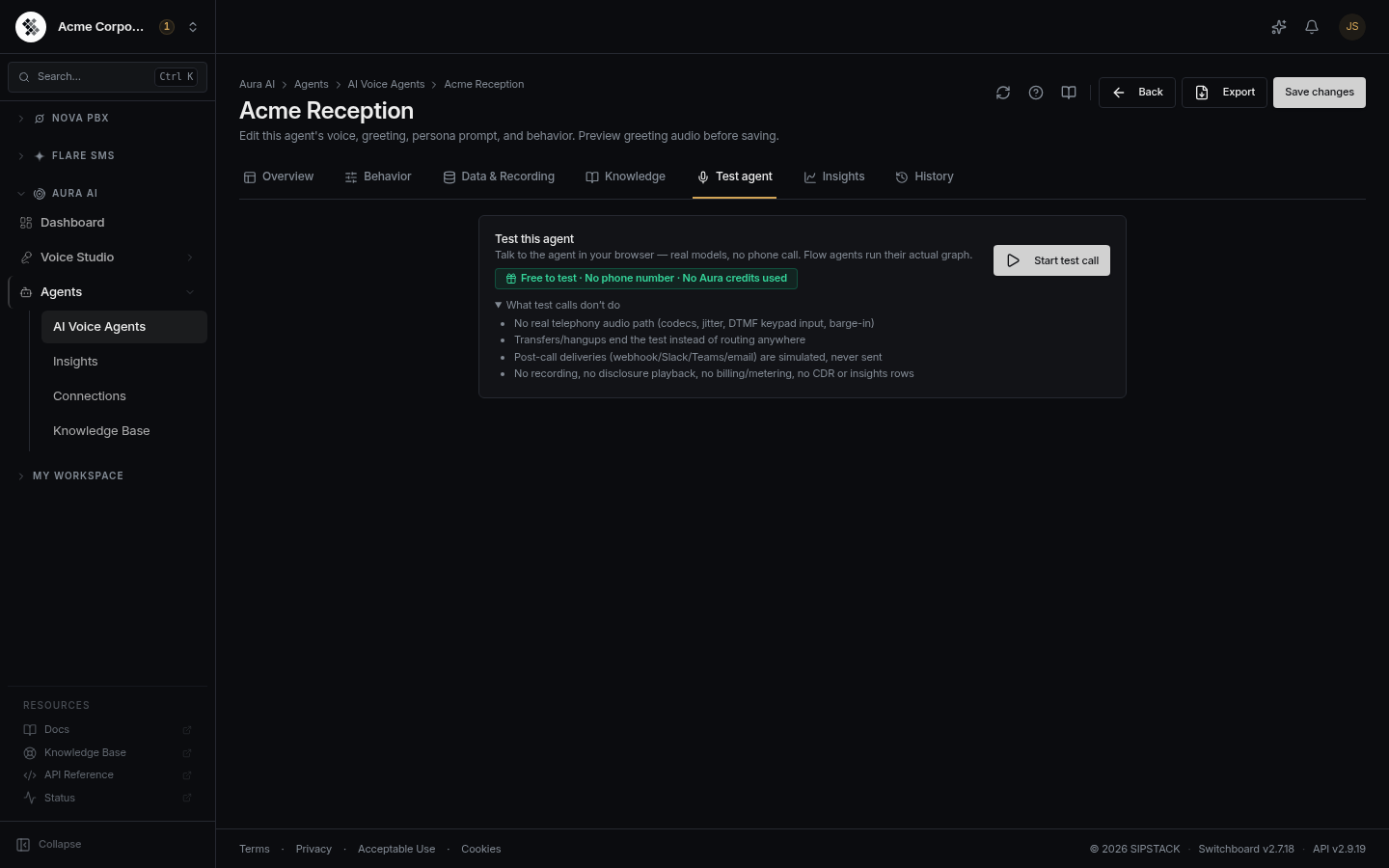
Talk to the agent in your browser — typed or spoken — before it ever takes a real call. No phone number, no telephony, and no Aura credits are used. Flow agents run their real graph; freeform agents use the live greeting plus persona prompt.
The panel always reflects the current form values, so you can test unsaved edits to the greeting, prompt, voice, or flow before you press Save changes.
Before you start:
- The agent must already be saved (the Test tab is hidden while you’re creating a brand-new agent — save once, then it appears).
- Your browser will ask for microphone permission the first time you talk. You can decline and use the typed input instead.
Running a test:
- Press Start test call. The agent speaks its greeting (or runs the flow’s entry node).
- Reply by clicking to record a spoken turn (then Stop & send), or type a reply to skip the mic and speech-to-text. If the agent has barge-in on, you can talk over it mid-sentence.
- The transcript builds turn by turn — agent lines on the left, your lines on the right.
- Press End to hang up, or let the agent end the call itself (a
[hangup]or[transfer]).
When the call ends you get a debrief of what a live call would have produced: the outcome, how many turns it took, the flow steps visited, any collected variables, and an unmetered extraction preview (summary, sentiment, and your extraction-plan fields). Press Start again to re-run.
Insights
Section titled “Insights”Per-agent call outcomes, sentiment, and recent calls (last 7 days appears on the list page as Calls (7d)).
History
Section titled “History”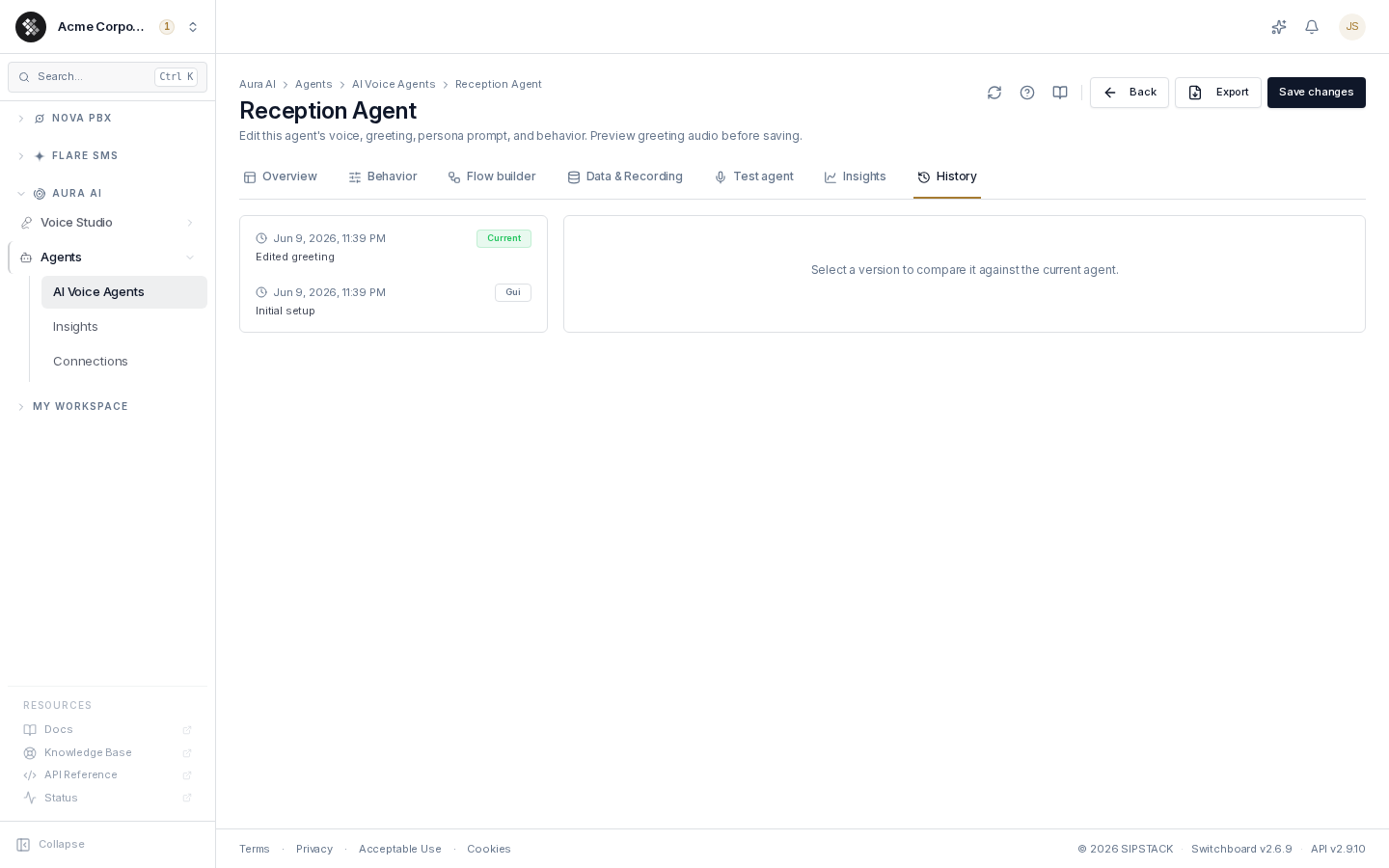
Every save records an immutable snapshot (up to 50 per agent). The list shows when, who/what (GUI save, import, restore, duplicate) and an auto-generated change summary. Select any snapshot to see a field-level diff against the current agent, and click Restore this version to roll back — the restore itself is recorded as a new history entry, so you can always roll forward again. Restores are live on the agent’s next call.
YAML Export & Import
Section titled “YAML Export & Import”Export (header button, or the list row menu) downloads the agent as a self-documenting YAML file:
- Secrets are never exported — credential references are redacted to
${credential:Name}placeholders that re-bind to your Connections by name on import. - The file embeds authoring guidance and a JSON-schema reference, so you can hand it to an LLM (“add a branch for billing questions”) and re-import the result.
Import (on the agents list) validates the file first and always lands the agent as an inert Draft — see AI Voice Agents § Importing.
The full file format — every field and node type, credential placeholders, import limits and activation checks — is in Authoring Agents in YAML.
Drafts & Activation
Section titled “Drafts & Activation”A draft agent shows a warning banner at the top of the editor. Activating it:
- Re-checks the agent server-side — voice exists, credentials are bound, destinations resolve. Blockers are listed if anything is unresolved.
- Makes it live on any inbound route pointing at it, effective the next call.
Until activated, a draft never handles calls and is disabled in destination pickers.