

Departments
Departments
Section titled “Departments”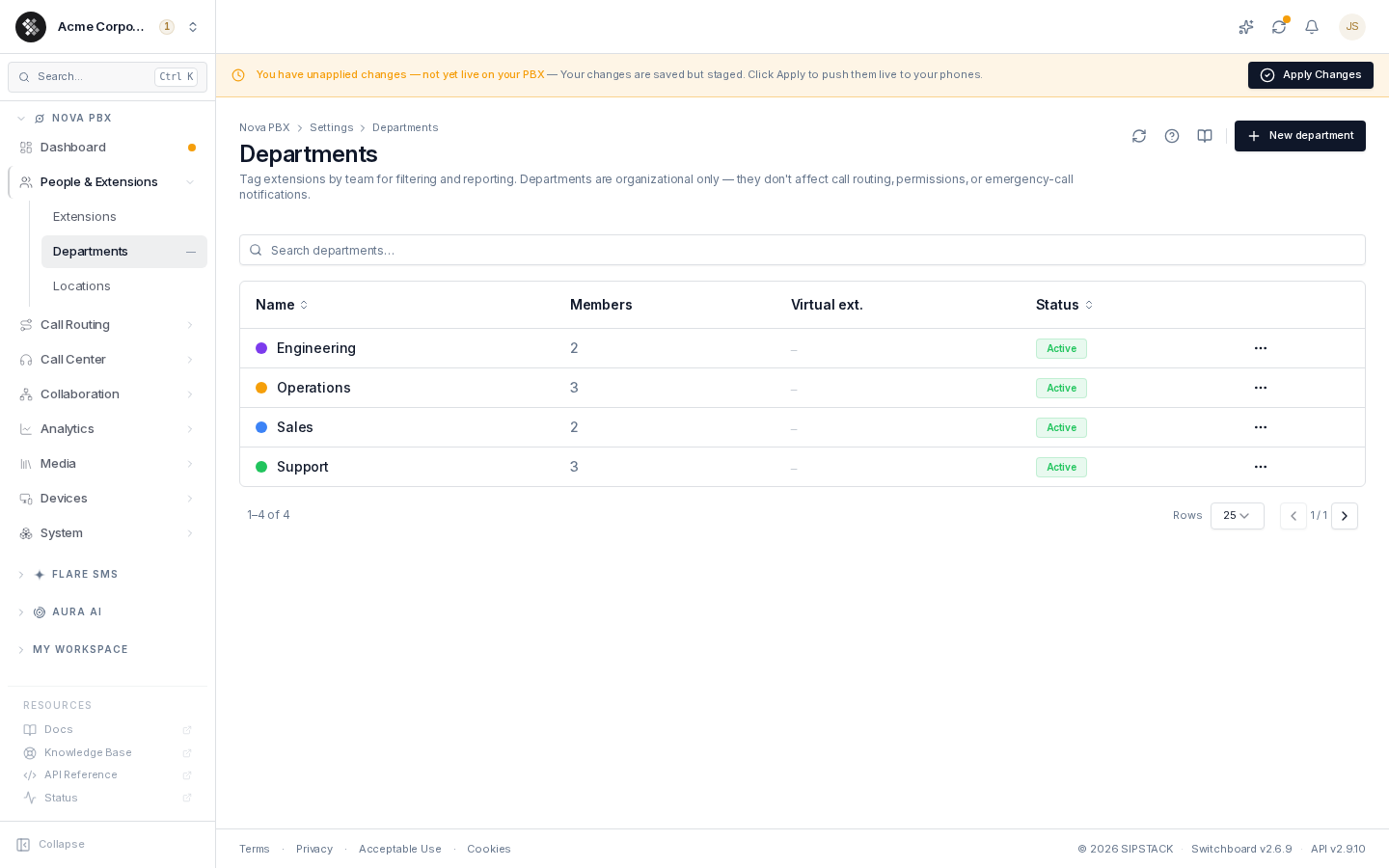
Departments group your extensions by team — Sales, Support, Engineering, Operations — so the extension list is filterable and “who belongs where” is visible at a glance. Navigate to Nova PBX → People & Extensions → Departments.
What a Department Holds
Section titled “What a Department Holds”| Field | What it does |
|---|---|
| Name | Display label, shown on extension rows, filter chips, and reports. |
| Description | Optional free text shown under the name. |
| Color | One of 10 curated swatches. Renders as a chip on extension rows so a team is recognizable at a glance. |
| Virtual extension | Optional number (3–10 digits). Dialing it from a phone on your PBX rings every enabled extension in the department at once (e.g. dial 5000 → ring all of Sales). |
| Status | Disabled departments are hidden from pickers and filter dropdowns, and their virtual extension stops ringing. Existing extension assignments are preserved. |
The list also shows a live Members count — how many extensions are currently tagged with each department.
Creating a Department
Section titled “Creating a Department”- Navigate to Nova PBX → People & Extensions → Departments.
- Click New department.
- Enter a name, pick a color, and optionally add a description and virtual extension.
- Click Create department.
A department without a virtual extension is portal-only. Changes to a virtual extension — its number, the department’s status, or which extensions belong to it — reach your phones when you Apply Changes.
Ringing a Department
Section titled “Ringing a Department”When a department has a virtual extension, dialing that number rings every enabled extension in the department at the same time. The first phone to answer takes the call; after 30 seconds with no answer, the call ends. The edit page shows how many members the number currently rings.
- Disabled extensions are not rung.
- A department with no enabled extensions doesn’t ring anyone.
- The number must be free: it can’t be one that an extension, ring group, queue, conference room, IVR menu, paging group, parking lot, group mailbox or another department already uses. Switchboard tells you which one holds it.
- Need a different ring order, a greeting, or somewhere for unanswered calls to go? Use a Ring Group instead.
Assigning Extensions
Section titled “Assigning Extensions”Departments are assigned from the extension’s edit page:
- Open Nova PBX → People & Extensions → Extensions and click an extension.
- In the Assignment section, pick the department.
- Save. The department chip now appears on the extension row, and the member count on the Departments page updates.
Each extension belongs to at most one department.
Deleting a Department
Section titled “Deleting a Department”Deleting removes the tag from any assigned extensions — the extensions themselves are unaffected. This cannot be undone; the member assignments are simply cleared.
Frequently Asked Questions
Section titled “Frequently Asked Questions”Can I ring everyone in a department at once? Yes. Give the department a virtual extension and dial it. See Ringing a Department.
Do departments restrict what users can see or do? No. Access control is handled by permission groups; departments are labels.
Why is a department missing from the extension’s picker? It’s probably disabled. Re-enable it on the department’s edit page — disabled departments hide from pickers but keep their existing assignments.