

Agents
Agents
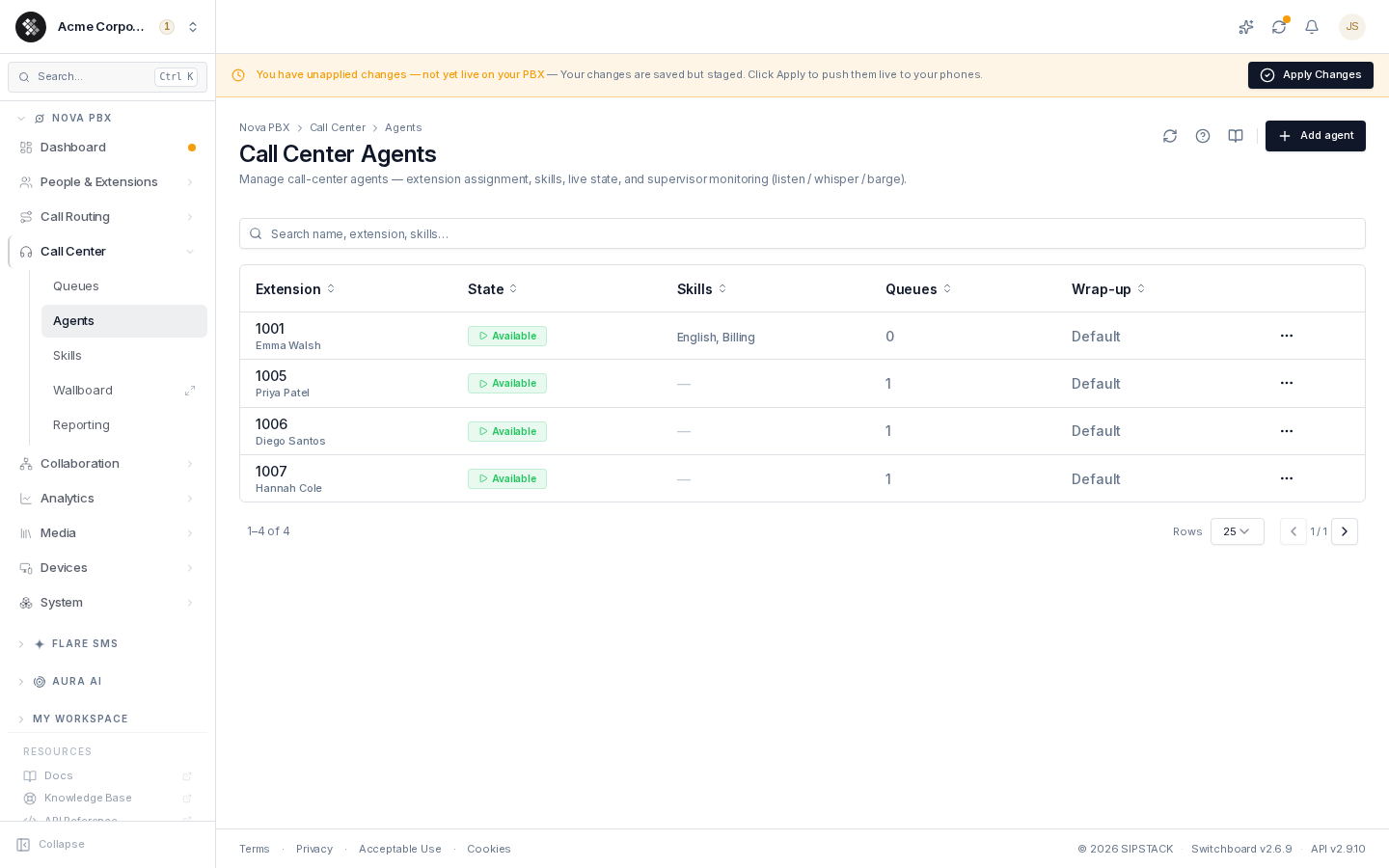
Section titled “Agents”An agent is an extension with call-center metadata attached: an availability state (Available / Paused / Logged out), optional skill tags, and an optional wrap-up time override. The extension keeps working normally for direct calls — the agent profile only governs how it behaves as a queue member.
Nova PBX → Call Center → Agents lists every agent with their live state, skills, queue membership count, and wrap-up override. Search matches extension number, name, and skills.
Agents vs. Extensions
Section titled “Agents vs. Extensions”| Extension | Agent profile | |
|---|---|---|
| What it is | A phone/user endpoint (1001, 1002, …) | Call-center metadata layered on an extension |
| Direct calls | Always work | Unaffected by agent state |
| Queue calls | Ring whenever the extension is a queue member | Gated by the agent’s state and Enabled flag |
| Removing it | Deletes the endpoint | Strips only the metadata — the extension and its queue memberships remain |
Adding an Agent
Section titled “Adding an Agent”- Click Add agent (top-right).
- Pick an Extension that isn’t already an agent.
- Optionally override the Display name (used on reports and supervisor views).
- Optionally tag Skills — type and press Enter; names already in the skill catalog auto-suggest. New names you type here are automatically added to the catalog.
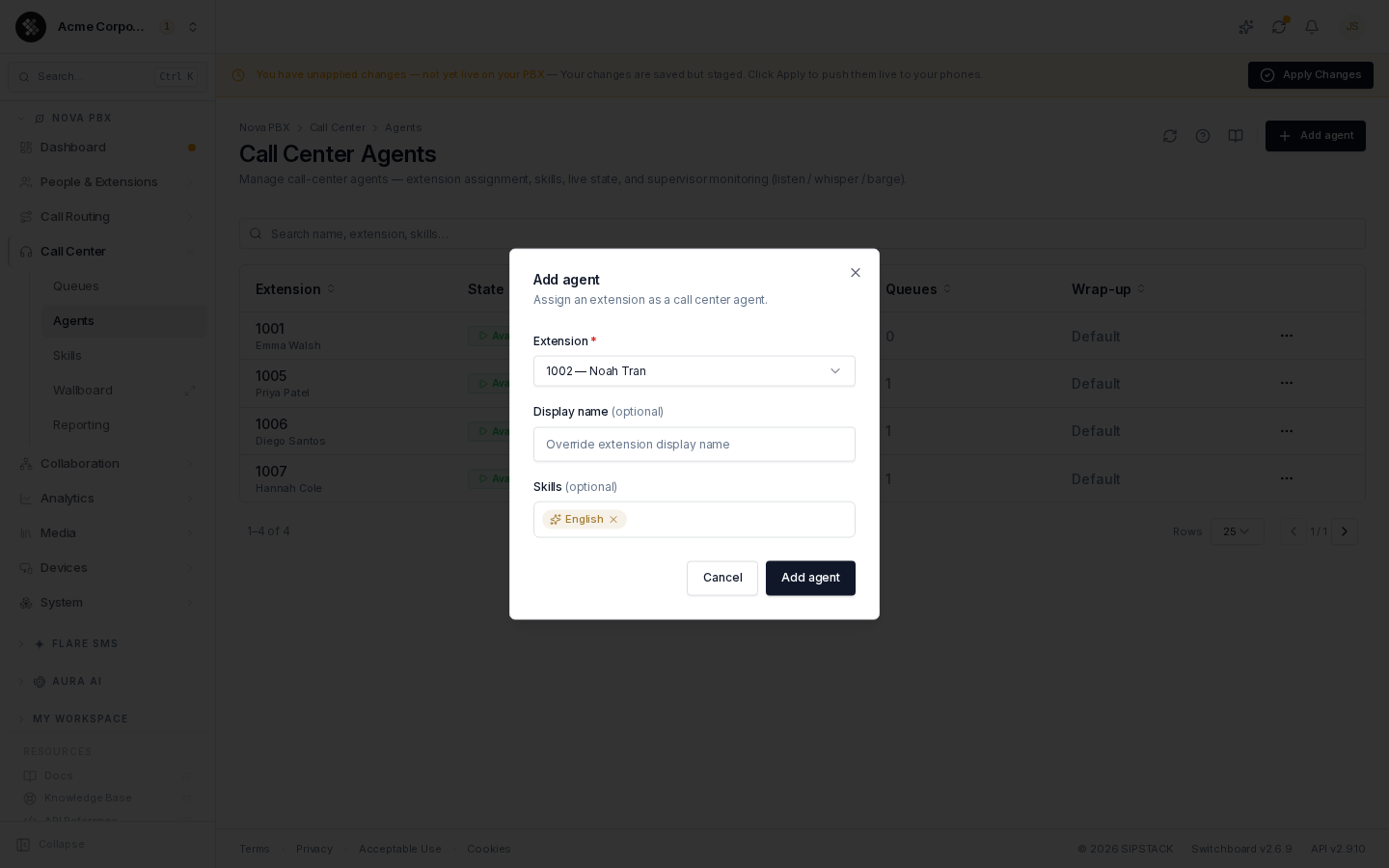
Then assign the extension to queues from Call Center → Queues → (queue) → Members.
Availability States
Section titled “Availability States”| State | Queue calls | Typical use |
|---|---|---|
| Available | Ring normally | On shift, taking calls |
| Paused | Don’t ring | Lunch, breaks, after-call work |
| Logged out | Don’t ring | Off shift |
Cycle a state from the row’s ⋯ menu (Set paused → Set logged out → Set available). Direct calls to the extension ring regardless of state.
A state change pauses or unpauses the agent in every queue they belong to at once, and is staged like any other PBX edit — click Apply Changes in the banner to push it live.
Editing an Agent
Section titled “Editing an Agent”Open ⋯ → Edit on a row:
- Display name — overrides the extension’s name in call-center surfaces.
- Wrap-up time (seconds) — breathing room after each queue call before the next one rings, for this agent only. Leave blank to use the queue’s own wrap-up setting.
- Skills — comma-separated for fast bulk edits (the Add dialog uses tag input). Skills feed skills-based routing.
- Enabled — switch off to take the agent out of queue rotation entirely without deleting the profile, regardless of state.
Monitoring a Live Call (Listen / Whisper / Barge)
Section titled “Monitoring a Live Call (Listen / Whisper / Barge)”Supervisors can drop into an agent’s active call from the row’s ⋯ menu. These actions appear only for people whose permission group includes Listen / Whisper / Barge (the account owner always has it):
| Mode | Who hears you |
|---|---|
| Listen | Nobody — silent QA monitoring |
| Whisper | Only the agent — live coaching |
| Barge | Everyone — join/rescue the call |
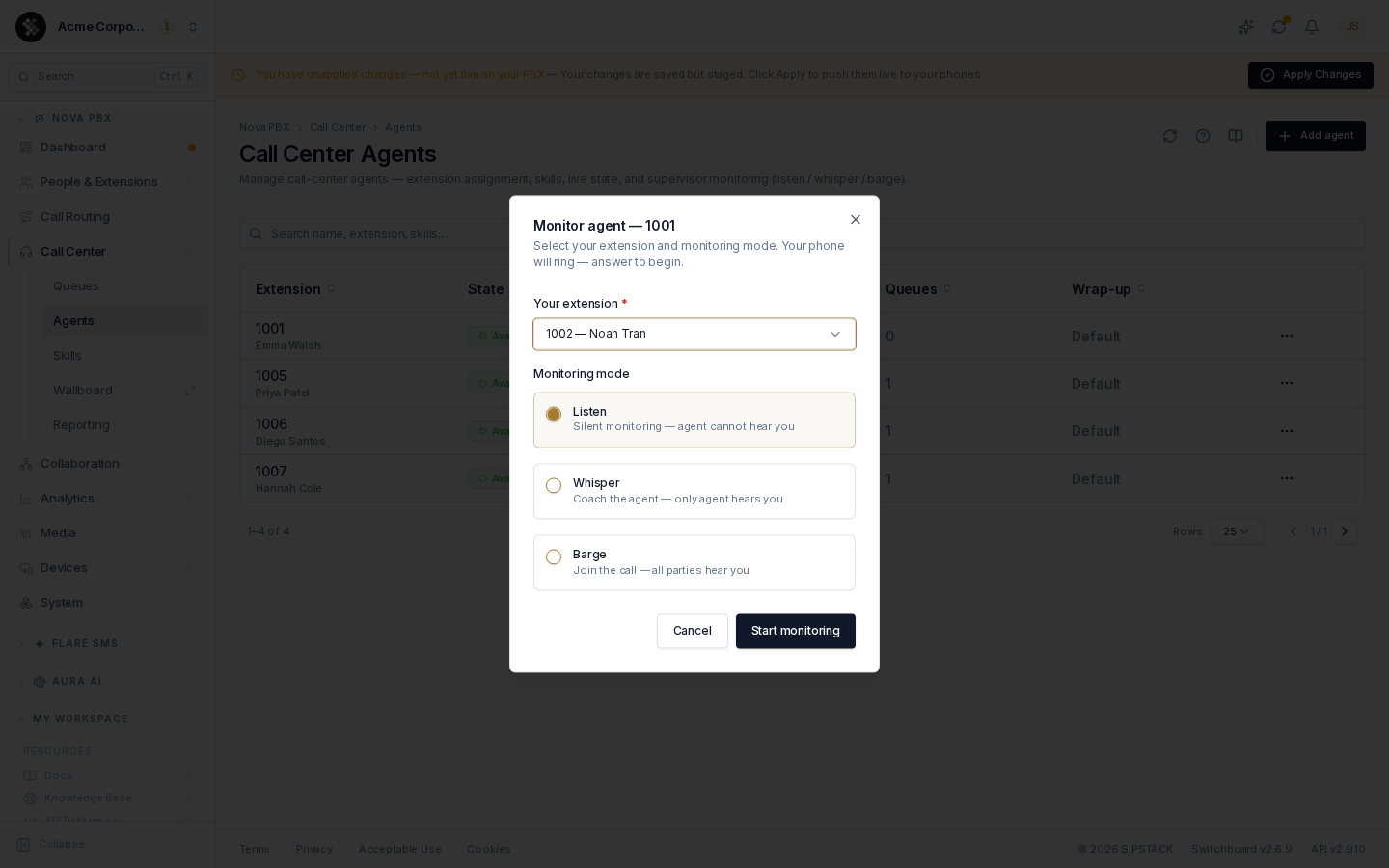
Pick which extension is yours in the dialog, click Start monitoring, and your phone rings — answer it to connect. Hang up to stop. Monitoring requires a live call on the agent’s extension and a reachable PBX node; if the node is offline you’ll get an error toast and nothing is dialed.
Removing an Agent
Section titled “Removing an Agent”⋯ → Remove deletes only the agent profile (state, skills, wrap-up override). The extension itself and its queue memberships are untouched, and any queue pause set by the agent’s state is lifted. To stop the extension’s queue calls entirely, remove it from each queue’s Members tab instead.
Related Pages
Section titled “Related Pages”| Page | Purpose |
|---|---|
| Skills | The skill catalog and how skills-based routing works. |
| Queues | Queue list, ring strategies, members. |
| Wallboard | Fullscreen live queue/agent status. |
| Reporting | Queue and agent performance statistics. |