

Usage
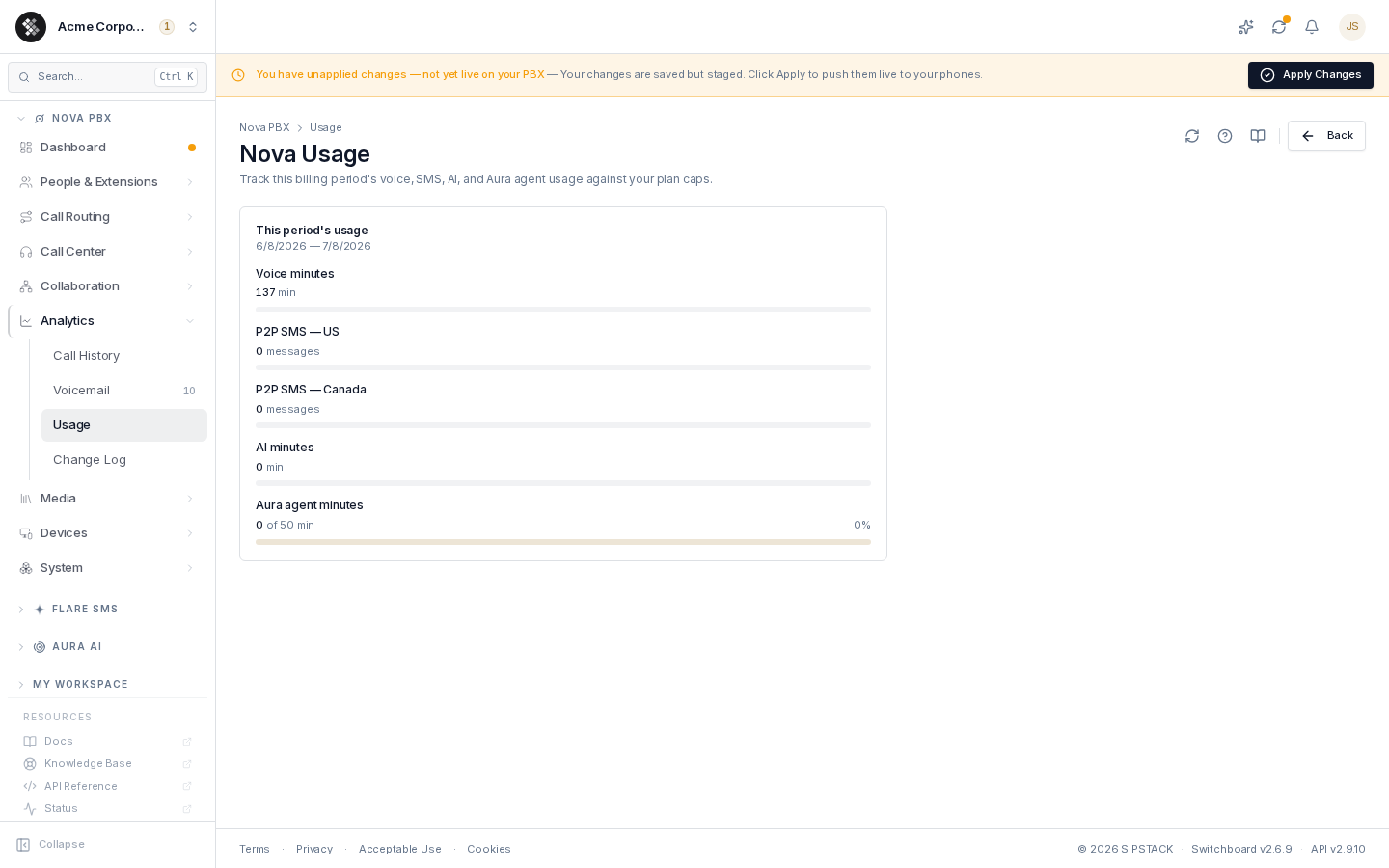
Nova PBX → Analytics → Usage shows how much of your plan’s monthly allowance you’ve consumed in the current billing period. Each row is a usage meter: the amount used, the included allowance (where your plan has one), and a progress bar that turns amber past 80% and red past 95% so you can plan ahead before overage kicks in.
What Each Row Tracks
Section titled “What Each Row Tracks”| Row | What it measures |
|---|---|
| Voice minutes | Outbound PSTN voice minutes placed by your seats this period. |
| P2P SMS sent — US | Segments sent to US numbers from your personal (Direct to a user) numbers. |
| P2P SMS sent — Canada | Segments sent to Canadian numbers from your personal numbers. |
| P2P SMS received | Segments received on your personal numbers, from any country. |
The SMS allowances are pooled: each seat adds its per-seat allowance to one shared pool, so the Y you see is your seat count × the per-seat allowance. The SMS pool resets monthly on your billing date, even on an annual plan. The line SMS: start — last day · resets date shows the current pool period and when it next resets. Usage updates hourly, so a message you just sent can take up to an hour to appear. If SMS metering hasn’t started on your account yet, the card says so, and the counts shown are not billed. Messages on team inbox numbers don’t appear here — they draw from your Flare SMS pool. See SMS Usage, Limits & Billing.
AI feature usage and Aura credits are shown in their own sections below the plan allowance, not as rows in this table.
The period dates under the card title come from your subscription’s billing cycle — if you renew mid-month, the meter resets then, not on the 1st.
Reading the Meters
Section titled “Reading the Meters”X of Ywith a progress bar — your plan includes an allowance (Y) for this usage type; the bar shows how much of it is gone.- Just a number, no bar — your plan has no included allowance for this type; usage is metered and billed at the per-unit rate. This is normal on entry tiers and does not mean “unlimited.”
- “Coming soon” tag — the meter for this usage type is still being wired up platform-side. Your plan’s allowance still applies; the row will start filling in automatically. Nothing to do.
Why a Number Might Look Low
Section titled “Why a Number Might Look Low”- Voice is outbound only. Inbound calls don’t use your minutes. Inbound SMS is different: it has its own row and allowance, and bills beyond it.
- Internal calls don’t count. Extension-to-extension calls never touch the PSTN meter.
- Period boundaries. The counter resets at the start of each billing period.
- Hourly updates. SMS rows update once an hour.
- Segments, not messages. A long message, or one with an emoji, uses several segments; an MMS counts as 4.
Overage
Section titled “Overage”Once you cross an included allowance, additional usage is billed at your tier’s per-unit overage rate (higher tiers include more units per seat and a lower overage rate). Per-call and per-message detail behind these totals is in Call History; billed charges appear on your invoices. SMS overage needs an active, paid subscription with a valid payment method on file; without one, outbound texts stop at the allowance. See SMS Usage, Limits & Billing.