

Creating & Editing Queues
Creating & Editing Queues
Section titled “Creating & Editing Queues”The queue editor (Nova PBX → Call Center → Queues → click a queue or Add queue) is split across three tabs: General, Members, and Announcements. The header’s Save changes / Create queue button persists the form; member changes save immediately as you make them.
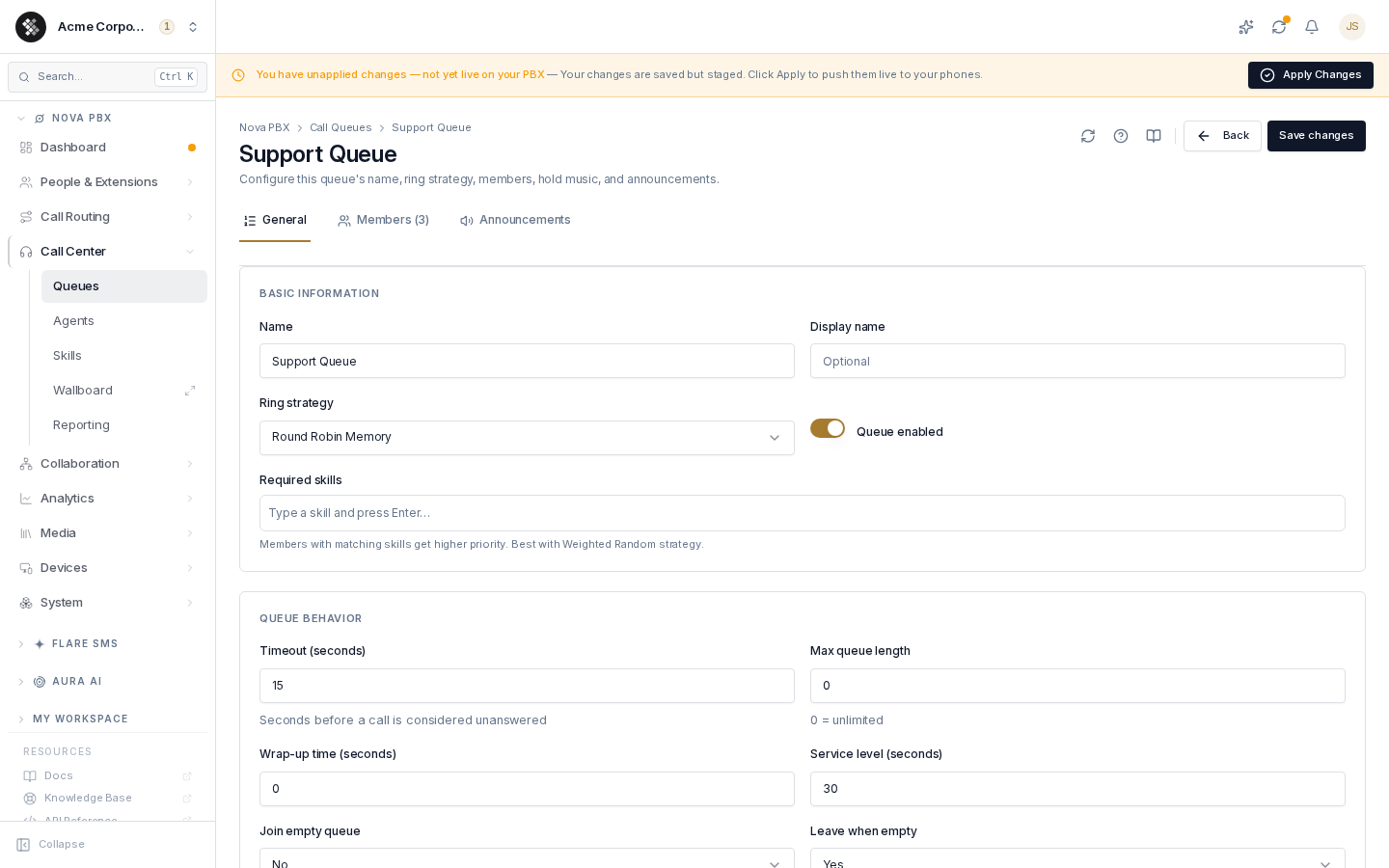
General Tab
Section titled “General Tab”Basic information
Section titled “Basic information”| Field | What it does |
|---|---|
| Name | Internal label, e.g. “Support Queue”. Required. |
| Display name | Optional friendly label shown alongside the name. |
| Ring strategy | How the queue picks the next member to ring — see strategies. |
| Queue enabled | Toggle the queue on/off without deleting it. |
| Required skills | Tag-style list for skills-based routing. Type a skill and press Enter; skills from your catalog auto-suggest. Members with matching skills get priority — best paired with the Weighted Random (Skills) strategy. |
Queue behavior
Section titled “Queue behavior”| Field | What it does |
|---|---|
| Timeout (seconds) | How long each member’s phone rings before the queue tries the next one. 15–30s is typical. |
| Max queue length | Cap on simultaneous waiting callers; 0 = unlimited. Above the cap, new callers don’t join. |
| Wrap-up time (seconds) | Breathing room after a call — the member’s phone won’t ring again until it elapses. |
| Service level (seconds) | Reporting target for “answered within N seconds.” Doesn’t change call behavior. |
| Join empty queue | Whether new callers may enter when no members are available: Yes, No, or Strict (also counts paused members as unavailable). |
| Leave when empty | Whether waiting callers are ejected when the last member logs out/pauses: Yes, No, Strict. |
| Ring agents already on a call | Off by default — enable only if your phones handle multiple lines and members manage call-waiting. |
Members Tab
Section titled “Members Tab”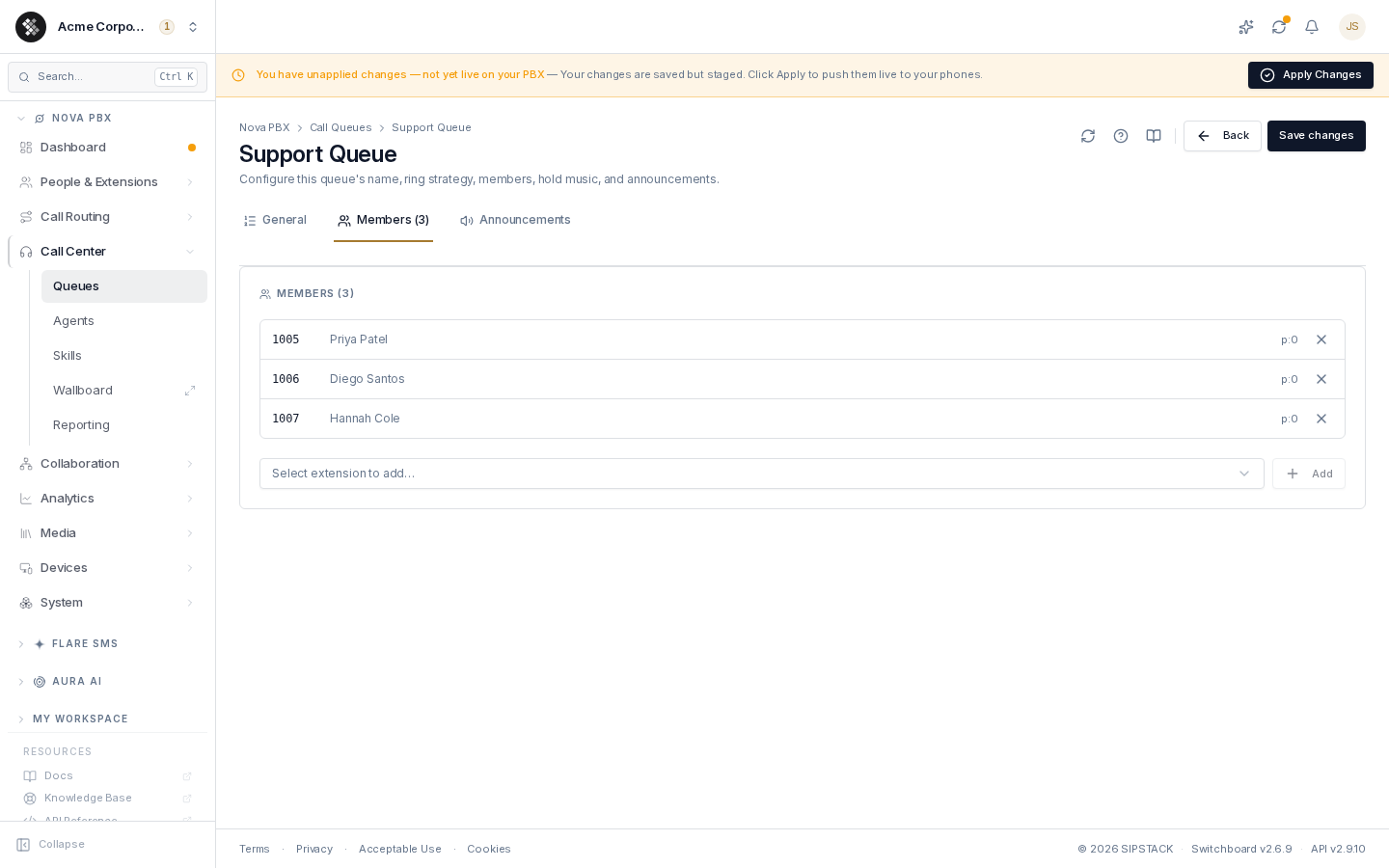
The extensions that ring for this queue. On a brand-new queue the tab asks you to save first — members attach to a saved queue.
- Add — pick an extension from the dropdown and click Add.
- Remove — click the × on a row.
- Penalty — lower = higher priority. Without required skills, each row shows its stored penalty (
p:0). With required skills set, an inline override field appears per member: type a number to pin the member’s penalty, or clear it (reset icon) to fall back to the skill-derived automatic value. - Paused — a badge marks members currently off rotation.
Member add/remove and penalty changes save immediately (no Save click needed).
Announcements Tab
Section titled “Announcements Tab”What callers hear while waiting.
| Field | What it does |
|---|---|
| On-join greeting | Message played right after the caller enters the queue, before hold music. Generate it from a voice (TTS, with quick-pick scripts) or pick a file from your media library; once set, the card offers Replace / Remove. Available after the queue is saved. |
| Music on hold | The platform default or one of the shared MOH classes. Custom hold music is managed under Nova PBX → Media → Music on Hold. |
| Announce frequency (seconds) | How often position / hold-time announcements play. 0 = disabled; 30–90 is common. |
| Announce position | ”You are caller number 3 in line” — reassures callers they’re moving. |
| Announce hold time | Yes / No / Once. Once plays the estimated wait only when the caller joins — less grating than every 30 seconds. |
| Auto-pause agents | Auto-pause a member who doesn’t answer a queue call: No, Yes (this queue only), or All (every queue they’re in). |
After Saving
Section titled “After Saving”Queue changes are staged on your PBX configuration — the “unapplied changes” banner appears at the top of Switchboard. Click Apply Changes to push them live to your phone system. Until then, the running queue keeps its previous settings.