

Emergency Location (E911)
Emergency Location (E911)
Section titled “Emergency Location (E911)”When you dial 911 from Pulse, emergency services need a physical street address to send help — but a softphone can be used anywhere. Where that address comes from depends on which Pulse app you’re using.
Reviewing your location
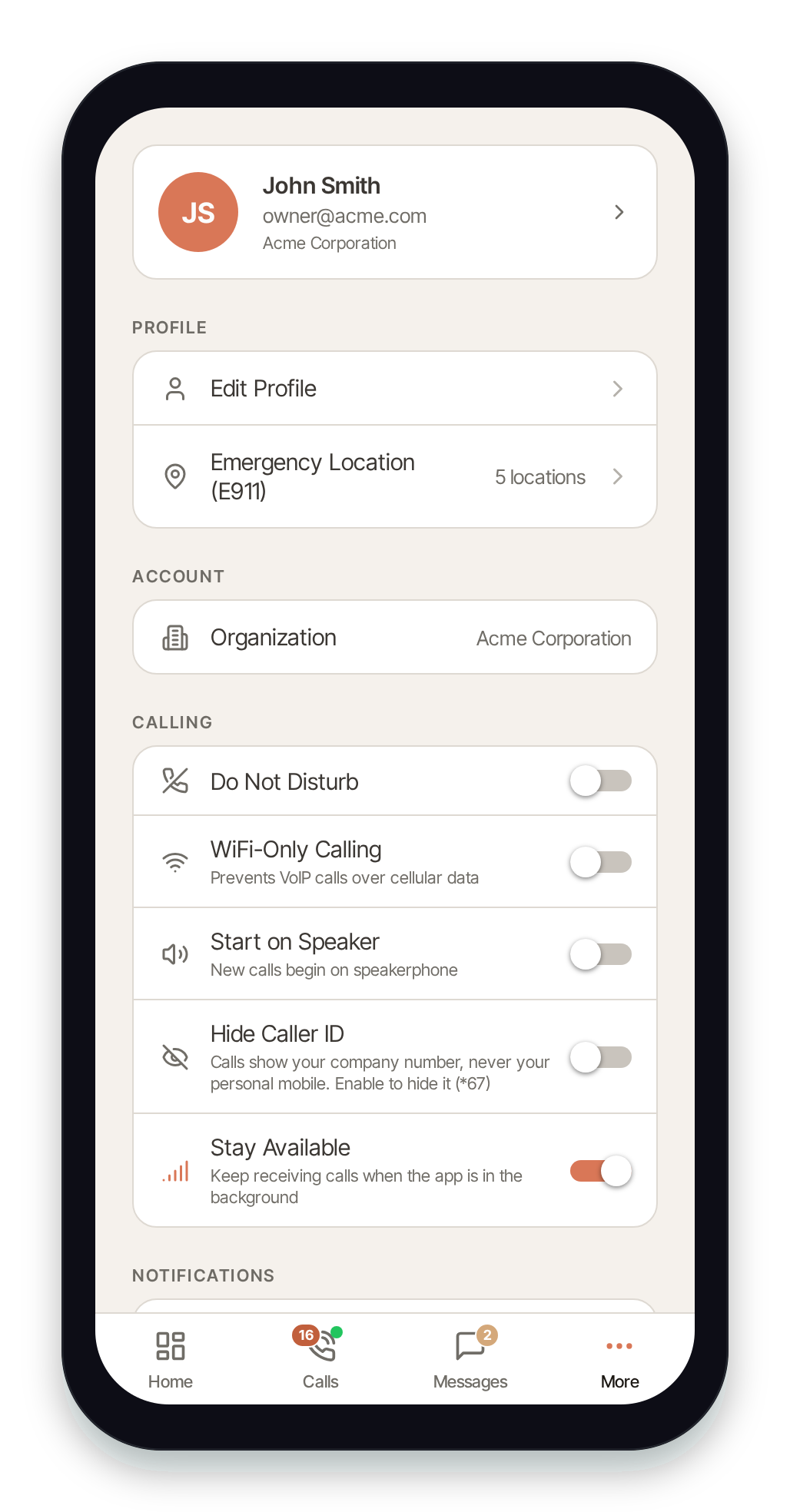
Section titled “Reviewing your location”From the More tab, find the Profile section and tap Emergency Location (E911). The row shows how many locations are registered to your account.
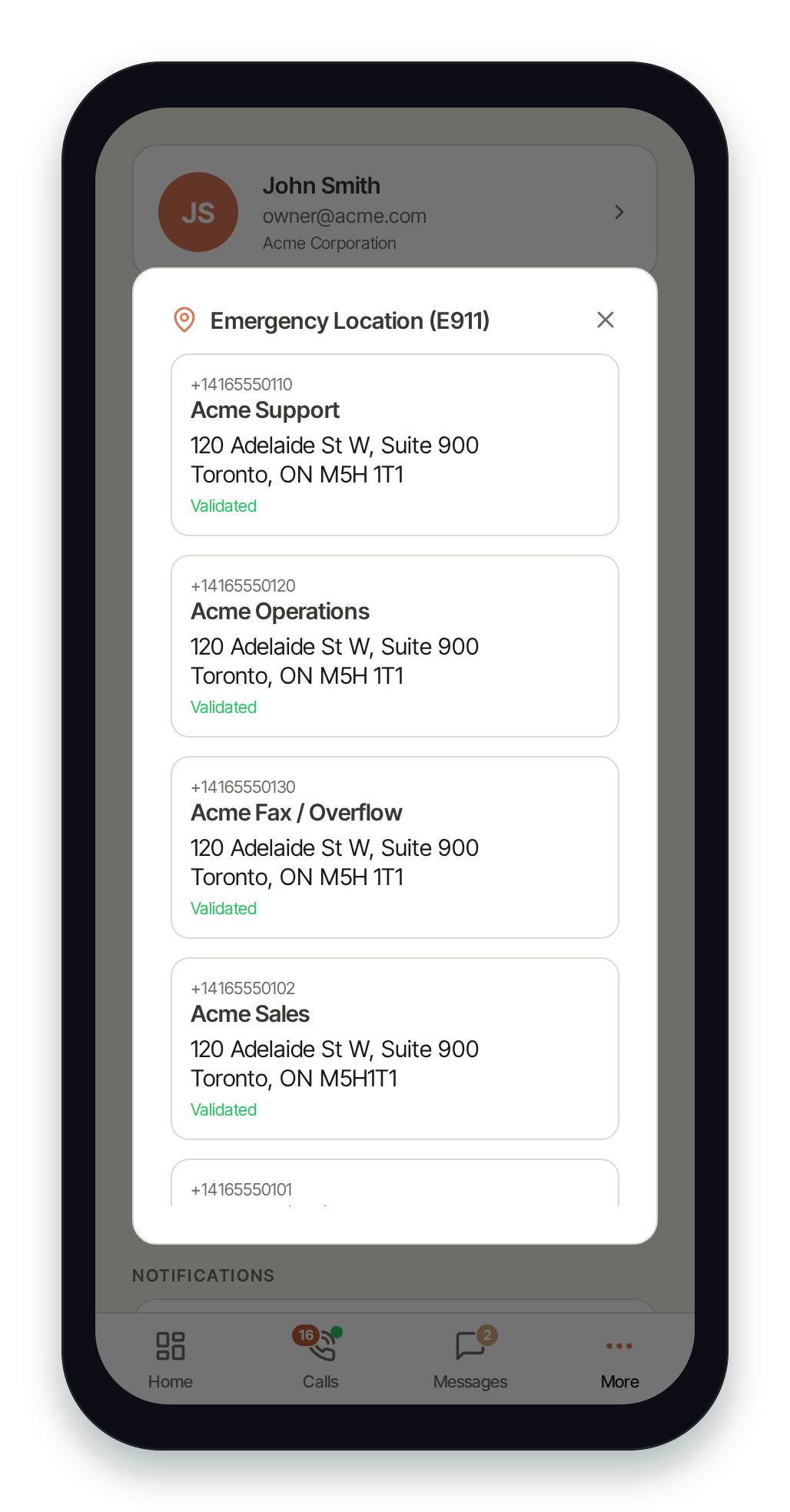
Pulse opens a panel listing each registered emergency address, including the associated phone number, a friendly name, the full street address, and whether the address is Validated or Pending validation.
Where your 911 address comes from
Section titled “Where your 911 address comes from”Pulse hands 911 to your phone’s dialer, so your carrier supplies your location and callback number. The address on your organization’s E911 location applies only to Pulse Desktop and the web app, and to test calls to 933.
- Pulse on iPhone and Android: when you dial 911 (or another emergency number such as 988, 112, 999 or 000), Pulse opens your phone’s built-in dialer and the call goes over your mobile carrier. Your carrier provides your location and callback number, so your location follows you when you travel.
- Pulse Desktop and the web app: 911 calls use the emergency address registered to your line by your organization. That address does not follow you — if you travel, it stays the address your administrator set.
- 933 test calls: dialing 933 from any Pulse app reads back the E911 address on file for your line, so you can confirm it’s correct.
The address shown here is read-only in Pulse. You can review it, but you cannot edit it in the app.
Updating or adding an E911 address
Section titled “Updating or adding an E911 address”To change or add an emergency location, contact your account administrator or sign in to Switchboard on the web. Administrators manage emergency addresses there.
- See Switchboard → Account → Compliance for account-level emergency and regulatory settings.
- See Switchboard → Nova → E911 for registering and validating emergency addresses on your phone numbers.
If no location is configured, Pulse shows “No E911 location configured for your account.” — contact your administrator to set one up before relying on 911 from Pulse Desktop or the web app.