

Skills
Skills
Section titled “Skills”The skill catalog is your organization-wide list of skill tags — English, Spanish, Sales, Tier-2, Billing, and so on. Skills connect two things:
- Agents — tag each agent with what they can handle on the Agents page.
- Queues — set Required skills on a queue (Queue edit → General tab) so callers preferentially reach agents who match.
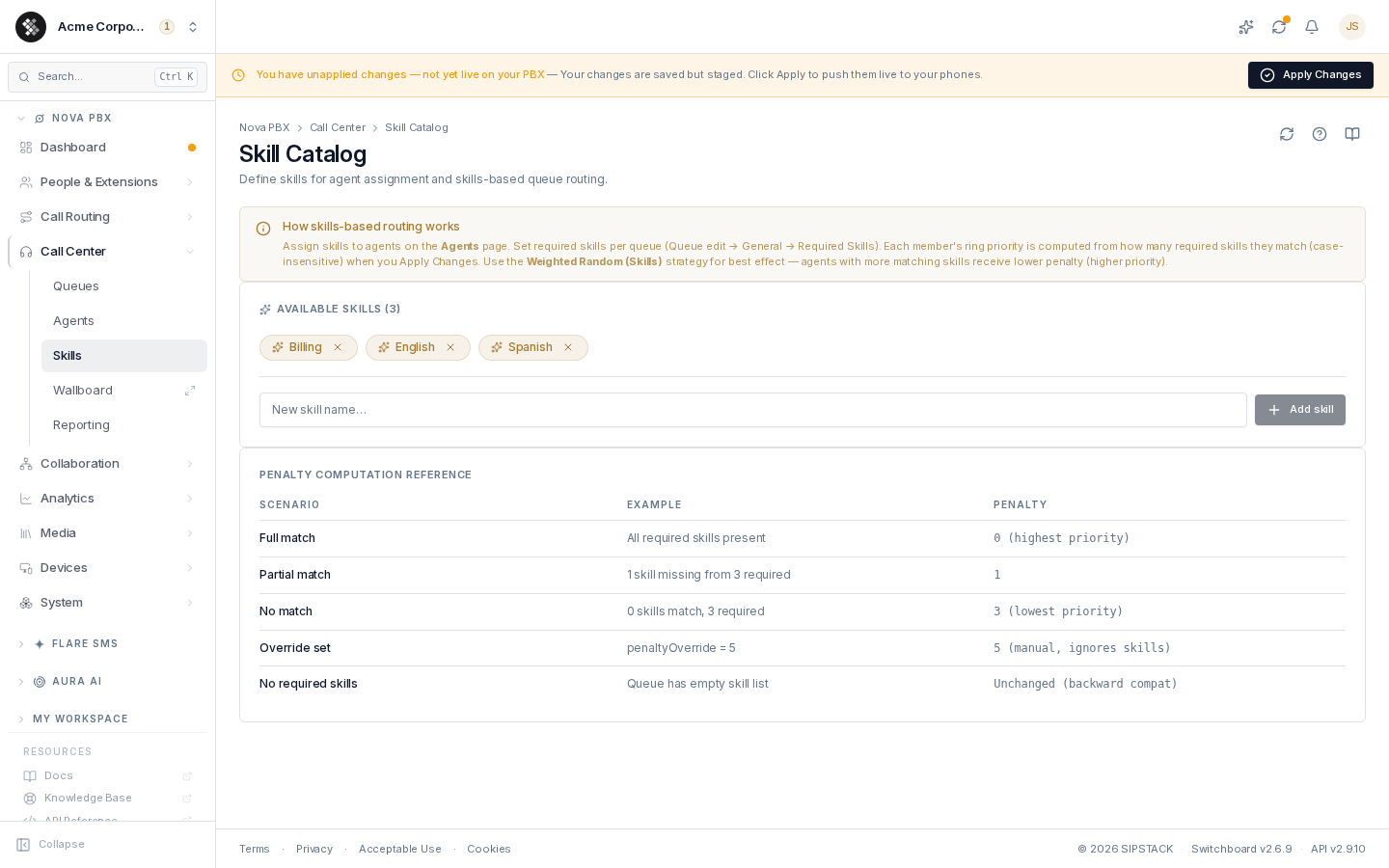
Nova PBX → Call Center → Skills manages the catalog itself.
Managing the Catalog
Section titled “Managing the Catalog”- Add — type a name and press Enter (or click Add skill). Skill names typed directly on an agent are merged into the catalog automatically, so it stays a complete inventory.
- Remove — click the × on a chip and confirm. Removing a skill from the catalog only removes it from future suggestions — agents and queues that already reference it keep it, and routing is unchanged. To actually stop routing on a skill, clear it from the queue’s Required Skills and from the agents.
Skill matching is case-insensitive (English matches english), but the catalog stores names exactly as typed — pick one casing convention to keep it tidy.
How Skills-Based Routing Works, End to End
Section titled “How Skills-Based Routing Works, End to End”- Tag agents with skills on the Agents page.
- Set Required skills on a queue — Queue edit → General tab. The input suggests names from this catalog.
- Apply Changes. At apply time, each queue member’s ring penalty is computed from how many required skills their agent profile matches:
| Scenario | Penalty |
|---|---|
| Agent matches all required skills | 0 — highest priority, rings first |
| Agent matches some | Number of missing skills |
| Agent matches none | Total required skills — rings last |
| Member has a manual Penalty Override (queue Members tab) | The override — skill computation is skipped |
| Queue has no required skills | Member’s standard penalty, unchanged |
- Calls route by penalty. Asterisk tries lower-penalty members first in every ring strategy. The Weighted Random (Skills) strategy is designed around penalties and gives the most natural skills-based distribution — full matches ring first, partial matches next, non-matches only as a last resort.
Common Patterns
Section titled “Common Patterns”Language routing. Catalog: English, Spanish, French. Tag agents with the languages they speak. One queue per language, each requiring its one language skill, fed by an IVR (“press 1 for English, 2 for Spanish…”).
Tiered support. Catalog: Tier-1, Tier-2. New hires get Tier-1; senior agents get both. The Tier-1 queue requires Tier-1 (everyone matches), the escalation queue requires Tier-2 — seniors ring first there, juniors only as overflow.
Specialty pools. Catalog: Billing, Tech-Support, Sales. One general queue with no required skills (everyone rings); specialty queues each require their specialty so matching agents are preferred without excluding anyone.
Troubleshooting
Section titled “Troubleshooting”- Skills don’t seem to matter — confirm the queue actually has Required skills set, the agent has matching skills, and you clicked Apply Changes after the last edit.
- An agent with the right skill isn’t ringing first — check the queue’s Members tab for a per-member Penalty Override (it beats skill computation), and confirm the agent is Available and enabled on the Agents page.
- Deleted a skill and worried about routing — catalog removal never changes routing; it only trims the suggestion list.
Related Pages
Section titled “Related Pages”| Page | Purpose |
|---|---|
| Agents | Tag agents with skills, manage availability. |
| Queues & Queue editor | Required skills, ring strategies, member penalties. |
| Reporting | See how queues and agents perform. |