

Device Templates
Device Templates
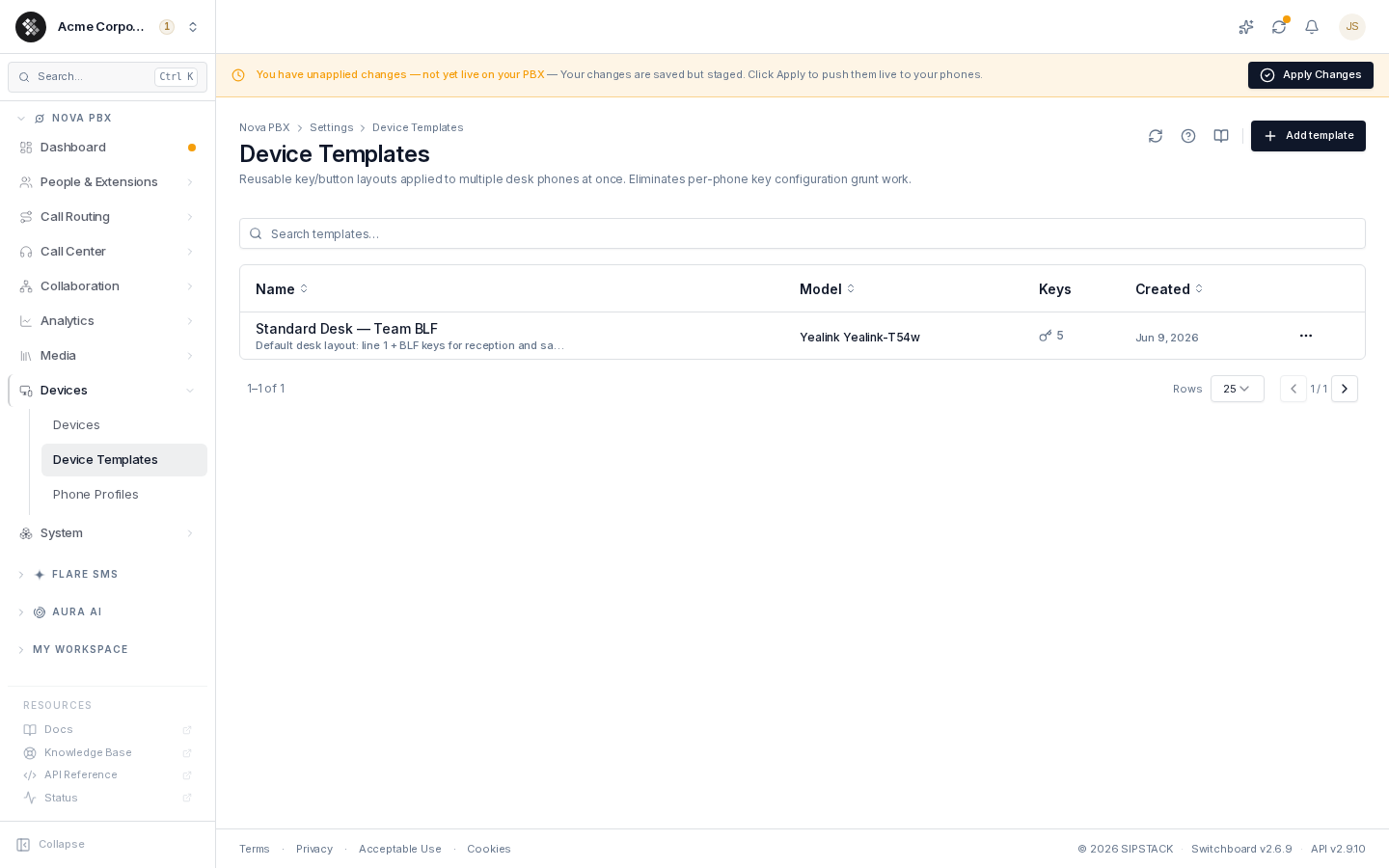
Section titled “Device Templates”A device template is a reusable bundle of programmable-key positions — which key is a line, which keys watch colleagues via BLF, where the speed-dials and park buttons sit. Define the layout once, then apply it to any number of phones instead of hand-configuring each one.
Navigate to Nova PBX → Devices → Device Templates.
When to use templates
Section titled “When to use templates”- Standardize across a team — every desk phone gets line 1 = own extension, key 2 = front-desk BLF, key 3 = park.
- Onboard fast — register a new phone, pick the template in the register form, done.
- Per-role layouts — separate templates for sales (BLF-heavy), managers (conference key prominent), and lobby phones (single line key).
Key types
Section titled “Key types”| Key type | What it does |
|---|---|
| SIP Line | A line appearance for placing/receiving calls — carries an extension |
| BLF / Presence | Busy Lamp Field — watches another extension; the lamp lights when they’re on a call, and pressing it dials or picks up |
| Speed Dial | One-press dial of a fixed number |
| Intercom | Auto-answer intercom to an extension |
| Park / Voicemail / DND / Transfer / Hold / Conference / Forward | One-press feature keys |
| Paging / Multicast | Dials a paging group / subscribes a multicast channel |
Creating a template
Section titled “Creating a template”- Click Add template.
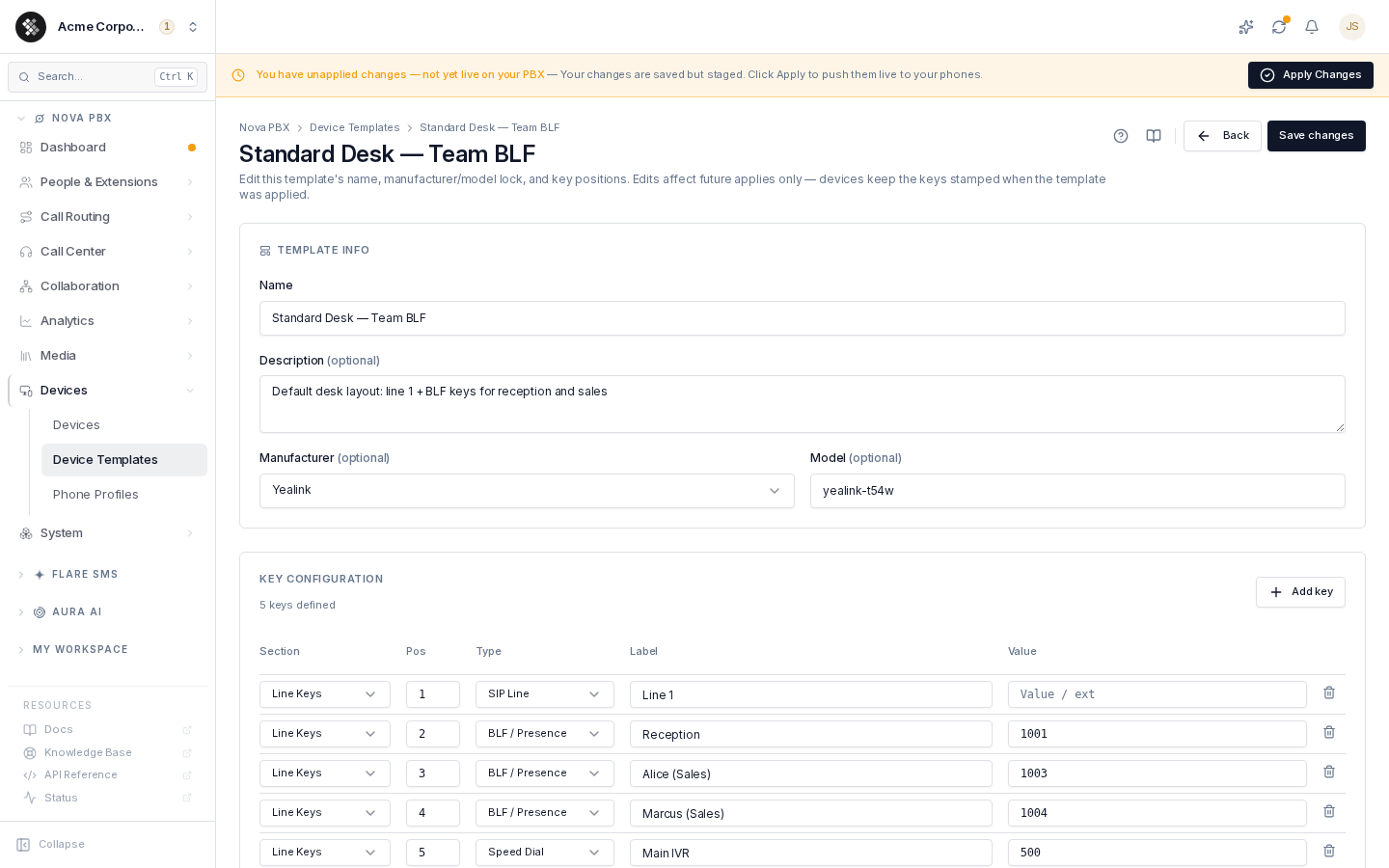
- Name it (e.g. “Standard Desk — Team BLF”) and add an optional description.
- Optionally lock it to a manufacturer and model. A locked template is only offered for matching devices in the register form; an unlocked one (“Any”) is offered for every device.
- Add key rows: each row is a section (Line Keys, or Expansion 1–3 for sidecar modules), a position (physical key number), a type, and an optional label and value (e.g. the extension number a BLF watches).
- Click Create template.
Applying a template to devices
Section titled “Applying a template to devices”- At registration — the register-device form offers a “Start from a template” picker showing templates compatible with the chosen manufacturer/model. The keys are stamped onto the device right after it’s created, and stay fully editable.
- After registration — applying a template to an existing device replaces its programmable keys with the template’s layout.
Templates vs phone profiles
Section titled “Templates vs phone profiles”Templates control the handset’s button layout. Phone Profiles control the extension’s behavior and self-service permissions (recording policy, DND, voicemail, what users may change themselves). A typical phone uses both: a device template for its keys and a phone profile on its extension.
Common questions
Section titled “Common questions”My template has 12 keys but the phone only has 10. Extra positions beyond the phone’s physical keys are ignored. If you mix models with different key counts, model-locked templates per phone family are cleaner.
Deleted a template — did devices break? No. Devices keep their stamped keys; you only lose the central layout for future applies.
Per-device exceptions? Applied keys become ordinary per-device keys — open the device’s Keys & Lines tab and adjust freely. Re-applying the template overwrites those adjustments.