

Music on Hold
Music on Hold
Section titled “Music on Hold”Music on Hold (MOH) is the audio callers hear while they wait — on hold during a transfer, in a queue waiting for an agent, or parked in a parking lot. The page has two layers: tracks (individual audio files) and playlists (named, ordered collections of tracks).
Navigate to Nova PBX → Media → Music on Hold.
Tracks
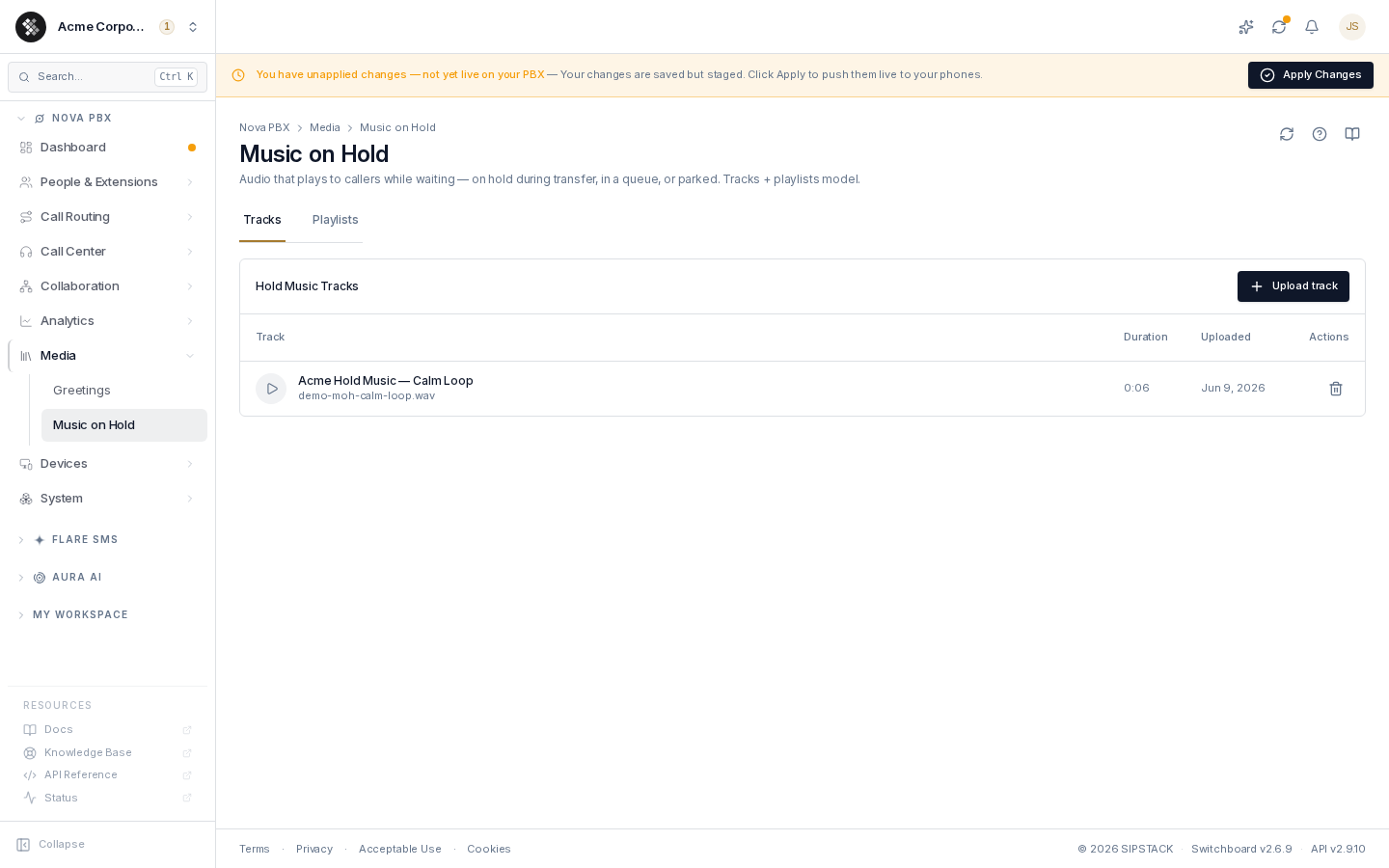
Section titled “Tracks”The Tracks tab lists every hold-music file with its duration and upload date. Click the play button to listen in your browser.
Uploading a track
Section titled “Uploading a track”- Click Upload track.
- Optionally give it a Track name (defaults to the filename).
- Drag-and-drop or browse for the audio file — WAV, MP3, or OGG, up to 25 MB.
- Click Upload.
Audio is converted to the telephony format server-side. Calls are narrowband (8 kHz), so simple melodies and spoken word survive much better than dense, high-fidelity mixes; pre-encoding to 16 kHz mono WAV gives the most predictable result.
Deleting a track
Section titled “Deleting a track”Click the trash icon and confirm. Playlists that referenced the track skip it — they don’t break, they just get shorter.
Playlists
Section titled “Playlists”The Playlists tab groups tracks into named lists:
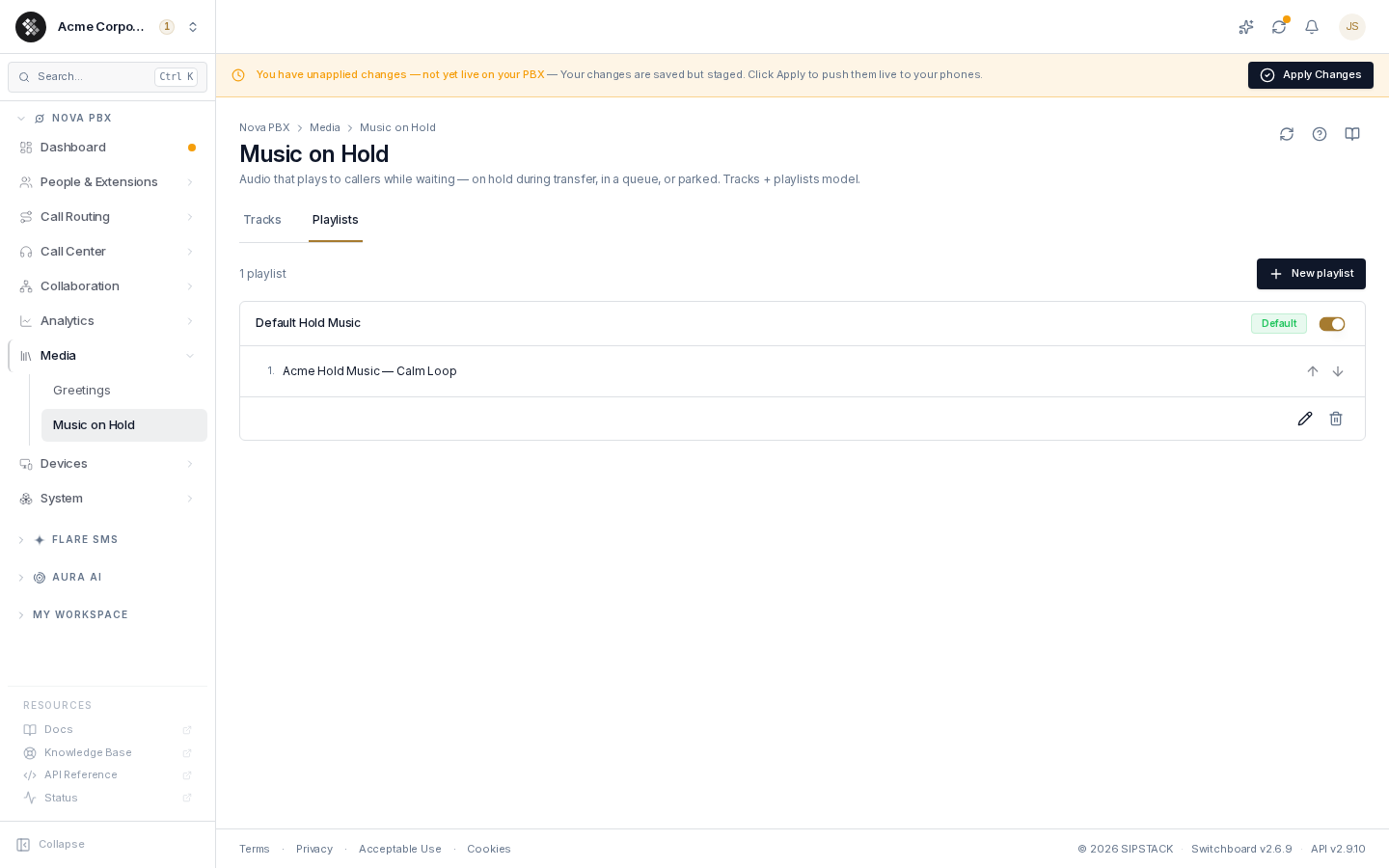
Each playlist card shows its name, a Default badge on the org-wide default, an enabled switch, and the numbered track list.
- Create — click New playlist, name it, and tick the tracks to include.
- Reorder — use the up/down arrows next to each track; tracks play top-to-bottom.
- Set as default — promotes a playlist to the organization default. Exactly one playlist is default at a time.
- Enable/disable — the switch parks a playlist without deleting it (useful for seasonal sets).
- Delete — removes the playlist only; its tracks stay in the library.
Where hold music is applied
Section titled “Where hold music is applied”Queues and parking lots each carry their own hold music selection:
- Queues — on the queue’s edit page (Queues); callers waiting for an agent hear this.
- Parking lots — on the parking lot’s edit page (Parking Lots); parked callers hear this.
The selector offers the built-in hold-music sets (Modern 1–3) and, under Your playlists, every enabled playlist that has at least one track. Default plays your default playlist when you have one, and the built-in hold music otherwise.
Playlist changes are staged like any other phone-system change and reach callers on your next Apply. Tracks are converted to telephony audio automatically. If a playlist is later disabled, emptied, or deleted, anything set to it falls back to the default rather than going silent.
Common patterns
Section titled “Common patterns”- Seasonal rotation — keep
HolidayandStandardplaylists side by side and flip which one is default. - Message-on-hold — upload a recorded promo or compliance message as a track and mix it into the playlist between music beds.
- Silence/compliance — some industries require no music on hold; upload a silent or tone-only track.
Troubleshooting
Section titled “Troubleshooting”- Audio is choppy on hold — the file is likely high-bitrate or very large; re-encode to 16 kHz mono WAV. Files over 25 MB are rejected at upload.
- Track sounds great in the browser but dull on a call — expected: calls are 8 kHz audio. Pick material that survives narrowband.
- My playlist isn’t in the queue’s dropdown — only enabled playlists with at least one track are offered. Enable it, add a track, and reopen the queue.
- I edited a playlist but callers hear the old music — click Apply to publish the change.
- Does a silent hold drop the call? — no. A call on hold stays connected for up to 1 hour even when no audio is flowing, for example when a phone holds the call without playing music.