

Clone Voice
Clone Voice
Section titled “Clone Voice”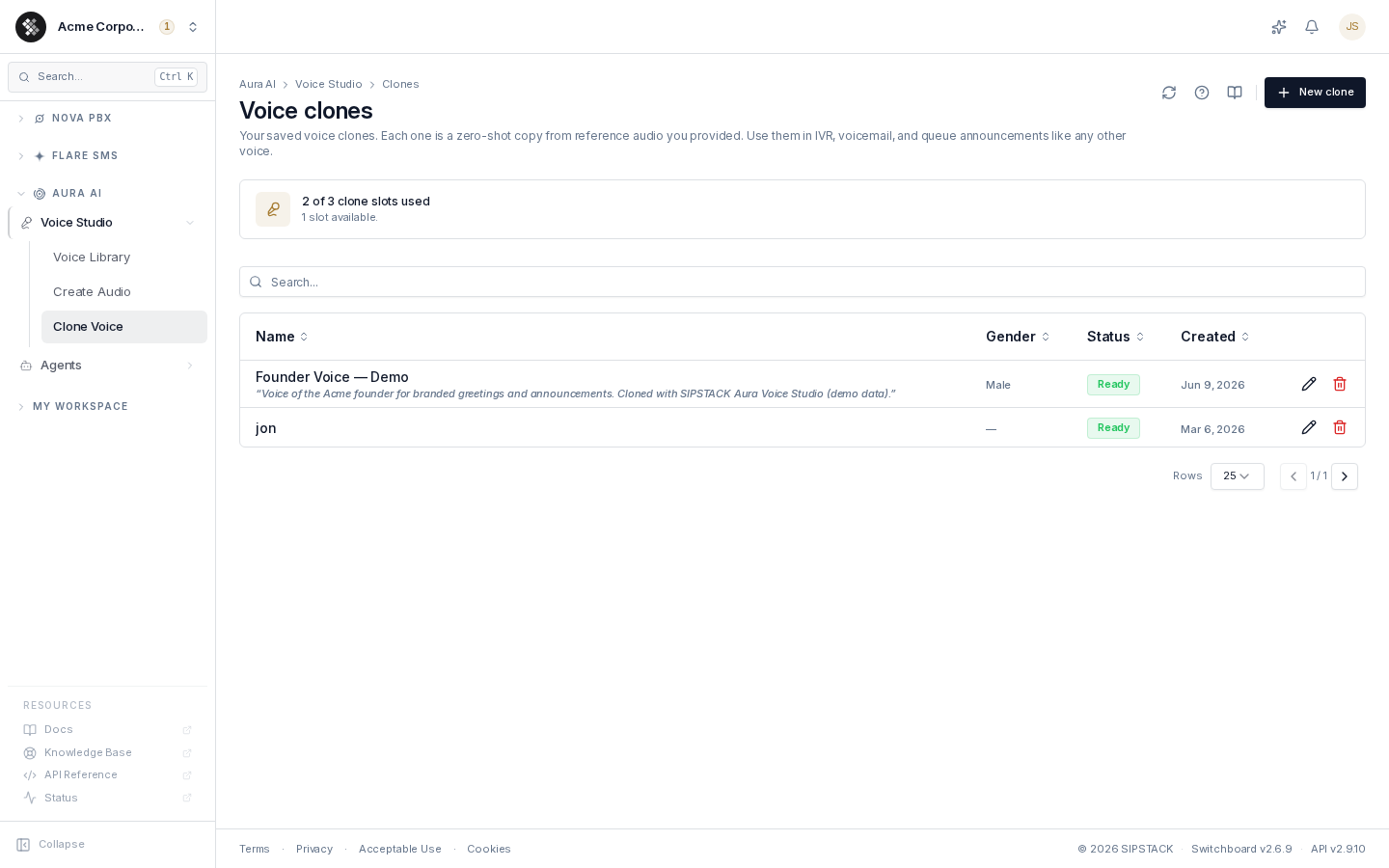
Voice cloning creates a custom AI voice from a short sample of real speech. The clone appears in your Voice Library tagged Yours and works everywhere a regular voice does — IVR menus, voicemail greetings, queue announcements, and the Create Audio workbench.
Navigate to Aura AI → Voice Studio → Clone Voice.
Consent Requirements
Section titled “Consent Requirements”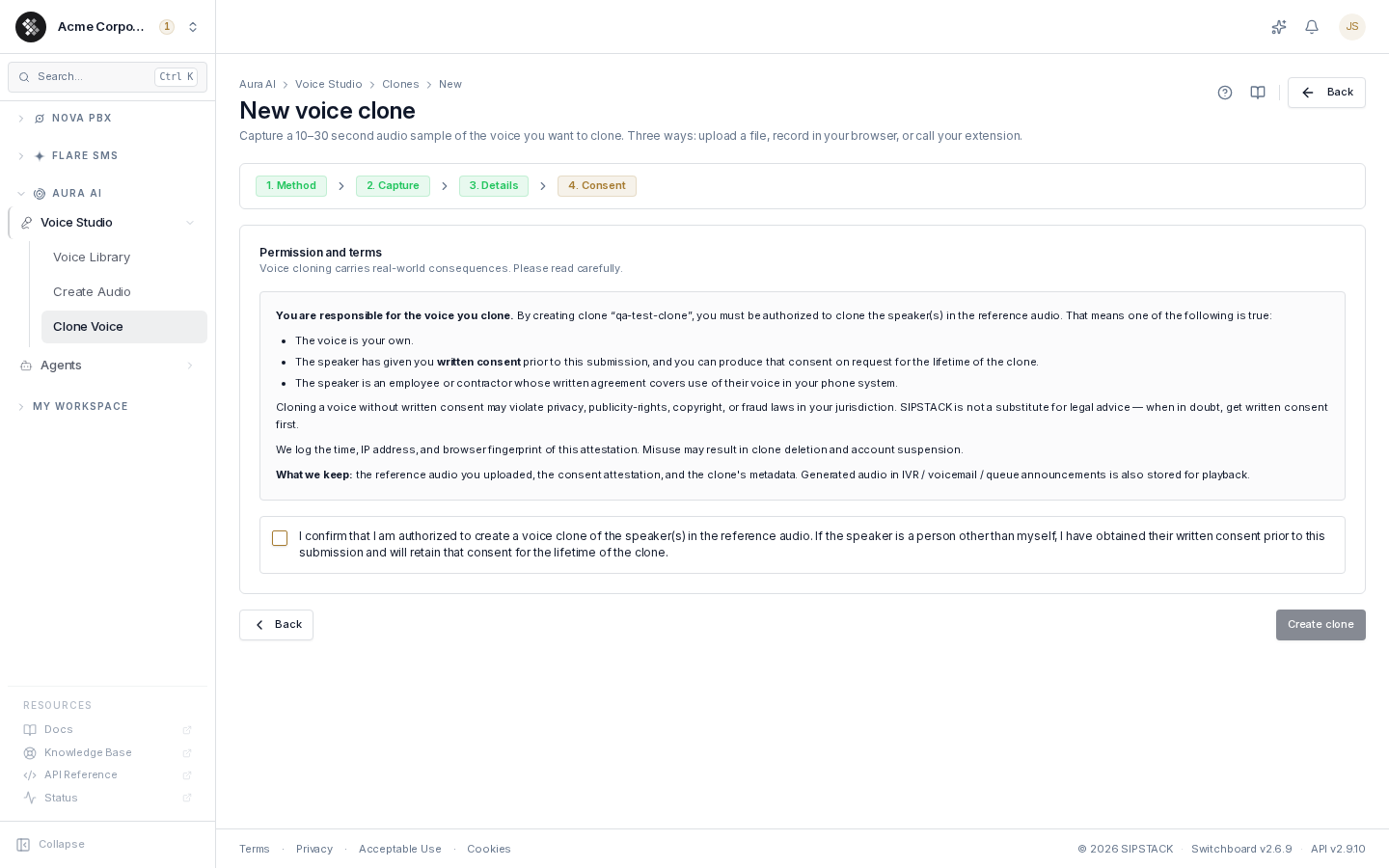
Voice cloning carries real-world consequences, and consent is enforced — the creation wizard ends with a mandatory attestation step you must check before a clone can be created. To submit a clone, one of the following must be true:
- the voice is your own, or
- the speaker has given you written consent before submission, and you can produce that consent on request for the lifetime of the clone, or
- the speaker is an employee or contractor whose written agreement covers use of their voice in your phone system.
The time, IP address, and browser of your attestation are logged. Cloning a voice without consent may violate privacy, publicity-rights, copyright, or fraud laws in your jurisdiction, and misuse can result in clone deletion and account suspension.
Creating a Clone
Section titled “Creating a Clone”Click New clone to start the four-step wizard: Method → Capture → Details → Consent.
Step 1 — Pick a capture method
Section titled “Step 1 — Pick a capture method”| Method | Best when |
|---|---|
| Upload a file | You already have clean audio. WAV or MP3 (M4A / OGG / FLAC also accepted), max 50 MB. |
| Record in your browser | Quick and easy. A level meter confirms your mic is live, and suggested scripts give you something to read. |
| Call my extension | We ring your desk phone or softphone — answer, read the script after the beep, press 1 to keep the take. Phone-line quality, which matches IVR playback well. |
Step 2 — Capture the reference audio
Section titled “Step 2 — Capture the reference audio”What makes good reference audio:
- 10–30 seconds is the sweet spot. Shorter doesn’t capture enough vocal range; longer adds noise without helping.
- Single speaker only — background voices or overlap confuse the clone.
- Quiet, dead room — HVAC hum and hard-surface echo bake into the clone. Carpet and curtains help; so does pausing the air conditioning.
- Natural pace and tone — read the way you want the clone to sound. Don’t put on a “voice actor” voice unless that’s the persona you want.
Provide the script (what’s said in the audio) when you can — it helps the clone sound more natural. For uploads and browser recordings, the platform attempts to auto-transcribe the audio and pre-fills the script field; review and correct it.
Step 3 — Name and describe
Section titled “Step 3 — Name and describe”The name and description appear in voice pickers across IVR, voicemail, and queue announcements. Pick the gender label that matches the speaker most closely — it’s used for filtering in the Voice Library.
Step 4 — Consent and create
Section titled “Step 4 — Consent and create”Read the attestation, tick the checkbox, and click Create clone. A confirmation dialog shows the clone-slot deduction before anything is created.
Clone Statuses
Section titled “Clone Statuses”| Status | Meaning |
|---|---|
| Ready | The clone can be used everywhere voices are offered. |
| Training | The clone is still being prepared — usually brief. |
| Failed | Creation failed (typically unusable reference audio). Delete it and try again with a cleaner sample. |
Using a Clone
Section titled “Using a Clone”Once Ready, the clone appears:
- in the Voice Library, tagged Yours (filter Tier → Yours)
- in the Create Audio voice picker, under “Your clones”
- in voice pickers across IVR, voicemail, and queue announcements
Generating audio with a clone draws from a separate cloned-voice character allowance (distinct from the premium-voice allowance). Previews are free; saving shows a confirm-before-charge dialog with your current usage.
Managing Clones
Section titled “Managing Clones”The Clone Voice page lists every clone with its status, gender, and creation date, plus a slot meter (“2 of 3 clone slots used”).
- Edit (pencil) — rename or update the description. The voice itself doesn’t change, just the label in pickers.
- Delete (trash) — frees the slot immediately. Anywhere the clone is referenced (IVR, voicemail, queue announcements) falls back to the default voice. Deletion can’t be undone.
If a plan downgrade leaves you with more clones than your new plan allows, existing clones keep working, but you can’t create new ones until you delete the extras or upgrade.
Permissions
Section titled “Permissions”Requires the Use Voice Studio (aura.voice_studio.use) permission.