

IVR Menus
IVR Menus
Section titled “IVR Menus”An IVR (Interactive Voice Response) menu is the “press 1 for sales, press 2 for support” front door for your inbound calls. It plays a greeting, listens for a keypress, and routes the caller to the destination wired to that key.
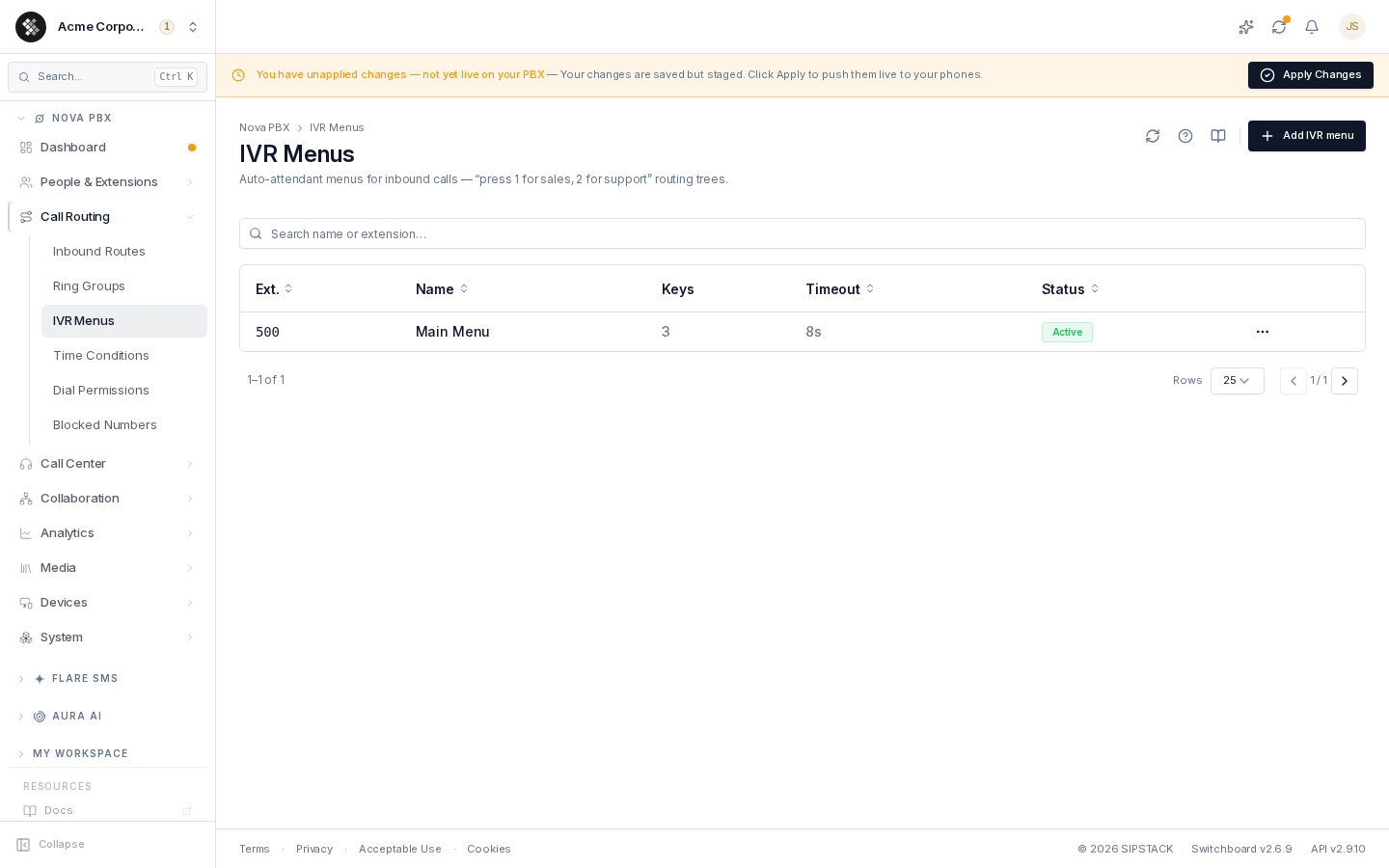
Nova PBX → Call Routing → IVR Menus lists every menu with its extension, name, number of wired keys, no-input timeout, and status. Search filters by name or extension.
How an IVR Works
Section titled “How an IVR Works”- A caller dials your number; the inbound route (or another IVR-facing path) points at the IVR’s extension.
- The IVR plays the on-entry greeting (“Thanks for calling Acme — press 1 for sales…”).
- It waits up to the no-input timeout for a digit.
- A wired digit routes the caller to that key’s destination.
- An unwired digit or no press replays the greeting and lets the caller try again, up to the menu’s retry limit.
- Once the retries run out, the caller routes to the Timeout mapping (if they never pressed anything) or the Invalid input mapping (if they kept pressing unwired digits).
When the caller runs out of tries
Section titled “When the caller runs out of tries”The Timeout and Invalid input mappings fire after the retry limit, not on the first miss — so a caller who simply hesitates gets the menu again before being routed anywhere.
If the relevant mapping isn’t wired, the menu falls back to whatever is on key 0, the usual operator key. Only if that is missing too does the call end. Wiring either the matching mapping or 0 is what keeps an indecisive caller from being hung up on.
The no-input timeout accepts 5–120 seconds and defaults to 10. Values below 5 seconds are treated as 5 — under that, callers who are still listening to the greeting get counted as no-input.
Creating a Menu
Section titled “Creating a Menu”- Click Add IVR menu.
- Fill in General: Name, Extension (3–10 digits, fixed after creation), No-input timeout (seconds), and Enabled.
- Click Create IVR menu — you land on the edit page, where the greeting and key map become available.
The On-Entry Greeting
Section titled “The On-Entry Greeting”The greeting is what callers hear the moment they enter the menu — without one, they get silence, which most callers read as a dead line. On the edit page, the On-entry greeting card offers two paths:
- Generate from a voice — type a script, pick a voice, and render it with text-to-speech. Quick-pick templates (“Welcome”, “After hours”, “Department routing”) give you a starting script.
- Pick from library — reuse a greeting or announcement already saved in your media library.
Once set, the card shows the current greeting with Replace and Remove actions. Keep greetings to 10–20 seconds.
The Key Map (DTMF Actions)
Section titled “The Key Map (DTMF Actions)”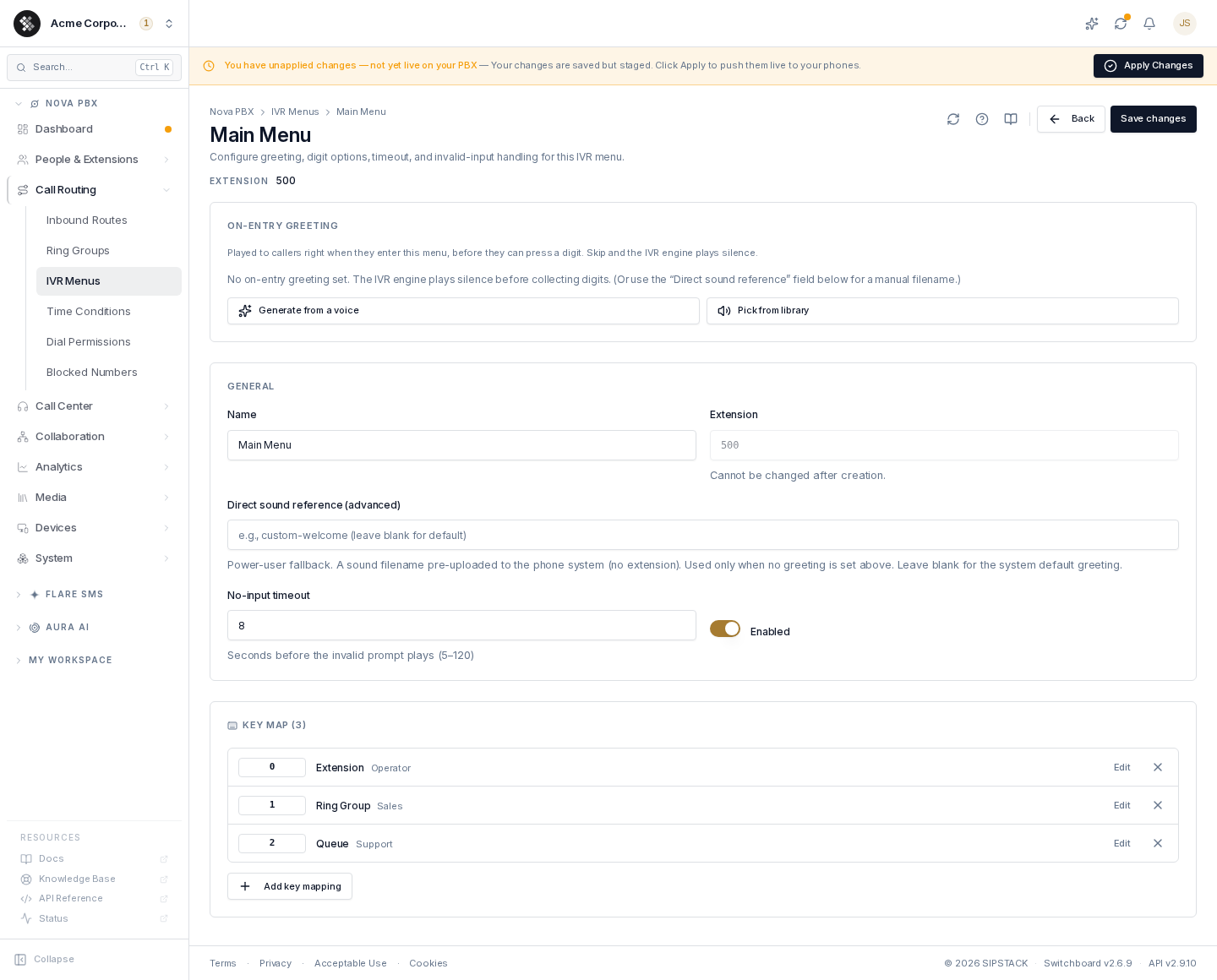
The Key Map section wires keypresses to destinations. Click Add key mapping to open the editor dialog:
-
Key — digits
0–9,*,#, plus two special keys: Timeout (no digit pressed within the no-input timeout) and Invalid input (an unwired digit pressed). Keys already mapped don’t appear in the picker; a key can’t be changed after it’s added — remove the mapping and re-add it instead. -
Destination — where the caller goes:
Destination Effect Extension Ring a specific phone. Ring Group Ring a shared line. Call Queue Hold the caller in a queue with hold music. Conference Room Drop into a conference bridge. Voicemail Send straight to a mailbox. Aura AI Voice Agent Hand the caller to an AI agent (shown when your org has Aura agents; draft agents must be activated first). External Number Forward to an outside number. Hangup End the call. -
Description — optional label shown on the key list (e.g. “Sales team”).
Existing mappings list in key order with Edit and × (remove) actions on each row.
Nesting menus
Section titled “Nesting menus”Chaining one IVR into another (sub-menus) isn’t available from the key-mapping editor today — destinations cover extensions, ring groups, queues, conferences, voicemail, AI agents, external numbers, and hangup. Keep menus to a single layer; it’s also what callers prefer.
Editing and Deleting
Section titled “Editing and Deleting”Click a row to open the editor; Save changes persists the General fields (greeting and key-map changes save immediately as you make them). Delete via ⋯ → Delete on the list — a confirmation dialog reminds you that inbound routes targeting the IVR must be repointed.