

Aura Insights
Aura Insights
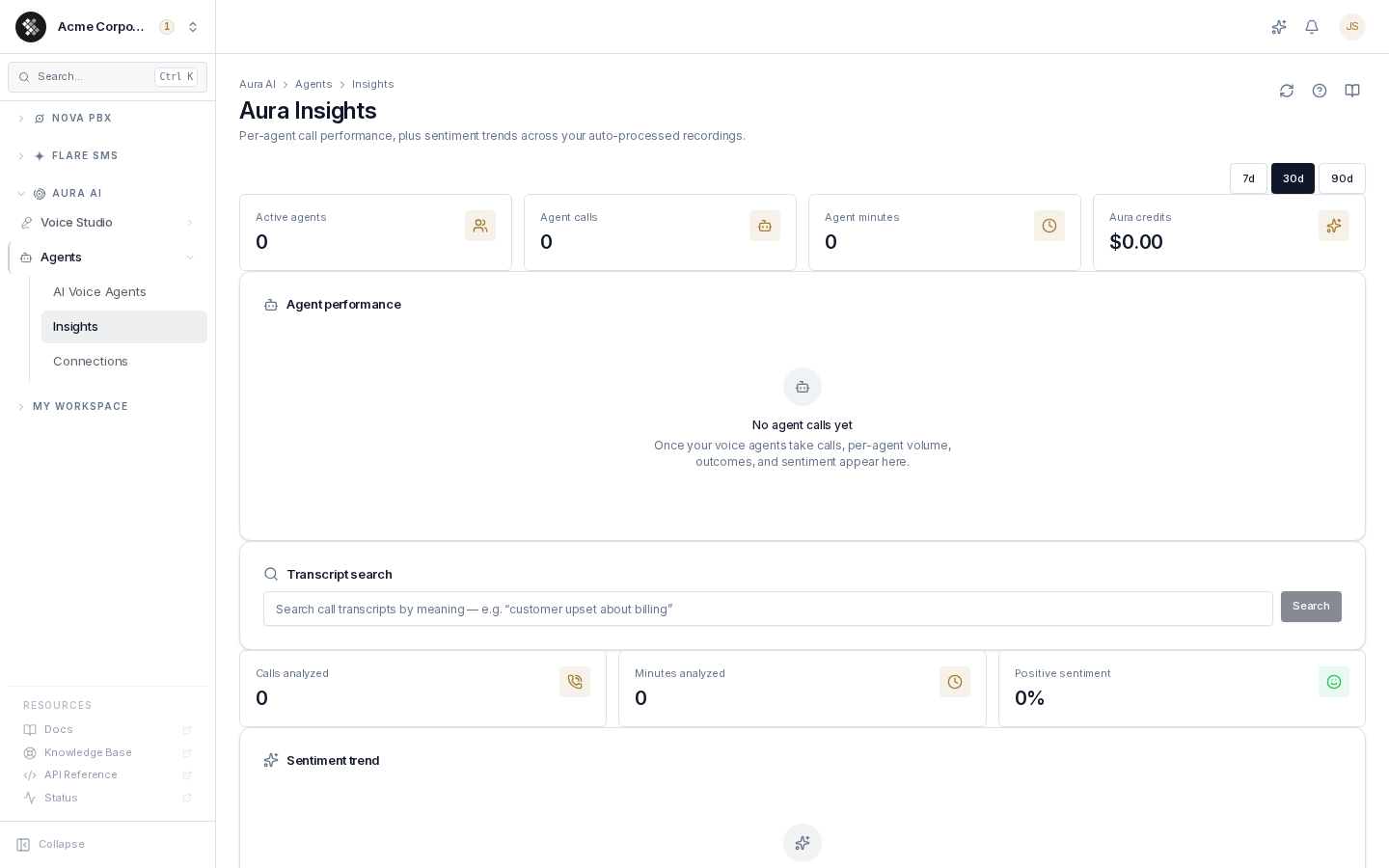
Section titled “Aura Insights”Aura AI → Agents → Insights is the aggregate AI analytics view for your voice activity. It answers two questions without anyone listening to recordings: how are my AI voice agents performing? and what are customers feeling on calls?
The page has two layers with different availability:
- Agent performance — per-Aura-agent metrics, available to every organization that runs Aura voice agents.
- Recording analytics — sentiment trends and semantic transcript search across auto-processed call recordings. Included on Nova Ultra; other plans see an upgrade notice in place of these sections. (Nova Core and Pro can buy per-call sentiment and summaries with Aura Credits, but the Insights dashboards stay on Ultra.)
Access requires the Manage Aura agents permission (aura.agents.manage).
Choosing a time window
Section titled “Choosing a time window”The window picker at the top (7 / 30 / 90 days) scopes everything on the page — the stat cards, the agent table, and the sentiment charts.
Agent performance
Section titled “Agent performance”The stat cards count active agents, agent calls, agent minutes, and Aura credits consumed in the window. Below them, the agent table shows one row per voice agent that took at least one call:
| Column | What it tells you |
|---|---|
| Calls | Volume the agent handled. |
| Transfer % | How often the agent escalated to a human. A climbing transfer rate usually means the agent’s flow is missing an answer callers need. |
| Avg dur | Average call duration. |
| Sentiment (+/0/−) | Positive / neutral / negative call counts, as judged by Aura. |
| Minutes / Credit | Aura minutes and dollar value of credits consumed. |
Each row also shows Fields captured — the fill rate for every data field the agent is configured to collect (a low fill rate flags a prompt or flow problem) — and a Daily mini-chart of call volume.
If you haven’t created voice agents yet, this section shows an empty state; start under Aura AI → Agents.
Transcript search (Ultra)
Section titled “Transcript search (Ultra)”Semantic search across processed call transcripts. It matches meaning, not exact words — searching “customer upset about billing” finds calls where someone complained about an invoice even if they never used the word “upset.”
Each result shows caller → callee, the matching snippet, the sentiment label, and a match score. Click a result to open the full call detail — recording playback, diarized transcript, and per-call summary.
Sentiment trends (Ultra)
Section titled “Sentiment trends (Ultra)”- Calls analyzed / Minutes analyzed — how much recorded audio Aura processed in the window.
- Positive sentiment — the percentage of labeled calls judged positive.
- Sentiment trend — a stacked daily chart of positive / neutral / negative calls. Watch for negative spikes after a pricing change, an outage, or a new IVR flow.
- Sentiment distribution — window totals per label.
Where the data comes from (and why it might be empty)
Section titled “Where the data comes from (and why it might be empty)”Sentiment analytics cover auto-processed recordings only. If everything reads zero:
- Confirm call recording is enabled (per-extension, or in Recording Settings) and AI processing is on.
- New recordings take a few minutes to process before they appear.
- Calls without a recording count toward volume but never get a sentiment label — so sentiment totals are usually lower than total call counts.
The agent table is independent of recording: it populates as soon as your Aura voice agents take calls.
Per-call insights
Section titled “Per-call insights”This page is the aggregate view. For a single call’s summary, sentiment, and topics, open the call from Nova PBX → Analytics → Call History (or from a transcript-search result). For how transcripts, diarization, and the analysis layers work end to end, see Transcription & Call Intelligence.