

Locations
Locations
Section titled “Locations”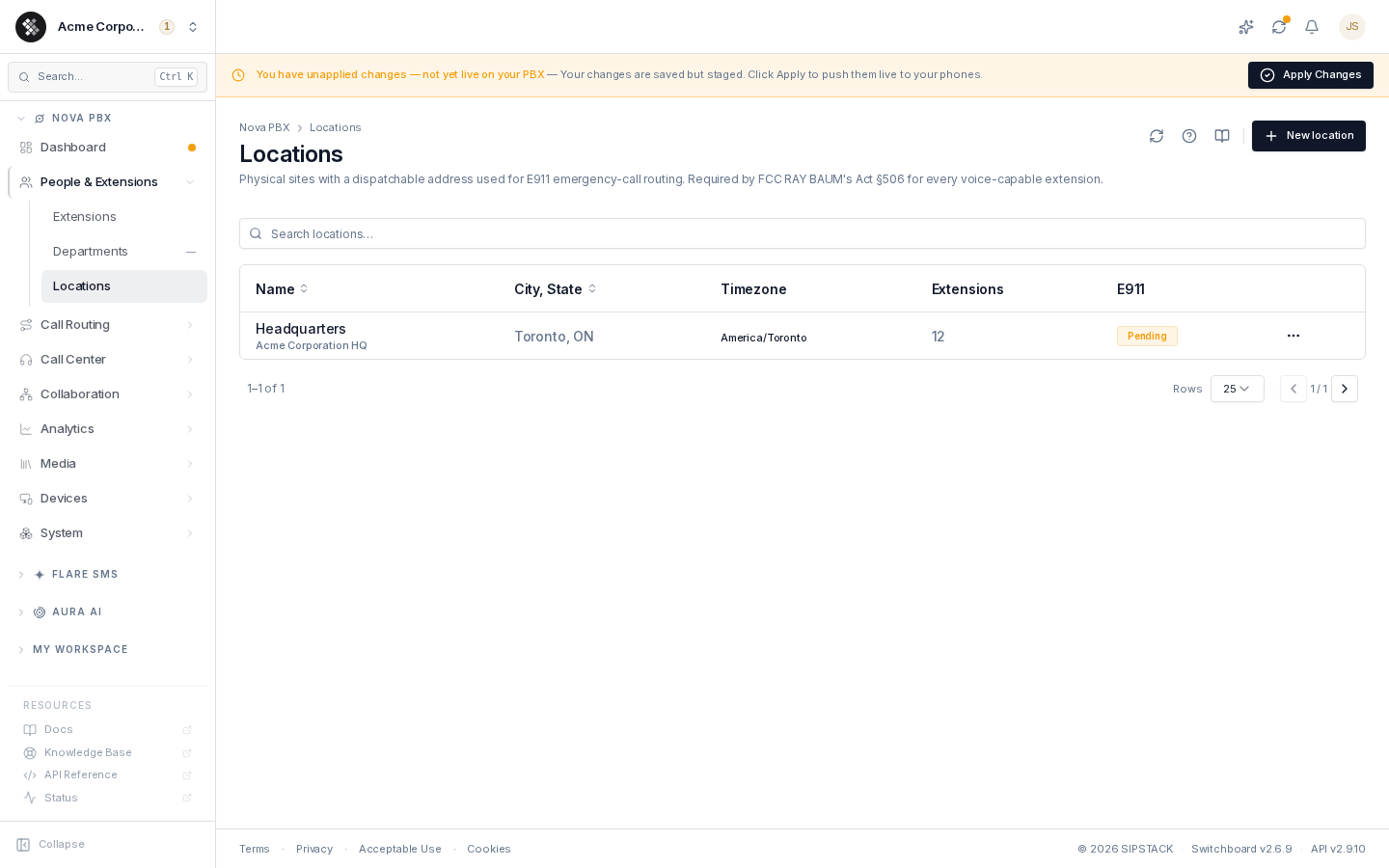
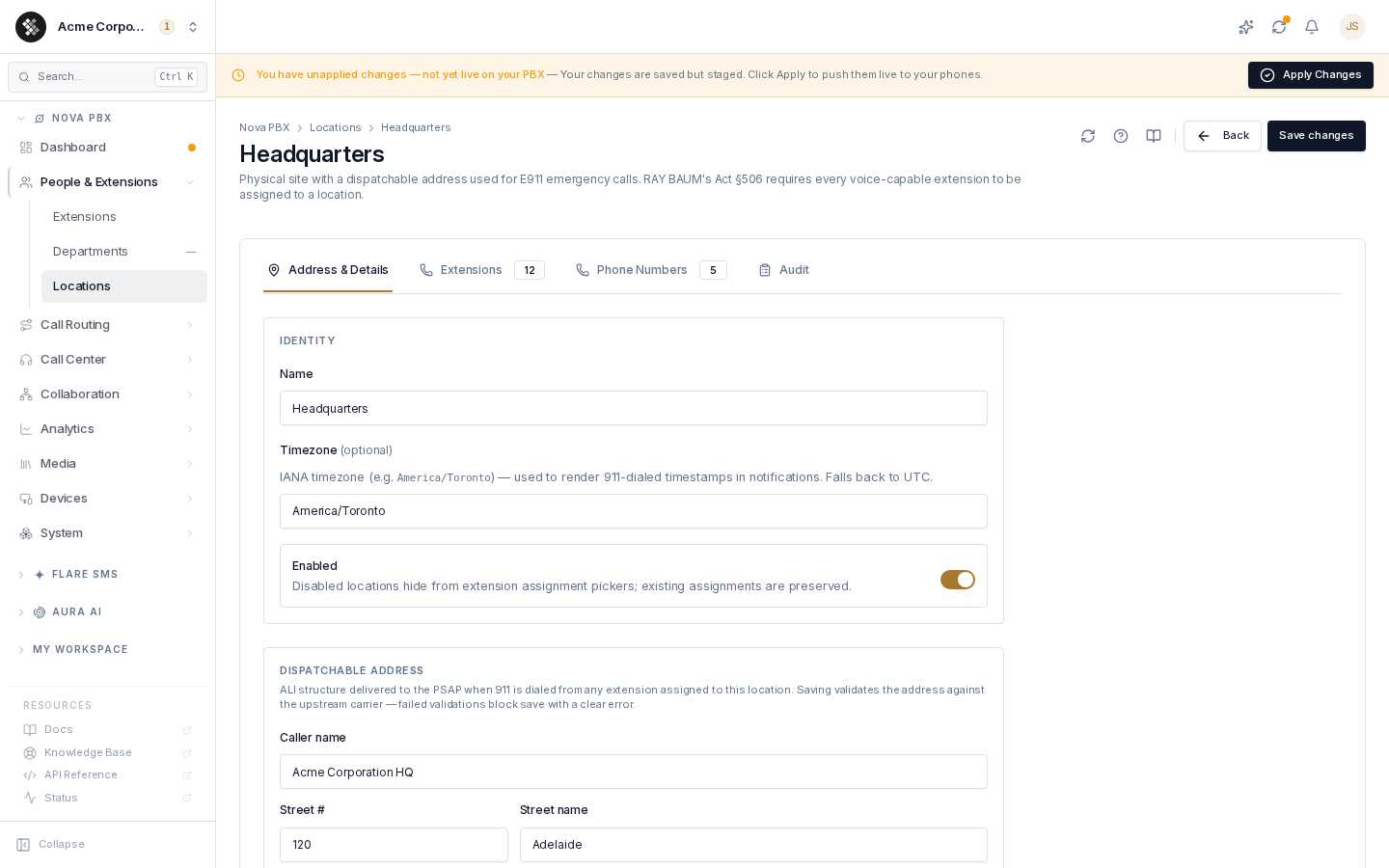
A location is a physical site your organization operates from — an office, store, or warehouse — with a dispatchable address used to route and inform emergency (911) calls. Navigate to Nova PBX → People & Extensions → Locations.
What a Location Holds
Section titled “What a Location Holds”| Field | Notes |
|---|---|
| Name | Display label shown on extension assignment, phone-number E911 tabs, and audit trails. |
| Timezone | IANA timezone used to render 911-dialed timestamps in notifications (falls back to UTC). |
| Dispatchable address | Full ALI structure — caller name, street #, street, suffix, unit/suite, city, state/province, postal code, country. Validated upstream when saved. |
| §506(b) notification recipients | Email and SMS lists notified when 911 is dialed from this location. Empty lists fall back to the org-level recipients in account settings. |
| Enabled | Disabled locations hide from assignment pickers; existing assignments are preserved. |
Creating a Location
Section titled “Creating a Location”- Click New location.
- Name the site and (optionally) set its timezone.
- Fill in the dispatchable address. This is the same address form used across SIPSTACK’s E911 surfaces — be precise: this exact structure is what the 911 dispatcher sees. The optional Find address box fills most fields for you, but it does not fill the unit or suite number and its results need checking before you save — see Address lookup.
- Add at least one notification email (or rely on the org-level fallback).
- Click Create location.
Saving validates the address against the upstream carrier — a failed validation blocks the save with a clear error. The list shows each location’s validation state (Validated / Pending).
How Extensions and Phone Numbers Inherit the Address
Section titled “How Extensions and Phone Numbers Inherit the Address”This inheritance is the core of the model — configure the address once, everything at the site stays compliant:
- Extensions: assign each extension to the location where its user physically sits (extension edit page → Assignment). When that user dials 911, the location’s address is dispatched. The location’s Extensions tab lists everything assigned to it.
- Phone numbers: on a number’s E911 tab, choose Inherit from location — the address fields lock and pull from the location’s record. Multiple DIDs share one canonical address; edit the location once and every inheriting number picks up the change. The location’s Phone Numbers tab shows every inheriting DID.
If a building has two suites with different dispatch needs, create two locations — one dispatchable address per location.
911 Notifications and the Audit Trail
Section titled “911 Notifications and the Audit Trail”When anyone at the location dials 911:
- SIPSTACK notifies the location’s email/SMS recipients (or the org-level fallback if the location’s lists are empty).
- Every notification attempt is logged on the location’s Audit tab — timestamp, dialed digits, caller, recipient, channel, and delivery status (
sent/failed/skipped), plus a snapshot of the exact address dispatched.
Filter the audit log by status, channel, and date range, and use Export CSV to pull the §506(b) evidence trail.
To verify the path end-to-end, dial 933 (the E911 test code) from an extension assigned to the location.
Annual Address Review
Section titled “Annual Address Review”§506 expects dispatchable addresses to stay current. Each location tracks a yearly review date and the list flags it:
- Review soon — due within 30 days.
- Review overdue — past due; reminders continue until an owner confirms or updates the address.
Open the location, confirm (or correct) the address, and save to reset the cycle.
Deleting a Location
Section titled “Deleting a Location”A location that still has assigned extensions cannot be deleted — reassign them first. Deleting removes the location and its dispatchable address record.
Frequently Asked Questions
Section titled “Frequently Asked Questions”A user works from home — what address should their extension use? Create a location for their home address (or their primary work site) and assign their extension to it. 911 dispatches to whatever address is on the assigned location, so keep it current when people move.
Do softphone (Pulse) users get nomadic 911? It depends on the app. Pulse on iPhone and Android hands 911 to the phone’s dialer, so the mobile carrier supplies the caller’s location and callback number. Pulse Desktop and the web app dispatch the extension’s assigned location address, even when the user is traveling — and test calls to 933 read back that address from any Pulse app.
Why does my location show “Pending” instead of “Validated”? The address hasn’t completed carrier validation yet (or failed it). Open the location, verify the address fields against official postal records, and re-save.