

Account Settings
Account Settings
Section titled “Account Settings”Account Settings is the home for everything org-wide: your business profile and billing address, who receives invoices, security policy (2FA, voice cloning, recording retention), emergency-call notification recipients, account documents, SARA AI skills, and privacy controls.
Navigate via the sidebar: Account → Settings, or open it from the organization switcher in the top-left. The page is owner-oriented — any user who can open it can view most tabs, but only owners can save changes.
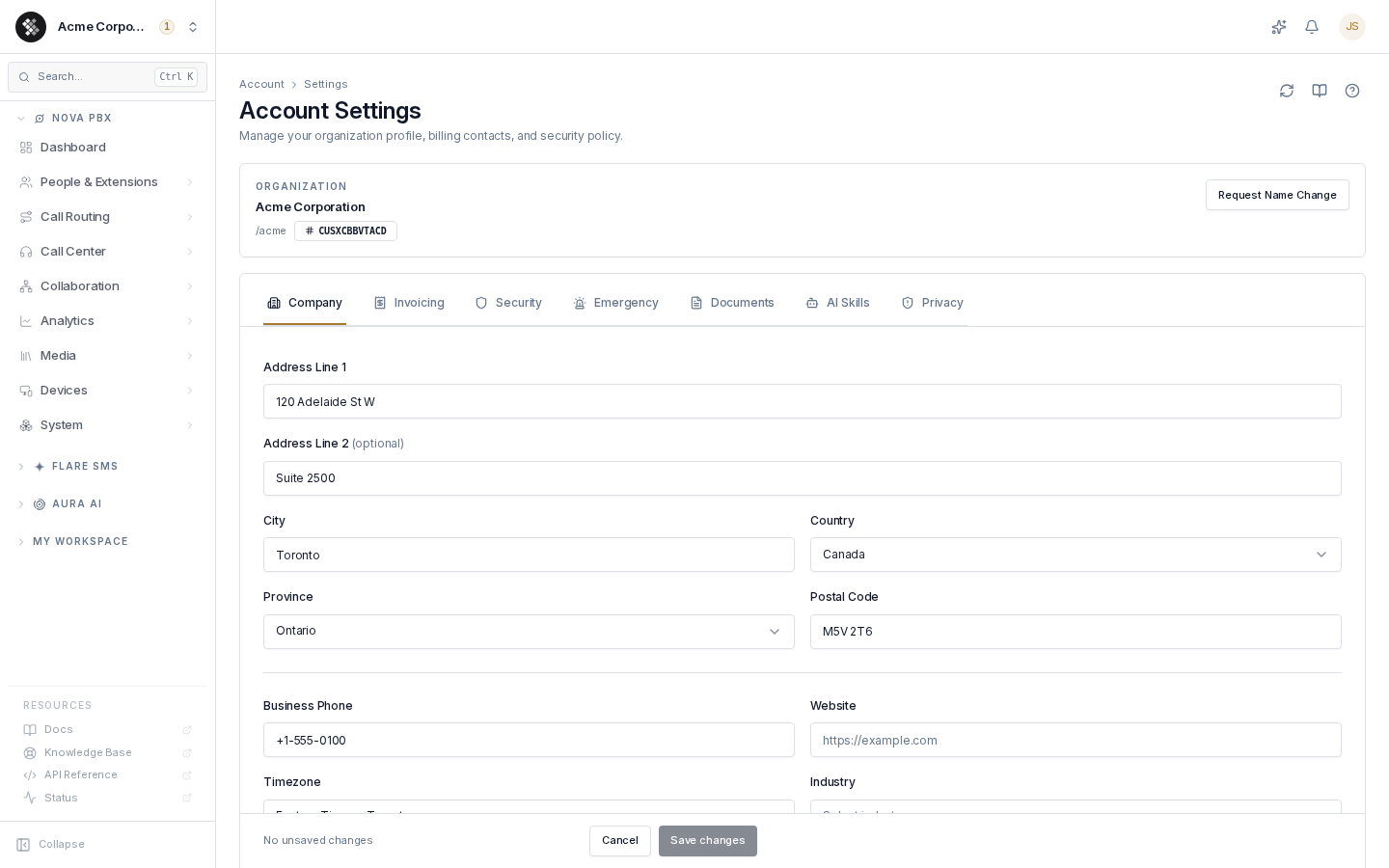
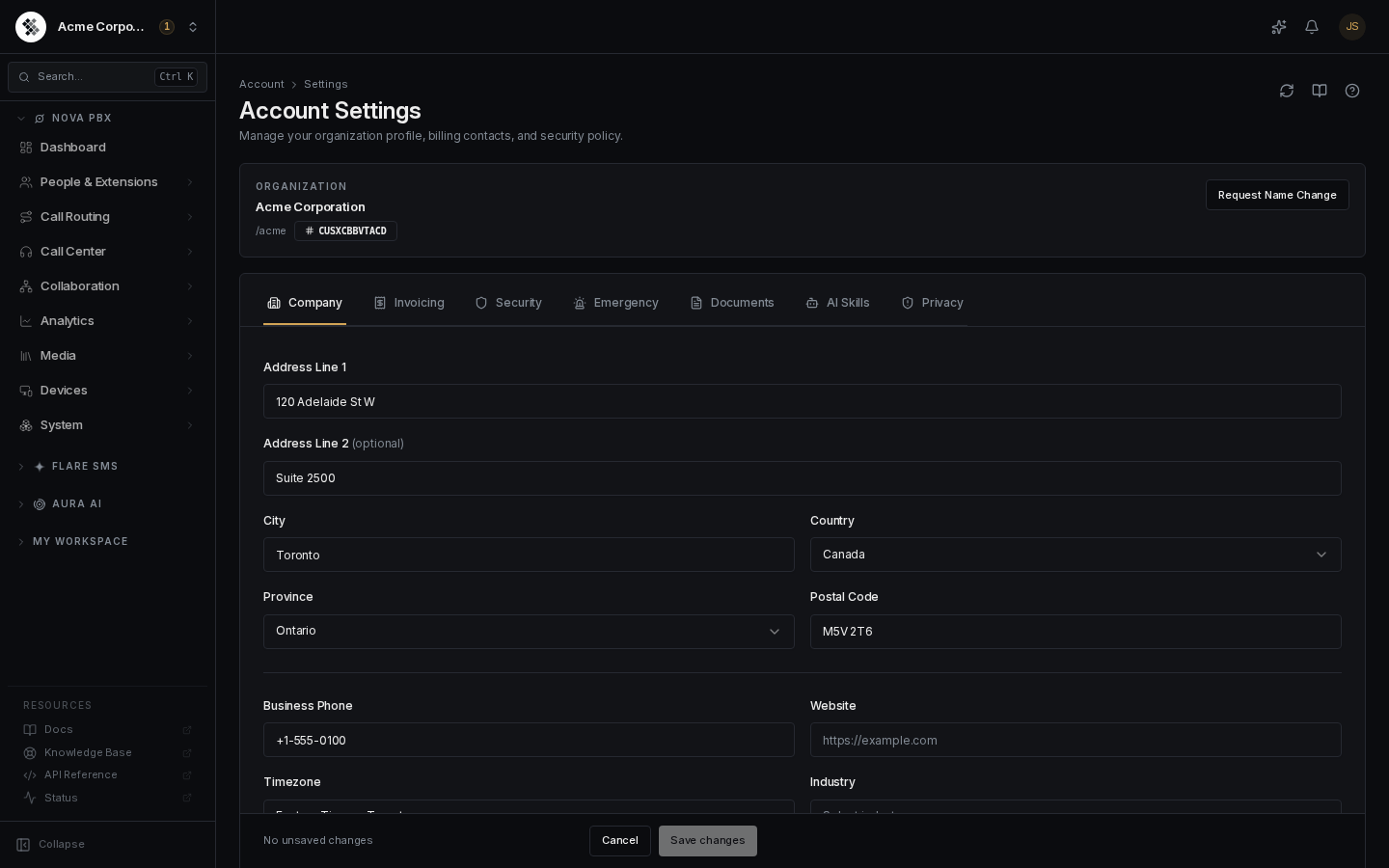
The identity card at the top shows your organization name, URL slug, and account ID (the CUS… badge — quote this when contacting support).
The seven tabs are deep-linkable: bookmark /account/settings#security (or any of company, invoicing, security, emergency, documents, ai-skills, privacy) and the page opens on that tab.
Company
Section titled “Company”Your organization’s billing/profile address, contact details, timezone, and industry. This drives invoices, tax jurisdiction, and carrier-side compliance forms.
| Field | Notes |
|---|---|
| Address Line 1 | Type-ahead autocomplete — pick a suggestion to autofill city, postal code, and country. |
| Address Line 2 | Optional (suite, unit, floor). |
| City / State / Postal Code | The State/Province dropdown follows the selected country; changing country clears the state so a stale region can’t be saved. |
| Country | Affects which carriers can serve your numbers and which tax rates apply. |
| Business Phone | Free-form contact number for your business (not a DID). |
| Website | Must be a full URL (https://…). Bare domains are rejected. |
| Timezone | Used for invoice timestamps, audit-log display, and scheduled reports. |
| Industry | Helps route compliance forms (e.g., 10DLC brand registration) to the right templates. |
A sticky bar at the bottom shows “No unsaved changes” until you edit something; click Save changes to persist or Cancel to revert.
Changing your organization name
Section titled “Changing your organization name”The organization name is not directly editable — renames touch billing, tax, and carrier records, so they are support-reviewed:
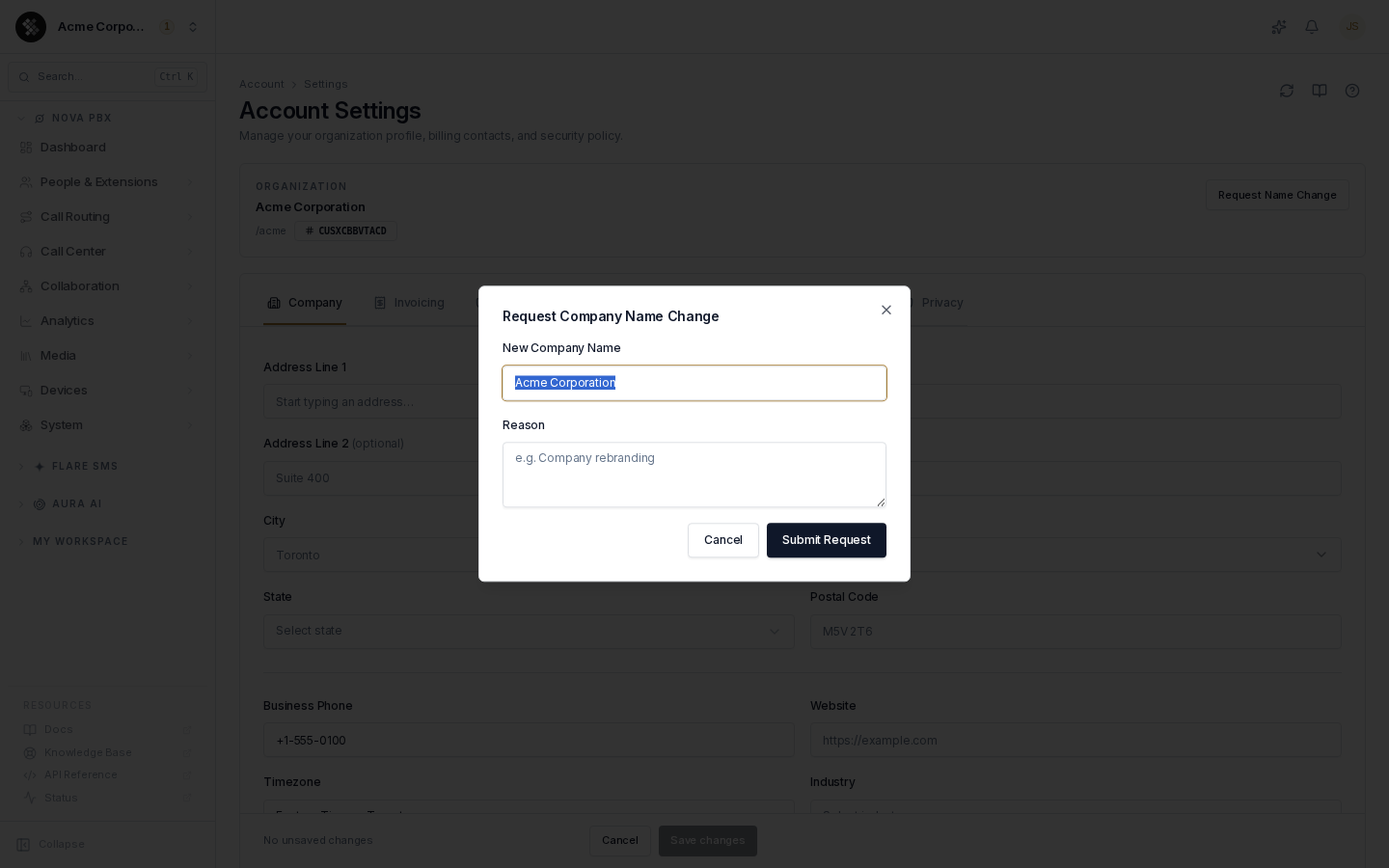
- Click Request Name Change in the identity card.
- Enter the new name and a reason.
- Click Submit Request — this opens a support ticket you can track under Support.
Invoicing
Section titled “Invoicing”(Owner-only.) Up to 5 email addresses that receive invoices and billing emails. Type an address and press Enter or comma to add it as a chip; click the ✕ on a chip to remove it. Click Save to apply. If the list is empty, billing email goes to the account owner.
Security
Section titled “Security”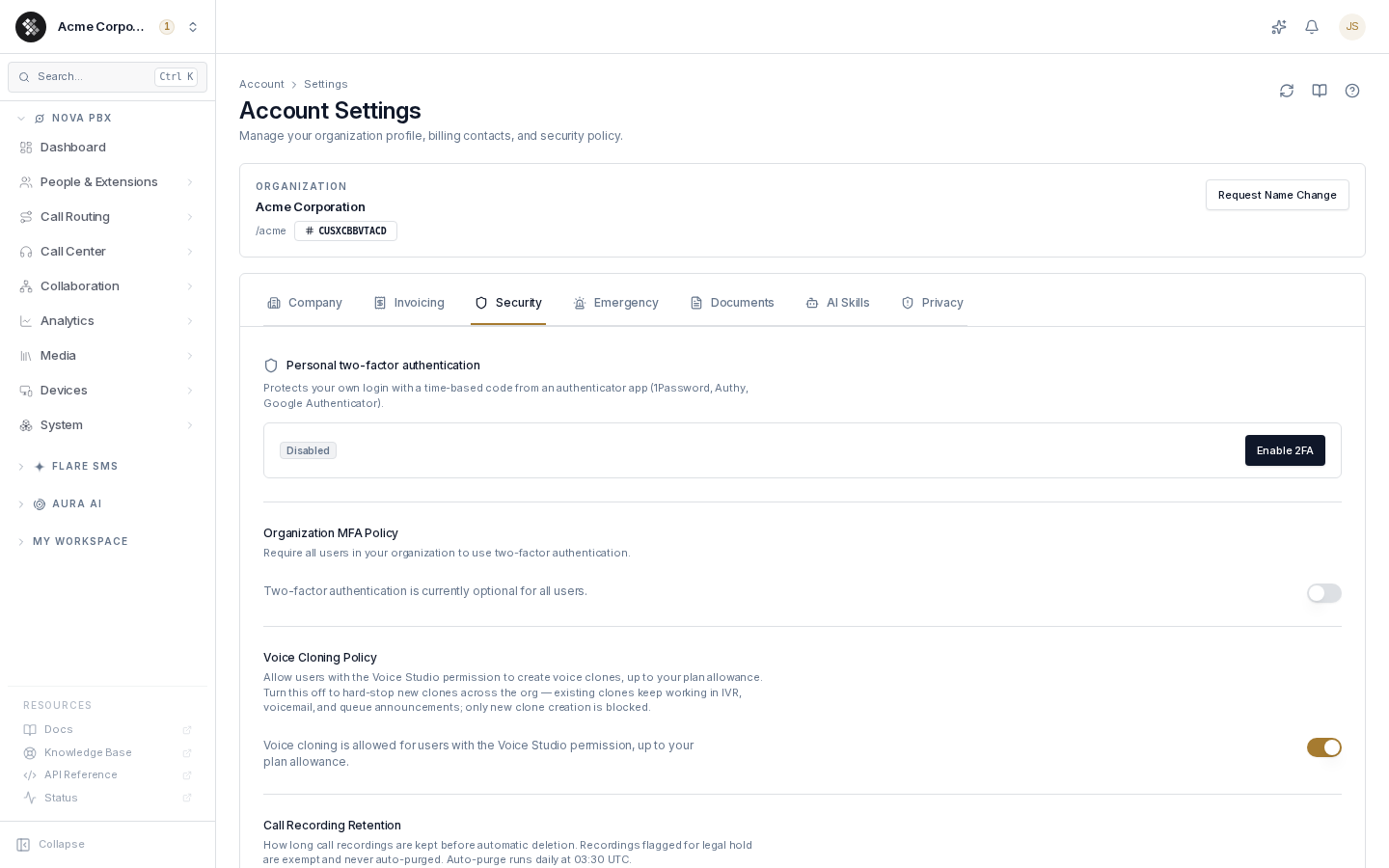
Personal two-factor authentication
Section titled “Personal two-factor authentication”Every user manages their own TOTP enrollment here. Click Enable 2FA, scan the QR code with an authenticator app, enter the 6-digit code, and store the backup codes somewhere safe.
Organization MFA policy (owner-only)
Section titled “Organization MFA policy (owner-only)”When the switch is on, every user in the organization must complete 2FA setup before they can sign in. Existing sessions are preserved; the requirement applies at next login. Turning it off makes 2FA optional again — nobody’s enrollment is deleted.
Voice cloning policy (owner-only)
Section titled “Voice cloning policy (owner-only)”The switch shows the allow state. Turn it off to hard-stop new voice-clone creation across the org — Voice Studio wizard and all API paths — regardless of plan allowance. Existing clones keep working in IVR, voicemail, and queue announcements. Every change is recorded in the audit log.
Call recording retention (owner-only)
Section titled “Call recording retention (owner-only)”How long call recordings are kept before automatic deletion while your account is active: 7, 14, 30, 90 days, 1 year, or Keep forever. The deletion job runs daily at 03:30 UTC. When your account closes, recordings are deleted within 30 days whatever you choose here.
Emergency
Section titled “Emergency”(Owner-only writes.) Org-level fallback recipients for 911-dialed notifications, required by FCC RAY BAUM’s Act §506(b): when anyone in your organization dials 911, SIPSTACK notifies the contacts listed here so someone at your business knows it happened.
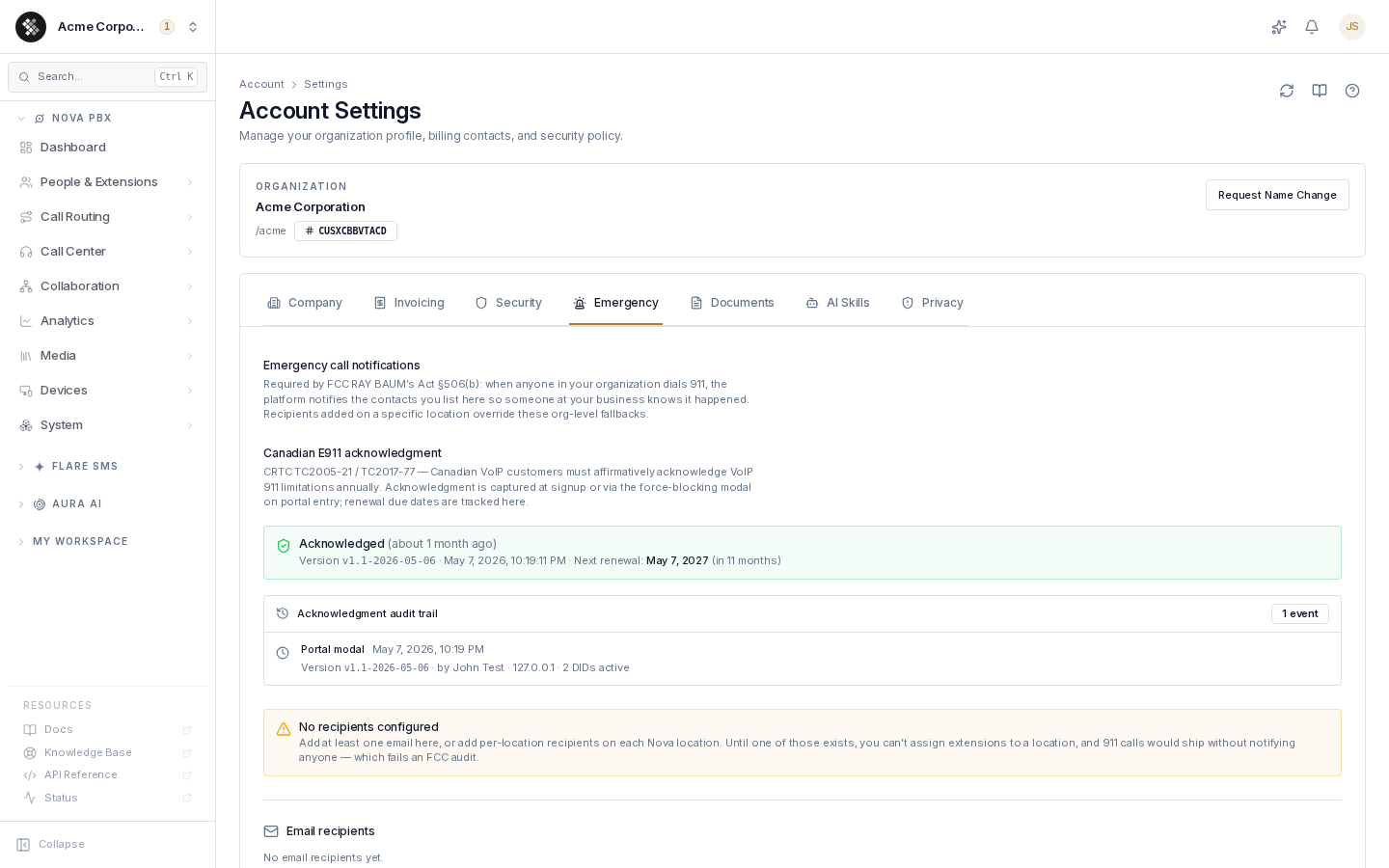
- Email recipients — the active notification channel. Add at least one address (or per-location recipients on each Nova location); until one exists you cannot assign extensions to a location.
- SMS recipients — numbers are saved in E.164 format (
+14165551234) but SMS dispatch is not yet active; rely on email for now. - Recipients added on a specific Nova location override these org-level fallbacks for that location.
- Changes save immediately on Add/Remove — there is no separate Save button on this tab.
Canadian accounts also see the E911 acknowledgment panel (CRTC TC2005-21/TC2017-77): when VoIP 911 limitations were last acknowledged, by whom, and when annual renewal is due.
Documents
Section titled “Documents”Receipts and uploaded documents for the account. Legal receipts — signed cancellations, port-out LOAs — are tamper-evident and retained immutably. Click Upload to attach your own documents (contracts, tax certificates, etc.).
AI Skills
Section titled “AI Skills”(Owner-only writes.) Controls what the SARA assistant may do on behalf of your organization — searching contacts, opening tickets, looking up invoices, configuring PBX settings, and more, grouped by product. All skills are enabled by default; toggle any off to remove it from SARA’s capabilities across chat, portal, and voice channels, then save with the sticky bar.
Privacy
Section titled “Privacy”(Owner-only writes.) Data-handling controls:
- Where your data lives — region/data-residency summary for your media and PBX data.
- Data export — request a ZIP of all your account data (GDPR/CCPA data-subject rights). One request per 24 hours; you get an email when the export is ready.
- Audit log — control whether page-view browsing trails are captured. Logins, signed compliance actions, and admin events are always recorded.
Troubleshooting
Section titled “Troubleshooting”| Symptom | Cause / fix |
|---|---|
| Website field rejects my entry | The validator requires a scheme — use https://example.com, not example.com. |
| Can’t edit the organization name | Renames are support-reviewed. Use Request Name Change in the identity card. |
| Invoicing / MFA / Emergency controls are read-only | These are owner-only. Ask an account owner to make the change. |
| A teammate changed something and I don’t see it | Click the Reload icon (top-right). Data is otherwise cached for about a minute. |
| Can’t assign an extension to a Nova location | Add at least one emergency notification recipient (Emergency tab) or a per-location recipient first — the platform blocks the assignment until one exists. |