

Conferences
Conferences
Section titled “Conferences”A conference room is a persistent audio bridge with a fixed room number. There’s no scheduling and no per-meeting setup: anyone who joins the room at the same time is in the same call. Use rooms for recurring team calls, an always-open “war room”, or a customer dial-in number.
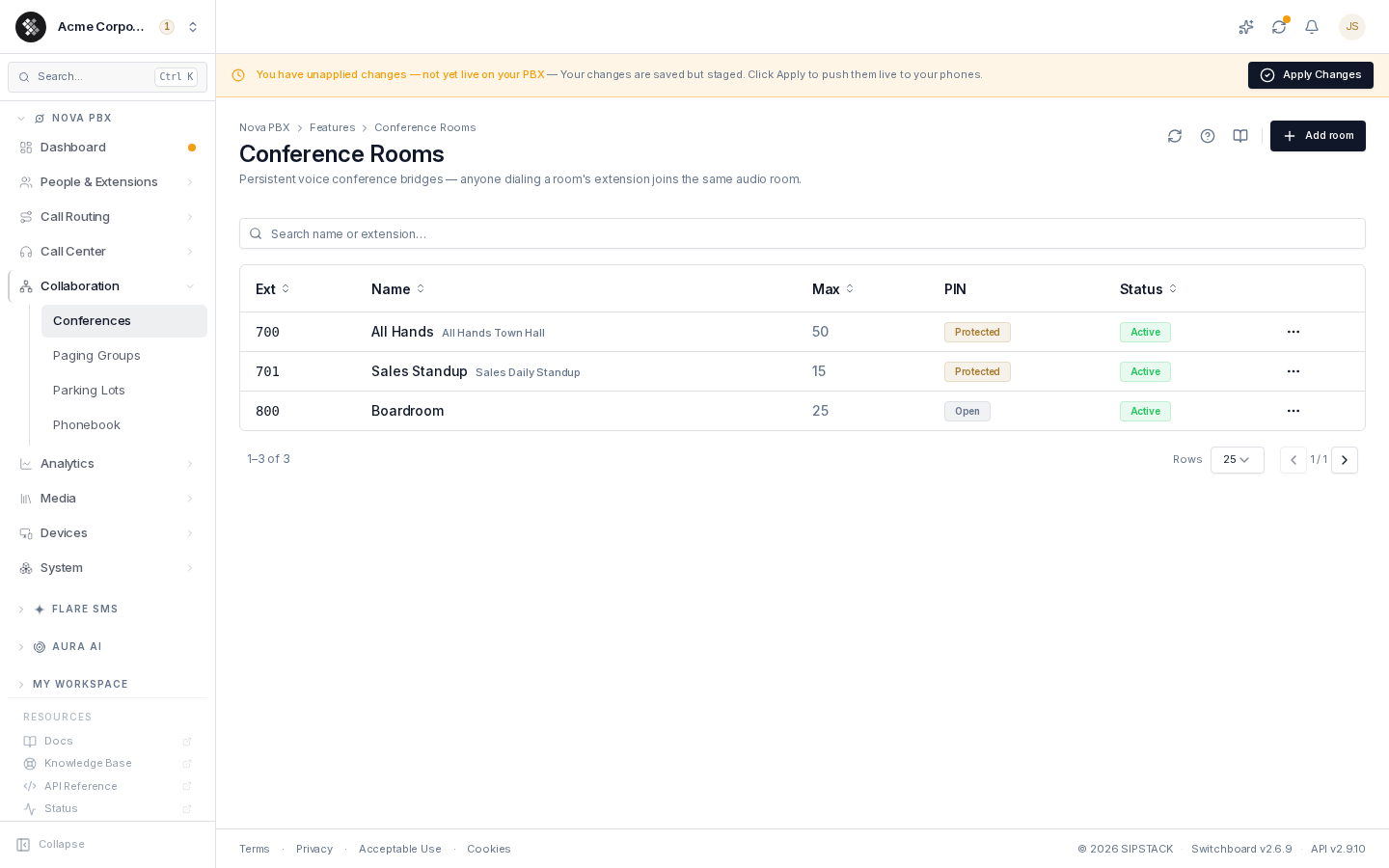
Nova PBX → Collaboration → Conferences lists every room with its number, participant cap, PIN status, and status.
Related pages: Feature Codes · Inbound Routes · Recording Settings
Joining a Room
Section titled “Joining a Room”- From any internal phone: dial
8+ the room number. Room700→ dial8700. (This is the8XXXwildcard feature code.) - From outside: point an inbound route’s destination at the conference room. Customers call your public number and land straight in the bridge; staff joins internally via
8+ room number. Same room, two doors.
If the room has a User PIN, callers are prompted to enter it before joining.
Creating a Room
Section titled “Creating a Room”- Click Add room (top-right).
- Name the room and pick its Extension (the room number — 3 digits recommended; it cannot be changed after creation).
- Set Max participants (1–500). Joiners beyond the cap are rejected.
- Optionally set PINs and join behavior (below).
- Click Create room, then push live with Apply Changes.
Security & Options
Section titled “Security & Options”| Setting | What it does |
|---|---|
| User PIN | Numeric PIN required from every participant before joining. Leave blank for an open room. |
| Admin PIN | A second PIN that grants host controls to whoever enters it. |
| Record conference | Save the room’s audio to the recordings library. |
| Mute on join | Participants enter muted by default — good for large announcement-style calls. |
| Announce join / leave | Play a tone when participants enter or exit. |
| Enabled | Disabled rooms don’t accept joiners. |
Common Patterns
Section titled “Common Patterns”Weekly team call. Room 700, User PIN set, max 10. The recurring calendar invite carries “dial 8700 (internal) or +1-555-… (external), PIN 4321”.
Open war room. Room with no PIN, max 20. The team hops in and out all day during a launch.
Customer dial-in. Inbound DID → conference room destination. Staff joins internally; customers via the public number.
Troubleshooting
Section titled “Troubleshooting”- “Invalid” when dialing the room — confirm you’re dialing
8+ the room number (not the room number bare), the room is Active, and staged changes have been Applied. - PIN not accepted — PIN entry relies on DTMF; a phone with misconfigured DTMF can’t send digits. Test from a known-good phone.
- Room is full — raise Max participants on the edit page and re-apply.