

Ring Groups
Ring Groups
Section titled “Ring Groups”A ring group gives several phones one shared number: callers dial the group’s extension, the member phones ring (all at once or in an order you choose), and the first person to answer takes the call. Use ring groups for shared lines — the sales hotline, the front-desk pickup, “everyone in finance.”
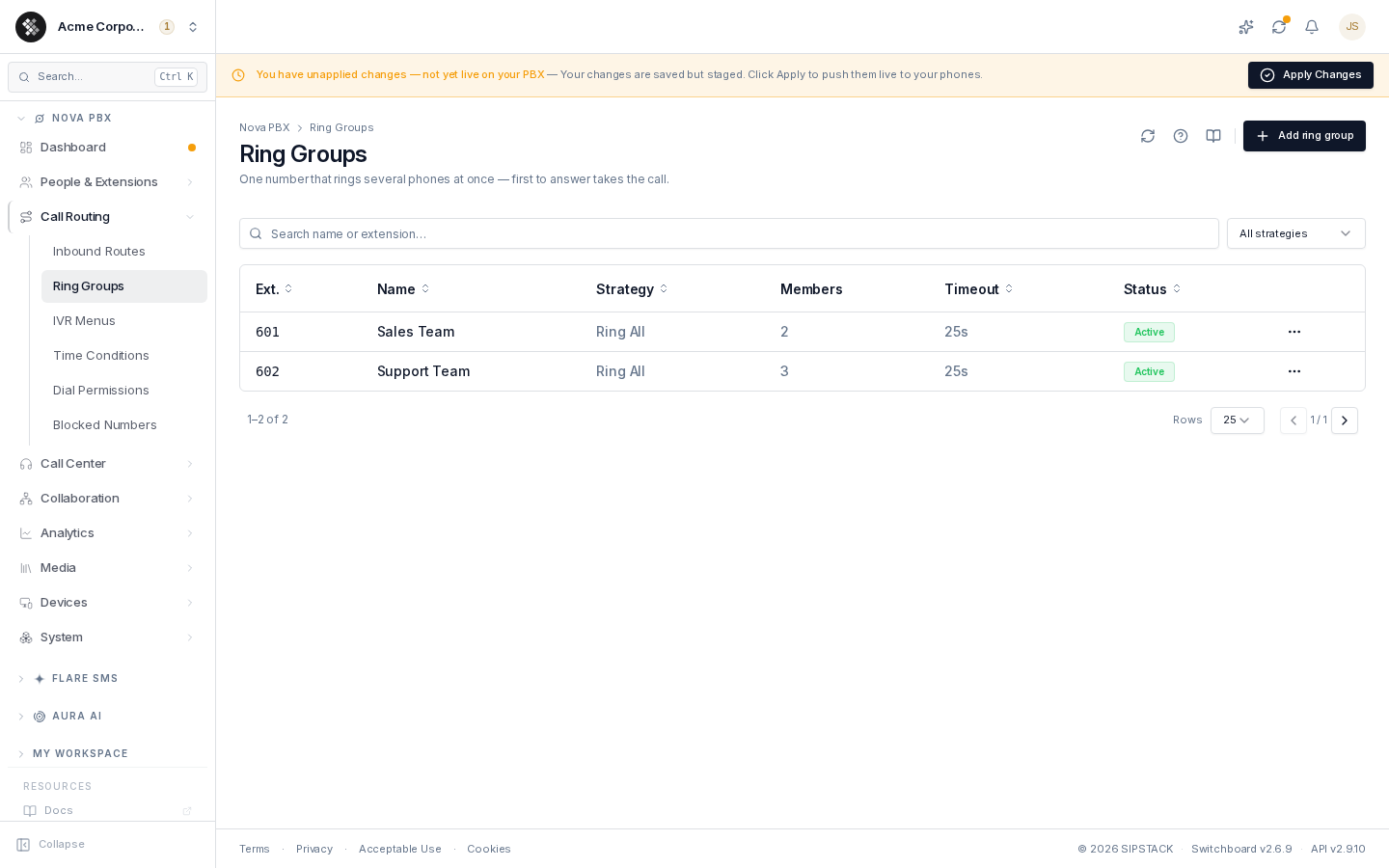
Nova PBX → Call Routing → Ring Groups lists every group with its extension, strategy, member count, ring timeout, and status. Use the search box to filter by name or extension, and the strategy dropdown to narrow by ring strategy.
Creating a Ring Group
Section titled “Creating a Ring Group”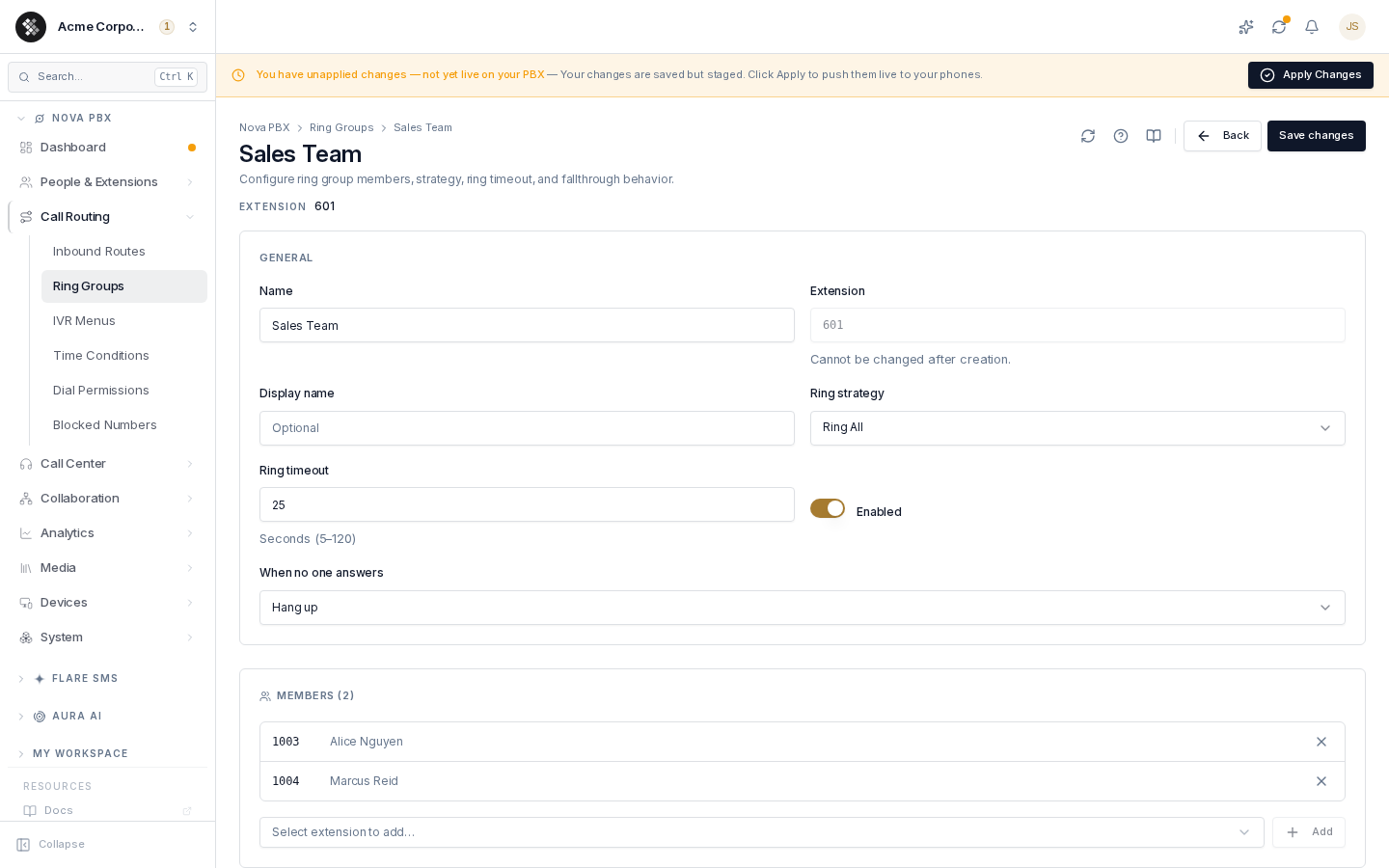
- Click Add ring group (top-right).
- Fill in the General section:
- Name — display name, e.g. “Sales Team”.
- Extension — the internal number that rings the group (3–10 digits). This cannot be changed after creation — inbound routes and IVR keys reference it.
- Display name — optional friendly label.
- Ring strategy — how the group rings (see below).
- Ring timeout — how long the group rings (5–120 seconds) before the “when no one answers” action fires.
- Caller ID prefix — optional text shown in front of the caller’s name on members’ phones, so they know the call came through this group. See Caller ID prefix and distinctive ring.
- Distinctive ring (Alert-Info) — optional value that tells members’ phones to use a different ringtone for this group’s calls.
- Enabled — toggle the group on/off without deleting it.
- Click Create ring group. You land on the edit page, where the Members section becomes available.
Ring Strategies
Section titled “Ring Strategies”| Strategy | Behavior | When to use |
|---|---|---|
| Ring All | Every member’s phone rings simultaneously; first to pick up gets the call. | The common default — fastest answer wins. |
| Hunt | Phones ring one at a time in member order until someone answers or the timeout expires. | Tiered answering: primary first, backup next. |
| Memory Hunt | Accumulating hunt — rings member 1, then 1+2, then 1+2+3, with earlier phones continuing to ring. | Escalating urgency the longer a call goes unanswered. |
| First Available | Skips members already on a call and rings the first idle phone. | Avoid double-booking busy staff. |
| Random | Random ring order per call. | Fair distribution without a fixed primary. |
Members
Section titled “Members”On the edit page, the Members section lists the extensions that ring when the group is dialed.
- Add — pick an extension from the dropdown and click Add. Extensions already in the group don’t appear in the picker.
- Remove — click the × on a member row.
- Member order follows the order added — it matters for Hunt and Memory Hunt (first member rings first); the other strategies ignore order.
Caller ID prefix and distinctive ring
Section titled “Caller ID prefix and distinctive ring”Both options are in the General section and are blank by default. With both blank, members’ phones show and ring exactly as they would for a direct call.
Caller ID prefix adds your text in front of the caller’s name on the ringing phone. With the prefix Sales:, a call from Jane Smith shows as Sales: Jane Smith. If the caller has no name, the prefix goes in front of their number. Up to 20 characters: letters, numbers, spaces and . ' & : # / _ + -.
Distinctive ring (Alert-Info) is sent to members’ phones with every call from this group. Phones that support Alert-Info match the value against their ringtone settings and play the ringtone set up for it, for example <http://www.notused.com>;info=ring2. The values a phone recognizes, and the ringtone each one plays, are set on the phone or its provisioning template. Check your phone model’s documentation. Up to 255 characters: letters, numbers, spaces and < > : ; = / . _ @ + -.
Good to know:
- Both apply only to the members’ ringing phones. The caller’s own caller ID and your call history are unchanged.
- If the member who answers transfers the call, the person they transfer it to also sees the prefix and hears the distinctive ring.
- Like other ring group changes, they take effect once you Apply Changes.
Recording Managers
Section titled “Recording Managers”On the edit page of an existing group, the Recording Managers card names users who can play and download the full recording of any call a member of this group handled. Pick a user and click Add; click the × on a row to remove that manager. Recording managers save immediately.
Recording Managers are the fallback for team recording access. For a member who has a manager set with Reports to on their user profile, that reporting chain is used instead. Managers also need the team recording permissions. The card appears only for users with the Assign recording managers permission. See Who can play and download recordings.
When No One Answers
Section titled “When No One Answers”The “When no one answers” setting controls fallthrough after the ring timeout:
| Action | Effect |
|---|---|
| Hang up | Disconnect with a busy/unavailable tone. |
| Go to voicemail | Send the caller to voicemail (most common). |
| Forward to external number | Send the call to an outside number — a “Forward to number” field appears (E.164 format, e.g. +14165550100). |
Editing and Deleting
Section titled “Editing and Deleting”Click any row (or its ⋯ → Edit) to open the editor. Changes save with Save changes in the header.
To delete a group, use ⋯ → Delete on the list. A confirmation dialog warns that the extension and configuration are removed permanently — any IVR keys or inbound routes pointing at the group must be repointed afterwards.