

Monthly Statements
Each month’s commission statement is generated automatically on the first of the following month. Statements are read-only documents you can print or save as PDF and share with your finance team.
A statement is your Earnings ledger frozen for one month: the ledger is the running record that moves every time a customer invoice settles, while the statement is the closed monthly document generated from it — so reconcile against Earnings, and hand the statement to your accountant.
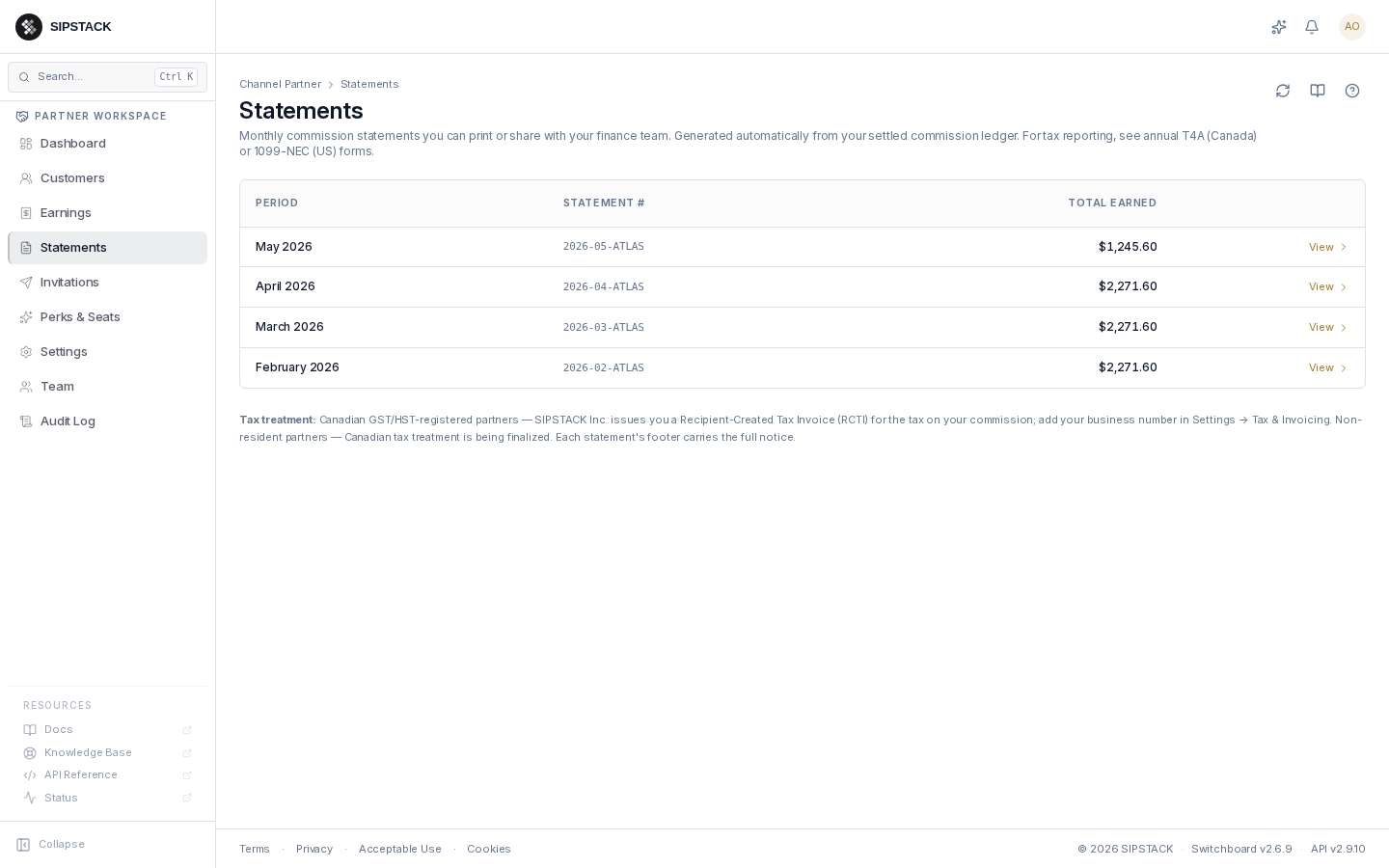
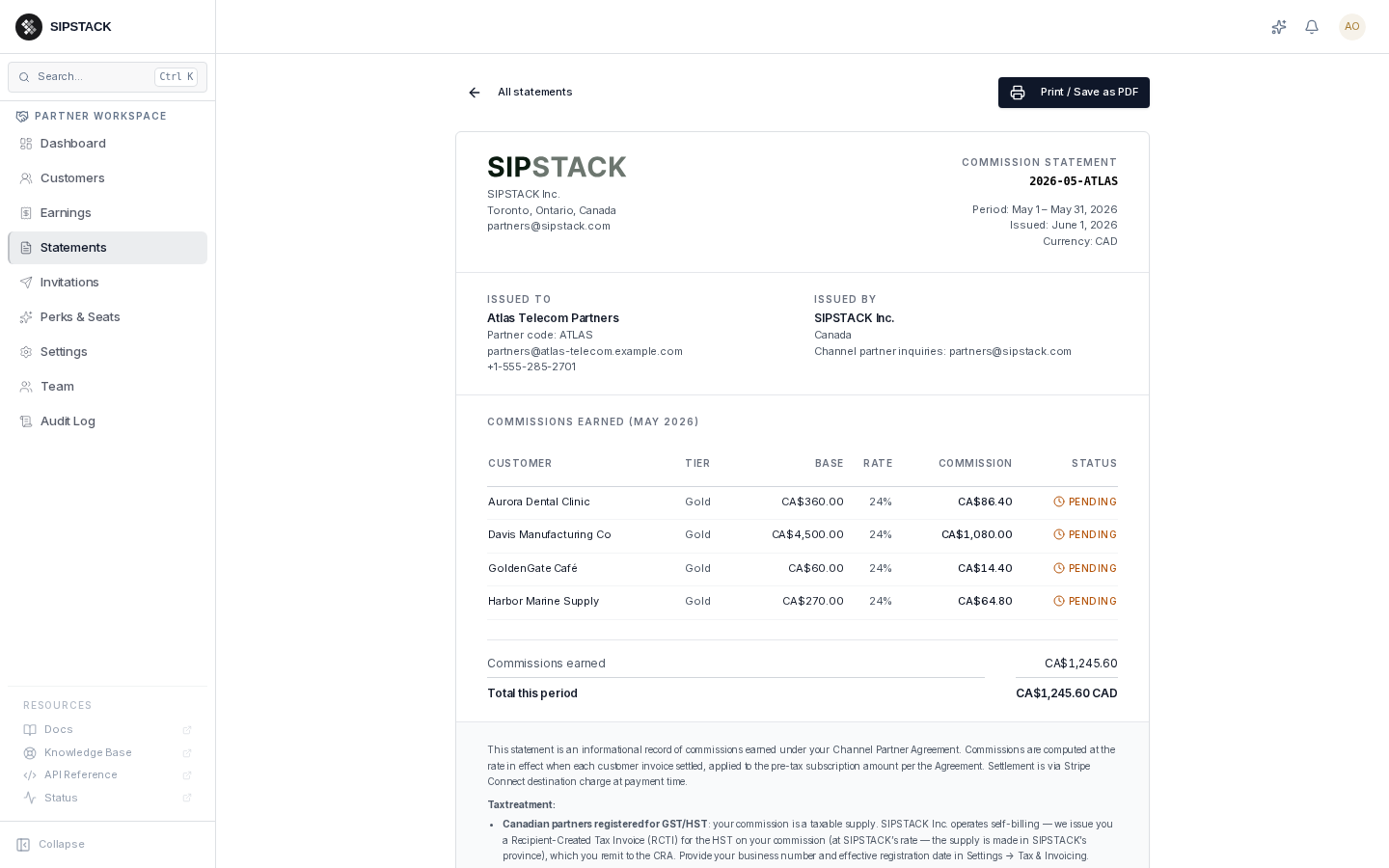
Each statement carries a statement number (e.g. 2026-05-ATLAS), an
itemized commission table (customer, tier, base amount, rate, commission,
status), the period total, and a footer with the tax treatment that
applies to you (RCTI / GST-HST notes for registered Canadian partners).
Statements are informational — they summarize what already happened. They are not invoices in the legal sense (commissions are paid as Stripe Transfers, not against invoices; for registered Canadian partners the authoritative tax document is the RCTI). The annual T4A slip issued to Canadian partners is generated separately from these statements.
Related: Earnings, Tax & Invoicing.