

Channel Partners
Channel Partners
Section titled “Channel Partners”Channel partners are resellers who manage customer accounts on SIPSTACK. You handle the client relationship — SIPSTACK provides the platform. Every time your managed customers pay their invoices, you earn a percentage-based commission deposited directly to your bank account.
Revenue Share Tiers
Section titled “Revenue Share Tiers”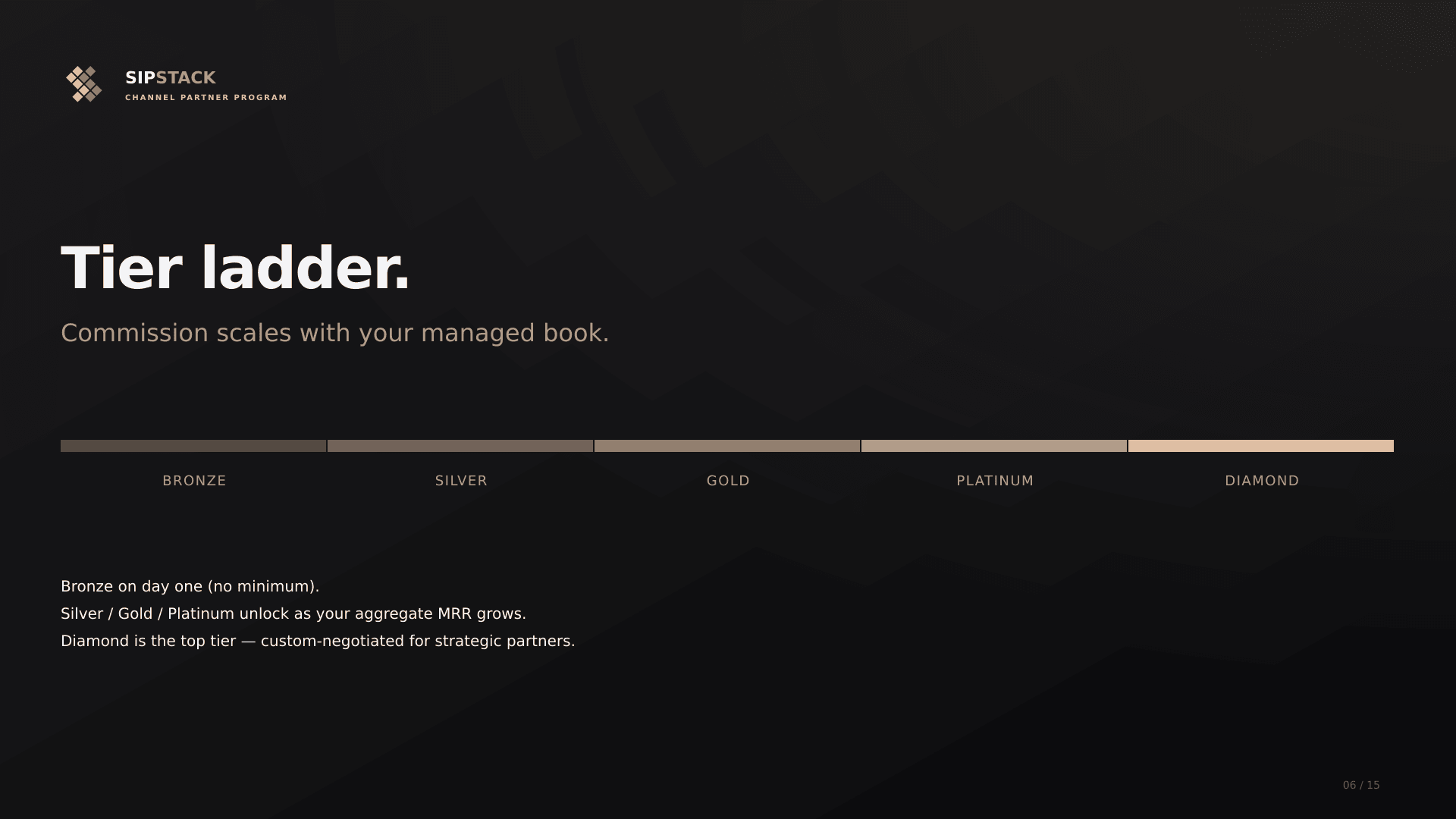
Your commission rate is determined by the total Monthly Recurring Revenue (MRR) across all of your managed customer accounts, denominated in U.S. Dollars. Partners progress through five tiers — Bronze, Silver, Gold, Platinum, and Diamond — and higher tiers earn higher commission rates.
Tier thresholds and commission rates are negotiated in your partner agreement and scale with your contracted volume — they are not published. Your Partner Dashboard always shows your current tier, your rate, and your progress toward the next band.
Currency conversion
Section titled “Currency conversion”Tier qualification is computed in USD. Subscriptions billed in Canadian Dollars are converted using SIPSTACK’s annual reference rate, set January 1 each year and held constant for the calendar year. The 2026 rate is 1 CAD = $0.73 USD. A CAD $20,000/mo customer counts as USD $14,600/mo for tier qualification.
Quarterly tier ratchet
Section titled “Quarterly tier ratchet”Your tier is locked for the calendar quarter. Once you achieve a tier, your commission rate is guaranteed for the remainder of the quarter regardless of customer cancellations or downgrades. Tiers are recomputed on the first of each calendar quarter (January 1 / April 1 / July 1 / October 1, 00:00 UTC). Mid-quarter MRR increases that clear a higher tier reflect on the next API fetch; downgrades wait for the quarter boundary.
Custom Tier Overrides
Section titled “Custom Tier Overrides”In some cases, SIPSTACK may offer a custom commission rate that differs from your tier ladder. Custom rates are set during partner negotiation — based on contracted volume and commitments — and apply regardless of your MRR bracket.
How Commissions Are Calculated
Section titled “How Commissions Are Calculated”When a managed customer pays an invoice:
- Subscription line items are totaled (usage charges and one-time fees are excluded from commission calculation)
- Your current tier rate is applied to the subscription total
- The commission amount is split automatically at the time of payment via Stripe Connect
Example: A customer pays a $500 invoice ($400 subscription + $100 usage). Your tier rate is applied to the $400 subscription portion only, and the resulting commission is deposited to your bank as part of the same transaction.
Instant Payouts
Section titled “Instant Payouts”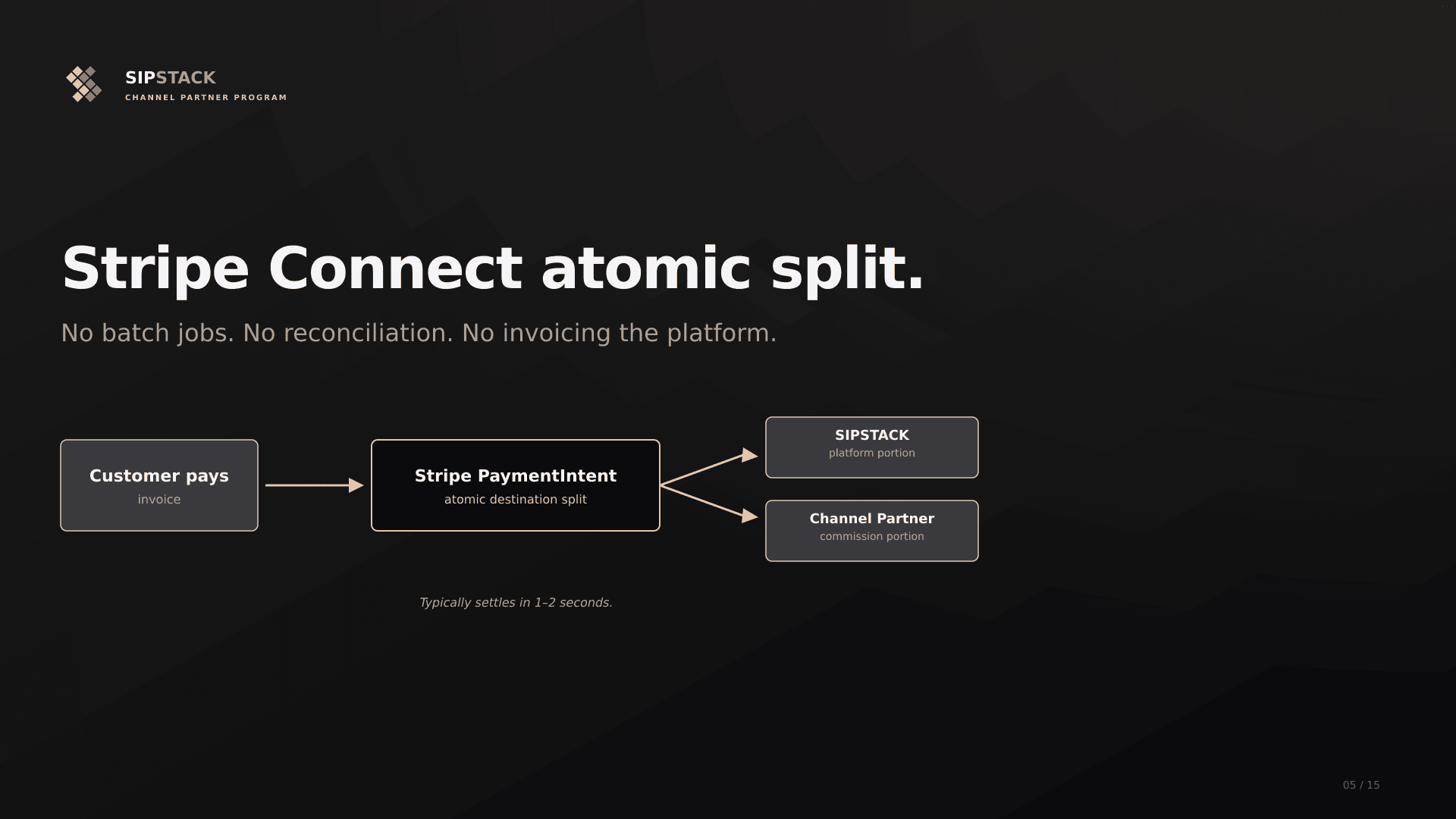
Channel partner commissions are processed as destination charges — Stripe splits the payment at the moment the customer’s card is charged. There is no batch or manual payout cycle. Funds arrive in your connected Stripe account according to Stripe’s standard payout schedule (typically 2 business days).
Managing Customers
Section titled “Managing Customers”Inviting New Customers
Section titled “Inviting New Customers”From the Partner Portal, navigate to Invite Customer to send a pre-linked signup invitation:
- Enter the prospect’s name, email, and company name
- Optionally include a personalized message
- Click Send Invitation
The prospect receives an email with a unique activation link. When they complete signup through this link, their account is automatically linked to your partner account as a managed customer.
Automatic Linking via Referral Code
Section titled “Automatic Linking via Referral Code”If a customer signs up using your partner referral link (instead of a direct invitation), they are also automatically linked as a managed customer. Both paths result in the same outcome.
Viewing Managed Customers
Section titled “Viewing Managed Customers”Navigate to Customers in the Partner Portal to see all of your managed accounts, including:
- Company name and primary contact
- Current subscription plan and seat count
- Account status (active, suspended, etc.)
- Monthly billing amount
Privacy Controls
Section titled “Privacy Controls”As a channel partner, you can access your managed customers’ Switchboard portals. However, customers can request privacy overrides that restrict what you can see in their account:
| Privacy Setting | What It Hides |
|---|---|
| Hide Call Recordings | Call recording playback and download |
| Hide Voicemail | Voicemail message content and playback |
| Hide CDRs | Detailed call records (individual call logs) |
| Hide SMS Content | SMS message body text |
Privacy overrides are set per-customer and apply only to your partner view. The customer’s own users always have full access to their data.
Clawbacks
Section titled “Clawbacks”If a managed customer cancels their subscription, the associated commission for that billing period may be clawed back. Clawback amounts are automatically deducted from your next payout cycle.
Clawback rules:
- Only applies to the current billing period in which the cancellation occurs
- Previously paid commissions for prior billing periods are not affected
- Refunds on customer payments trigger proportional commission clawbacks
What’s Next
Section titled “What’s Next”- Stripe Connect Setup — Required to receive payouts
- Partner Portal — Dashboard, earnings, and statements
- Partner Directory — Get listed publicly for inbound leads