

Audit Log
Audit Log
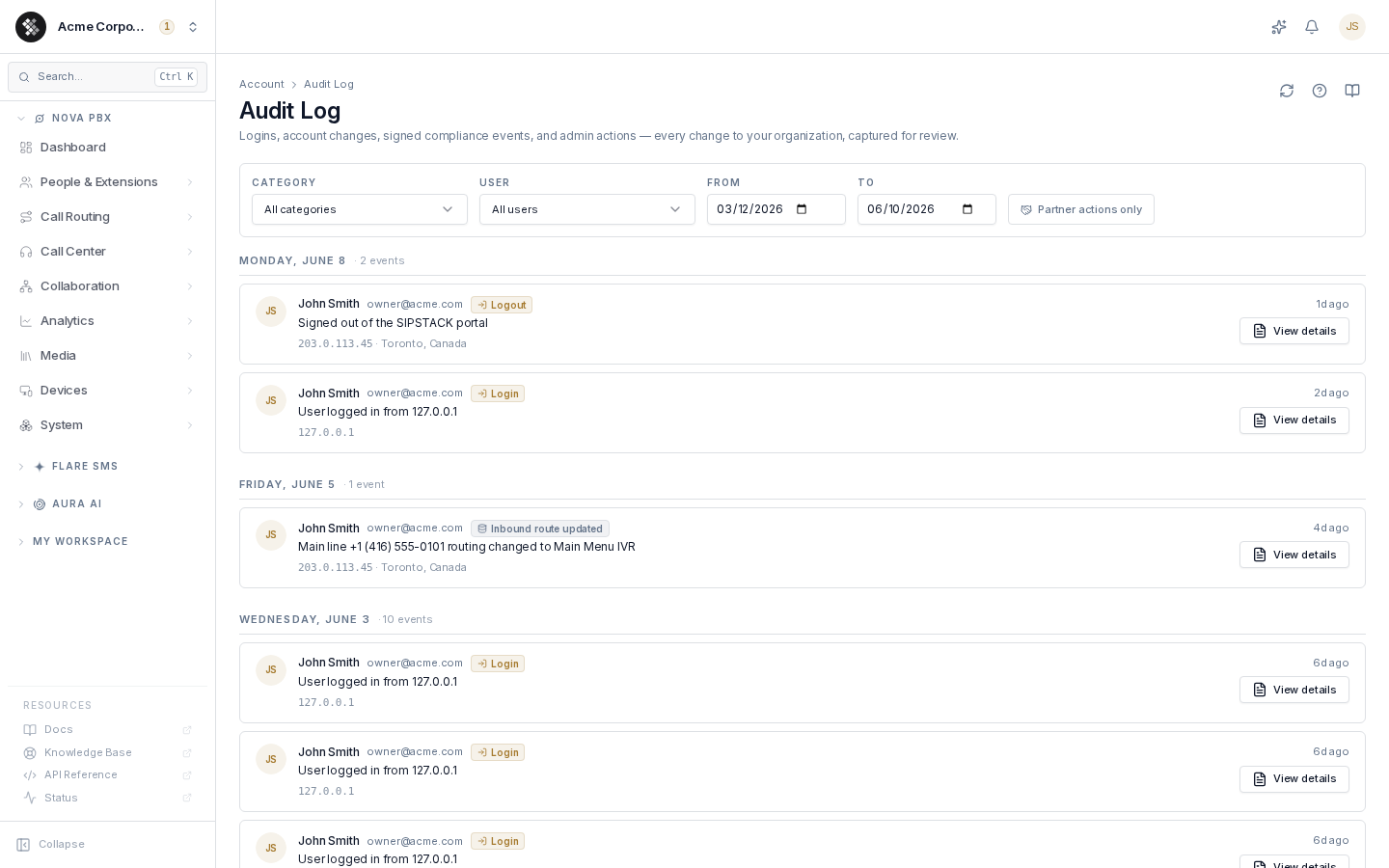
Section titled “Audit Log”The Audit Log is your organization’s complete change history: who did what, when, and from where. It merges day-to-day activity (logins, configuration edits, billing events) with signed compliance events into a single reviewable timeline. Navigate to it from the sidebar under Account → Audit Log.
Event categories
Section titled “Event categories”Every entry belongs to one of eight categories:
| Category | Examples |
|---|---|
| Auth & sessions | Sign-ins, sign-outs, failed logins, password changes, MFA enrollment |
| Data changes | Edits to account-scoped records — users, phone numbers, permission groups, routing settings |
| Admin actions | Privileged actions inside your org. admin.* rows mean SIPSTACK staff acted on your account; the actor shows as “SIPSTACK support” |
| Billing | Payments recorded, plan changes, subscription quantity adjustments, autopay toggles |
| Privacy & GDPR | Data-export requests, deletion requests, retention overrides |
| Signed compliance | Signature-backed events: number releases, signed deletions, account closure, attestations |
| Browsing | Notable read-only navigation events (e.g., compliance page visits) — informational |
| System | Automated platform events (scheduled jobs, retention sweeps) |
Partner actions
Section titled “Partner actions”If you have granted partner (MSP) access, actions performed by a partner inside your org carry a Partner chip on the entry. The Partner actions only toggle in the filter bar narrows the timeline to just those entries.
Signed events
Section titled “Signed events”Compliance-critical events show a Signed badge. These capture the agreement text the user accepted and the drawn signature, and are written to a tamper-evident chain — the artifact you would hand to a regulator or auditor. Open the entry to view the signature image and agreement text.
Reading an entry
Section titled “Reading an entry”Entries are grouped by day (Today, Yesterday, then full dates, in your browser’s timezone). Each card shows:
- Actor — name and email of who performed the action (plus a Partner chip when applicable)
- Action badge — the humanized event type, color-coded by category
- Description — what changed
- Affected resources — chips for phone numbers or records touched by the action
- IP address and geolocation — where the request came from
- Timestamp — relative time; hover for the exact date and time
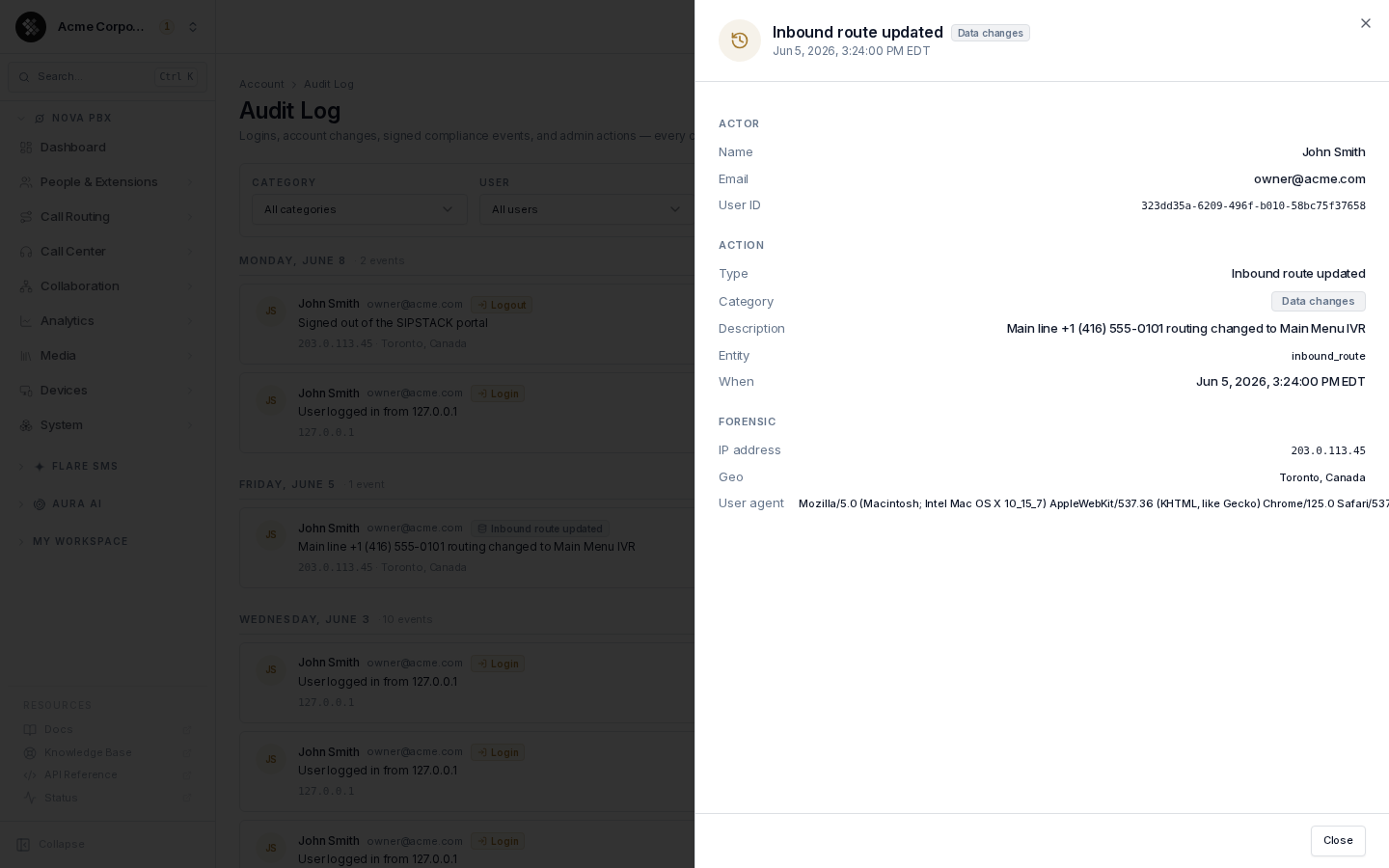
Click View details to open the full record: actor identity, entity type and ID, exact timestamp, IP, user agent, request headers, and — for signed events — the signature and agreement text.
Filtering
Section titled “Filtering”The filter bar at the top of the page supports:
| Filter | Default | Notes |
|---|---|---|
| Category | All categories | One of the eight categories above |
| User | All users | Limit to events where a specific org member was the actor |
| From / To | Last 90 days | Date range; the log loads in pages — click Load more to fetch older entries |
| Partner actions only | Off | Show only entries performed by a channel partner |
Click Reset to clear all filters and restore the 90-day default range.
Deep links
Section titled “Deep links”The category filter can be pre-applied via URL — for example /account/audit-log?category=compliance opens the page filtered to signed compliance events. The Compliance page’s “View audit history” link uses this.
Retention
Section titled “Retention”Entries are retained for at least 365 days. Signed compliance entries are kept longer to satisfy regulatory retention floors. Browsing-category entries are informational and may be pruned earlier.
Common questions
Section titled “Common questions”An admin row says “SIPSTACK support” — who actually did this? SIPSTACK staff identities are shown under a generic label in your view; the real identity is retained internally. If you have a security or compliance reason to need it, file a support ticket.
Why is a category empty? Categories only contain entries when the matching events have occurred. If your org has never had a signed compliance action, the Signed compliance filter legitimately shows no entries.
Can I export the audit log? Not from the UI yet. Contact SIPSTACK support for a CSV/JSON dump of any filter range, including a chain-of-custody attestation for signed events.