

Exploring & Upgrading Plans
Exploring & Upgrading Plans
Section titled “Exploring & Upgrading Plans”Account → Subscriptions → Explore is the product catalog: every SIPSTACK product available to your account, with its entry price, headline features, and a trial badge when a free trial is offered. Reach it via the Add product button on the Subscriptions page.
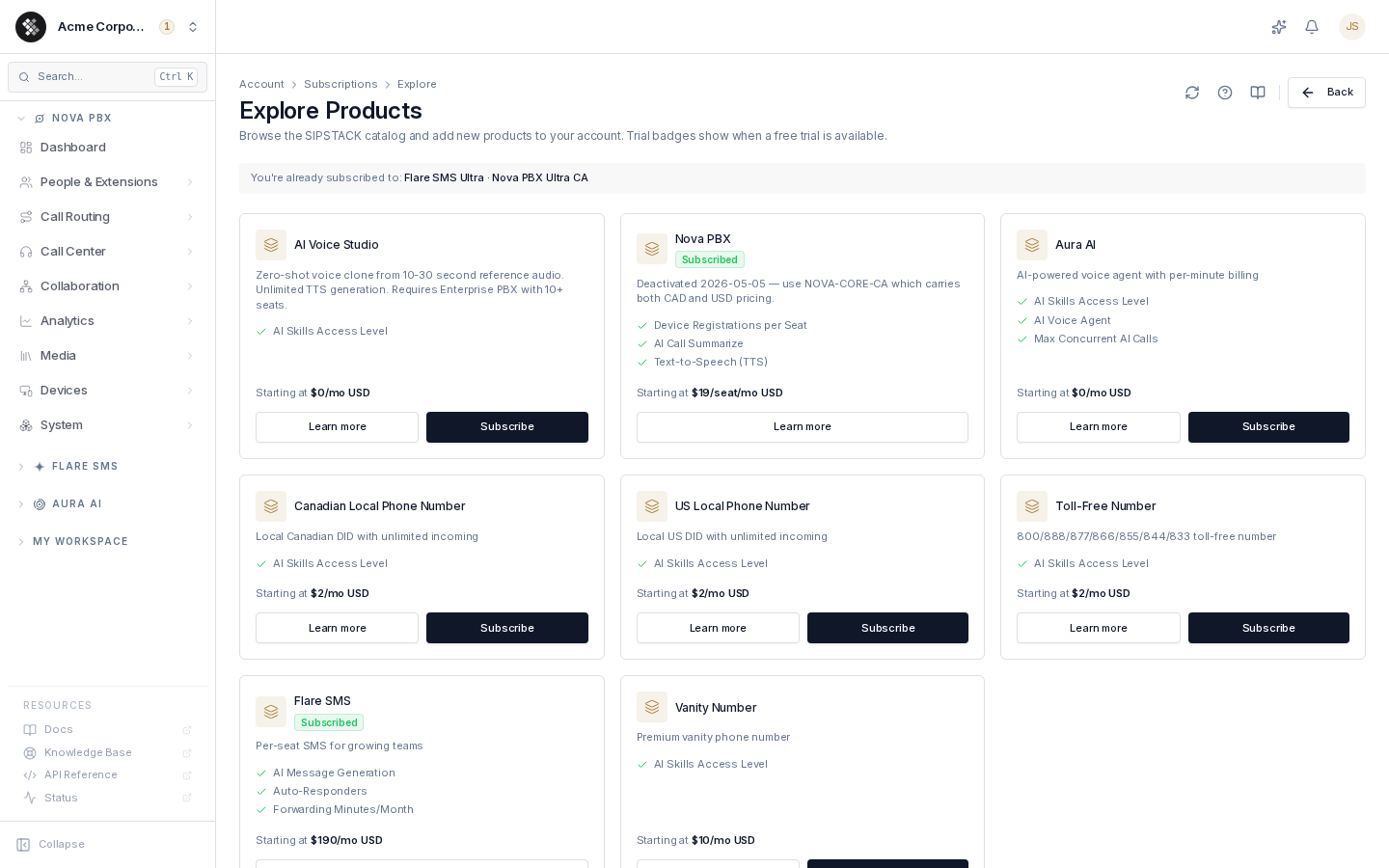
Reading a Catalog Card
Section titled “Reading a Catalog Card”Each card represents one product:
| Element | Meaning |
|---|---|
| Name + badge | The product. A green Subscribed badge appears if you already have it; a trial chip (for example 14d trial) shows when a free trial is available. |
| Tagline & bullets | One-line positioning plus the headline features. Click Learn more for the full plan-by-plan feature matrix. |
| Starting at | The lowest-tier monthly price in your account’s billing currency, with a /seat qualifier on seat-based products. |
| Learn more | Opens a detail dialog with every plan tier and the complete feature list. |
| Subscribe | Starts the subscription flow — pick a plan, choose a seat count (seat-based products), confirm. Hidden on products you already have. |
If you’re already subscribed to products, a strip at the top lists them so you can see your footprint at a glance.
How Subscribing Works
Section titled “How Subscribing Works”- Click Subscribe on a product (or Learn more → Subscribe from the detail dialog).
- Pick a plan tier and, for seat-based products, a seat count.
- Confirm. Billing starts immediately on the plan’s monthly price, pro-rated into your billing cycle.
No card on file? The flow detours to Add card first, then automatically re-opens the subscribe dialog on the same product so you don’t lose your place. Products that offer a free trial skip the card requirement — you can start the trial without entering a card, and you’re only asked for one when the trial converts.
Upgrades
Section titled “Upgrades”There is intentionally no “upgrade” button here. To move an existing subscription to a higher (or lower) tier, use Change plan on the Subscriptions page or the subscription’s detail page. Upgrades are pro-rated and applied immediately; downgrades schedule for the next bill date.
Extending What You Already Have
Section titled “Extending What You Already Have”Below the catalog, quick ”+” shortcuts appear for products you already own — for example + Add phone number (with Nova PBX), which jumps straight to the number-purchase flow.
Trials
Section titled “Trials”- Products with a trial show the length on the card (for example
14d trial). - A trial gives full product access; a banner on the Subscriptions page warns you as the end date approaches.
- Trials convert to a paid subscription only when you confirm — add a card and subscribe before the trial ends to keep access.