

Paging Groups
Paging Groups
Section titled “Paging Groups”A paging group pages one phone: dial *80 + the group’s extension (or press the phone’s paging key), speak after the beep, and the member phone auto-answers on speakerphone and plays your voice. Hang up and the page ends.
To page several phones at once, use your desk phones’ push-to-talk channel instead — see Paging several phones at once.
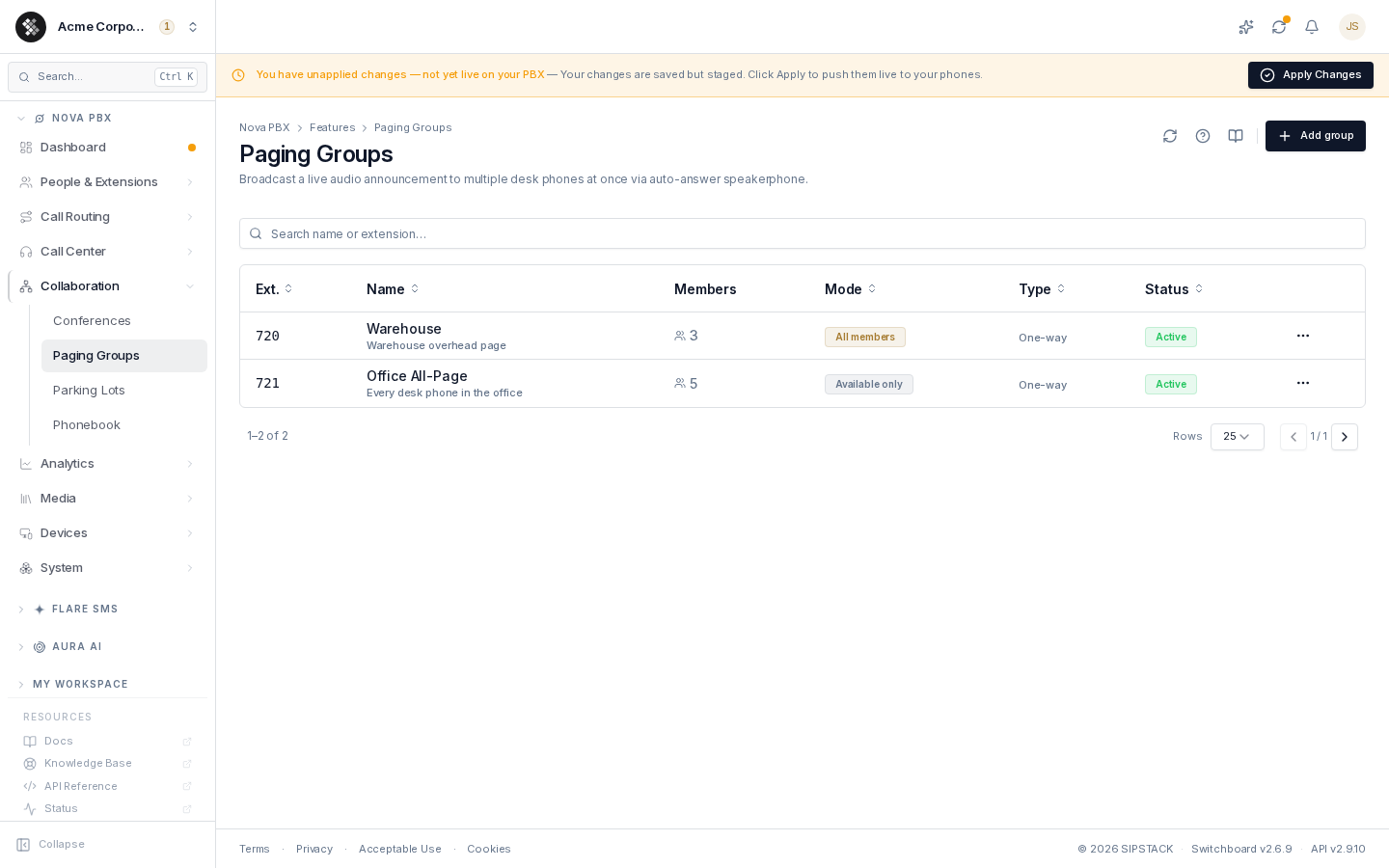
Nova PBX → Collaboration → Paging Groups lists every group with its extension, member, priority, multicast channel, and status.
Related pages: Feature Codes · Extensions · Parking Lots
Paging vs Intercom vs Ring Group
Section titled “Paging vs Intercom vs Ring Group”| Feature | Dial | Behavior |
|---|---|---|
| Paging group | *80 + group ext (e.g. *80720), or the phone’s paging key | The member phone plays your voice on speaker; one-way |
| Desk-phone push-to-talk | the phone’s push-to-talk / group paging key | Every phone listening on that channel plays your voice; one-way. Set up on the phones, not through the PBX |
| Single-phone intercom | *81 + extension (e.g. *811001) | One target phone auto-answers; private two-way conversation |
| Ring group | the group’s number | Phones ring normally; one person answers |
Use a paging group when one person shouldn’t have to pick up, push-to-talk when a whole area should hear you, and a ring group when exactly one person should take the call.
Creating a Paging Group
Section titled “Creating a Paging Group”- Click Add group (top-right).
- Name the group (e.g. “Warehouse”) and pick its Extension — 3 digits recommended (e.g.
720); it cannot be changed after creation. - Choose the group’s Priority — Normal, Priority or Emergency (below). Priority is fixed once the group is created.
- Turn on Members can page to add a paging key to the member phone so it can page the group too.
- Pick the Member — the one extension this group pages. The Who will hear this page list underneath shows which of that member’s desk phones can receive pages and why any cannot.
- Click Create group, then push live with Apply Changes.
To page it: pick up any phone and dial *80 + the extension (e.g. *80720). There is no ring phase — the member phone answers immediately after the confirmation beep.
One group per phone you page
Section titled “One group per phone you page”Each paging group pages one extension, so create a group for each phone people need to page:
| Group | Ext | Member |
|---|---|---|
| Shipping desk | 720 | The dock office phone |
| Manager | 721 | The floor manager’s desk phone |
| Front Desk | 722 | Reception |
Front desk reaches the dock office with *80720 without disturbing anyone else.
Paging several phones at once
Section titled “Paging several phones at once”Paging a whole area — the warehouse floor, every desk in the office — is a different feature: your desk phones’ push-to-talk (group paging) channel. You set it up on the phones themselves, and the audio goes straight from phone to phone over your office network without passing through the PBX. The same network requirements apply (below).
Priority
Section titled “Priority”| Priority | Behavior on the phone |
|---|---|
| Normal | Plays on idle phones; a phone on a call is not interrupted. The day-to-day setting. |
| Priority | Barges in over an active call on phones that support it. |
| Emergency | Highest priority — barges in. Reserve for evacuations and alarms. |
Priority is applied by the phone to pages on the group’s multicast channel. Priority and Emergency each have a reserved channel, so an account that fills up with everyday groups can still create one of each.
Multicast channels
Section titled “Multicast channels”Each paging group gets its own multicast channel, assigned automatically when you save it — the edit page shows the channel number and address. The member’s desk phones are provisioned to listen on that channel. A multicast page is a single audio stream that your office network delivers to every listening phone, so it puts no extra load on the phone system.
- Audio codec — every phone must decode the same codec, so the codec is one setting for all of your paging groups. G.711 µ-law works on every phone; G.722 gives HD audio when every phone in the office supports it.
- Channels per phone — a handset can only listen to so many channels: Grandstream 10, Polycom 25, Yealink 31. Past that, the lowest-priority channels are left off that phone (Emergency and Priority are kept first). Who will hear this page warns when your account has more channels than the member’s phone can hold.
Network requirements
Section titled “Network requirements”Multicast pages stay on the local network. Check these before relying on paging:
- Same network only — phones must be on the same office network or voice VLAN as each other. Remote and work-from-home phones, softphones (Pulse, browser) and DECT handsets cannot hear multicast pages; Who will hear this page marks them so they aren’t silently missed.
- IGMP snooping — turn it on for the voice VLAN on your switches. Without it, every page floods to every port on the VLAN.
- Mixed brands — paging is guaranteed between phones of the same brand. Polycom shares one address for every group and tells groups apart by channel number, while Yealink, Grandstream and other brands use a separate address per group, so Polycom and Grandstream phones may not hear each other’s pages.
Changing the Member
Section titled “Changing the Member”Change the member on the group’s edit page — pick a different extension in Member (or No member), Save changes, then Apply Changes. Who will hear this page lists the member’s desk phones with a ready / with limits / can’t receive status.
Older groups with several members
Section titled “Older groups with several members”Groups created before the one-member limit may still have several members. They keep working as they are, but to save any other change you first choose the one member to keep. You can still switch such a group off without choosing.
Behavior Notes
Section titled “Behavior Notes”- Phones answer via SIP auto-answer. Phones provisioned through SIPSTACK are configured for this; manually-configured phones may need their auto-answer/intercom setting enabled in the phone’s own UI.
- Pages are one-way. For a two-way conversation with one person, use single-phone intercom (
*81+ extension). - Pages are not recorded and never go to voicemail.
- The
*80code is internal-only. If you need an external caller to trigger a page, point an inbound route’s destination at the paging group — and treat that DID with care: anyone who calls it pages that phone.
Troubleshooting
Section titled “Troubleshooting”- The member’s phone didn’t play the page — check Who will hear this page on the group: the phone may be remote, a softphone or DECT handset, not provisioned, or over its channel limit. Otherwise it’s on a call with a Normal-priority page, or the change hasn’t been Applied yet.
- Push-to-talk pages reach phones in one office but not another — multicast doesn’t cross between sites or networks; set up push-to-talk separately at each site.
- Page is silent — speakerphone volume on the member’s phone.
*80…plays “invalid” — wrong group extension, the group is Disabled or has no member, or staged changes were never applied.