

Flare SMS Overview
Flare SMS Overview
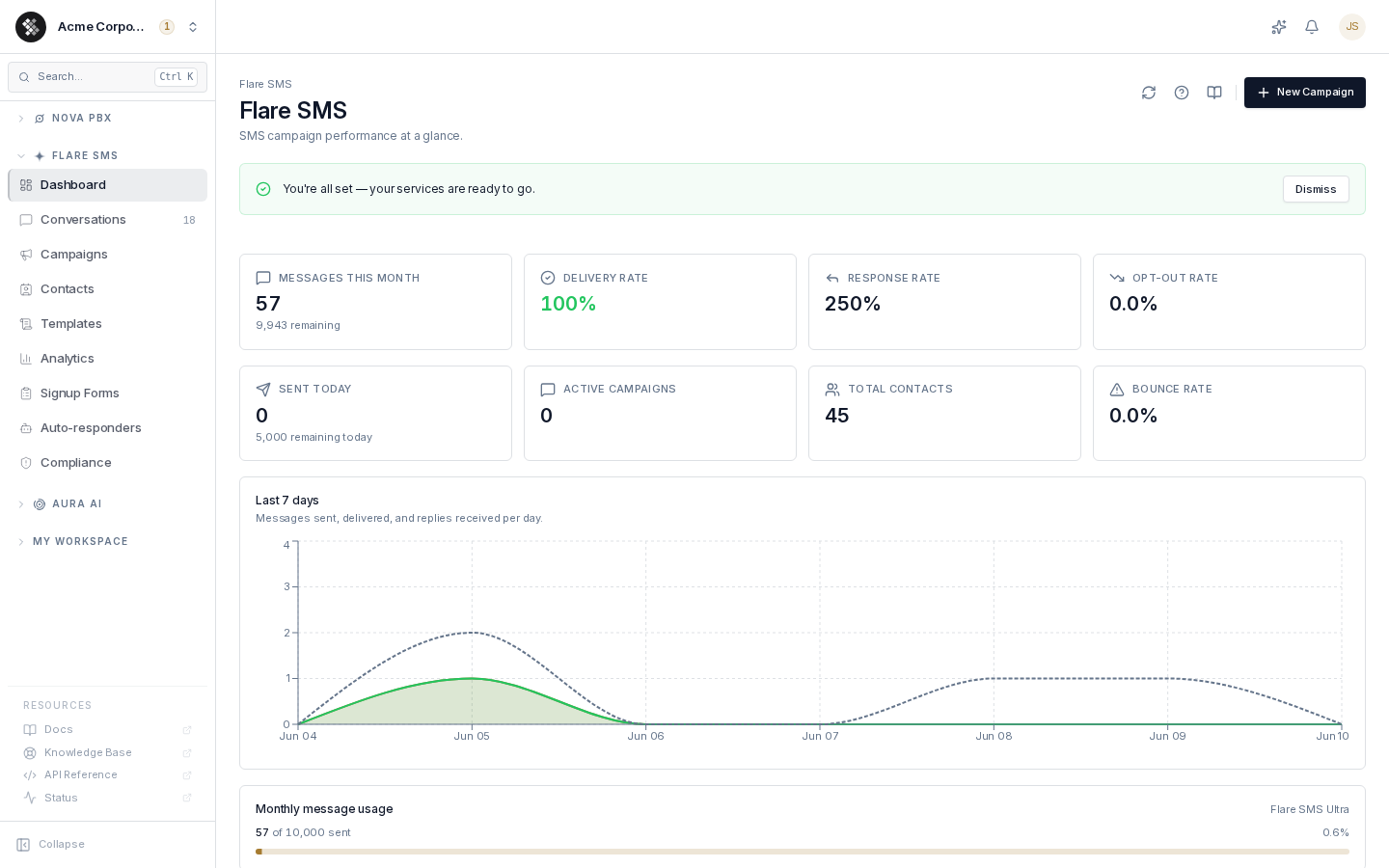
Section titled “Flare SMS Overview”Flare SMS is SIPSTACK’s Application-to-Person (A2P) SMS platform. It lets your business send bulk campaigns, run drip sequences, manage two-way conversations, build contact lists, automate responses, and track delivery analytics — all from the Switchboard portal.
Flare SMS is sold in three self-serve tiers — Core, Pro, and Ultra — plus a sales-negotiated Enterprise option. Plans are flat-priced per account and differ in included monthly messages, phone numbers, team users, contact capacity, daily send limits, throughput, and AI message generations. Inbound messages have their own included allowance and then bill at the same per-segment rate as outbound — see SMS Usage, Limits & Billing.
See Plans & What’s Included for the tier capability matrix and sipstack.com/pricing for current quantities and prices. 10DLC registration is required for US traffic on every tier.
How fast a campaign sends depends on both your plan and the type of number you send from — see Sending Speeds for messages per hour and how long 10,000 messages take.
Key Features
Section titled “Key Features”- Bulk Campaigns — Send a single message to thousands of contacts at once. Schedule for optimal delivery times or send immediately.
- Drip Campaigns — Build multi-step message sequences with configurable delays between steps (e.g. Day 0 welcome, Day 3 follow-up, Day 7 offer).
- A/B Testing — Write two message variants, split your audience, and track which performs better. Manually promote the winning variant.
- Template Library — Save frequently used messages as templates with variable placeholders for personalization.
- Two-Way Messaging — Manage inbound replies in a conversation-style inbox. Reply directly from the portal.
- Contact Management — Import contacts from CSV, organize with tags, create lists, and track opt-out status automatically.
- Compliance Tools — STOP/START keyword handling, opt-out tracking, and TCPA/CASL-friendly tooling.
- Auto-Responders — Trigger automatic reply messages based on keywords.
- Analytics — Delivery rates, click-through rates, opt-out rates, and campaign funnel reporting.
10DLC Requirement (US Numbers)
Section titled “10DLC Requirement (US Numbers)”If you send SMS to US numbers using 10-digit long codes (10DLC), you must register your brand and campaign with The Campaign Registry (TCR). This is an industry-wide requirement enforced by US carriers to reduce spam.
SIPSTACK assists with 10DLC registration. Contact support or your account manager to begin the registration process. Unregistered traffic on US 10DLC numbers will be filtered by carriers.
Canadian numbers and toll-free numbers have different registration requirements — see SMS Compliance for details.
Toll-Free Verification
Section titled “Toll-Free Verification”Toll-free numbers must be verified before they can send texts — carriers block texts from unverified toll-free numbers. Verification is free and takes up to 5 business days. To request verification for a toll-free number, contact SIPSTACK Support.
Quick Start
Section titled “Quick Start”- Buy a phone number — or port an existing number.
- Import your contacts — CSV upload or manual entry.
- Create a campaign — compose your message, select your audience, and send or schedule.
- Review analytics — monitor delivery and engagement.
Already have a phone number? You don’t need to buy one: if a number you own doesn’t support text messaging yet, turn Messaging on for it from its number detail page. Then, on the Messaging tab, route inbound texts to your team inbox (or a teammate) so replies have somewhere to land. Both show up as steps on the Switchboard’s Flare getting-started checklist.
Navigation
Section titled “Navigation”In the Switchboard portal, Flare SMS features are organized under the Flare SMS section in the left sidebar:
- Dashboard — Usage summary, recent activity
- Campaigns — Create and manage message campaigns
- Messages — Two-way conversation inbox
- Contacts — Contact list and import
- Templates — Saved message templates
- Analytics — Delivery and engagement reports
- Settings — Phone numbers, API keys, webhooks, auto-responders, compliance