

Blocked Numbers
Blocked Numbers
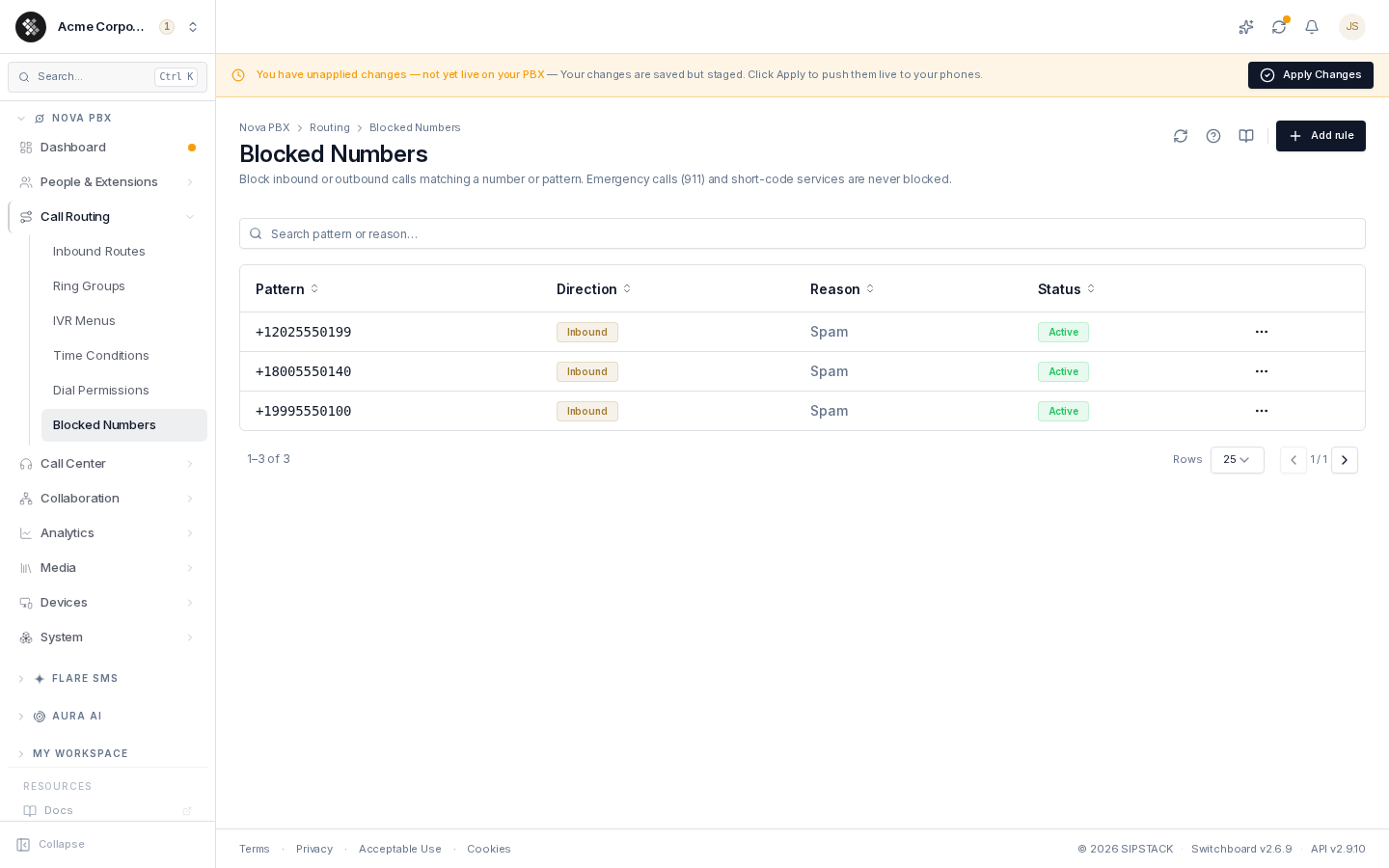
Section titled “Blocked Numbers”Blocked numbers are organization-wide rules that refuse calls matching a number or pattern, in either direction. Use them to stop known spammers from reaching your office, or to prevent staff from dialing specific destinations. Navigate via the sidebar: Nova PBX → Call Routing → Blocked Numbers.
Related pages: Inbound Routes · Dial Permissions
The rules table
Section titled “The rules table”| Column | Meaning |
|---|---|
| Pattern | The number or wildcard pattern the rule matches (see syntax below). |
| Direction | Inbound (block calls to you), Outbound (block calls your staff dial), or Both. |
| Reason | Free-form note — “Spam”, “Robocall”, “Premium-rate”. |
| Status | Active (enforced) or Disabled (kept but skipped — handy for temporarily un-blocking). |
The search box filters by pattern, direction, and reason. Click a row to edit it in place; the ⋯ menu offers Edit and Remove.
Adding a rule
Section titled “Adding a rule”- Click Add rule.
- Enter the number or pattern.
- Pick the direction (default: Both).
- Optionally add a reason and toggle Enabled.
- Click Add rule in the dialog.
Pattern syntax
Section titled “Pattern syntax”Exact number — international format starting with +:
+14165551234— blocks exactly that number+18005550140— blocks one specific toll-free number
Wildcard pattern — starts with an underscore _:
| Symbol | Matches |
|---|---|
X | any digit 0–9 |
Z | any digit 1–9 |
N | any digit 2–9 |
. | one or more characters |
Examples:
_1900XXXXXXX— every 1-900 premium number_011.— every international call (when used outbound)_1416XXXXXXX— an entire area code
How blocking interacts with routing
Section titled “How blocking interacts with routing”Blocked-number rules fire before inbound routes and outbound dialing — a blocked call never reaches the routing layer. Rules are organization-wide (not per extension); for category-level restrictions per extension, use Dial Permissions instead.
Saving a rule stages it on your PBX configuration — click Apply Changes in the pending-changes banner to enforce it.
Troubleshooting
Section titled “Troubleshooting”- A blocked number still gets through — confirm the rule is Active, the pattern matches the full caller ID as delivered by the carrier (exact rules need the leading
+), and the direction matches the call. Spoofed caller ID can defeat number-based blocking — the rule can only act on what the carrier sends. - Staff can’t dial a legitimate number — review Outbound rules; a wildcard may be broader than intended.
- Temporarily allow a blocked caller — set the rule’s status to Disabled instead of deleting it, then re-enable later.